Exit
  • Global community
    • Language:
      • Deutsch
      • English
      • Español
      • Français
      • Português
  • 日本語コミュニティ
  • 한국 커뮤니티
1

Often need to login / exceed

Explorer ,
Apr 29, 2019 Apr 29, 2019

I have a license for the Photography Plan.
I have it installed on two computers:

- Laptop : Dell XPS on Windows 10 Pro
- Desktop : self built on WIndows 10 Pro

The problem is with the desktop.

I regularly i.e. almost every day need to RE log in to Adobe CC on the desktop.
It seems to regularly forget my login.
Although I use the laptop a lot less - it hardly ever happens on there.
In addition to login issues - it also gives me activation (exceeded) on the Desktop.
But I only ever use it on these twho machines and never at the same time.

For the below screenshots:
Daf-PC = my desktop
DafXPS = my laptop

E.g. After login it often complains I have exceeded my activation limit.
Even the computer I'm on (Daf-PC) is listed:
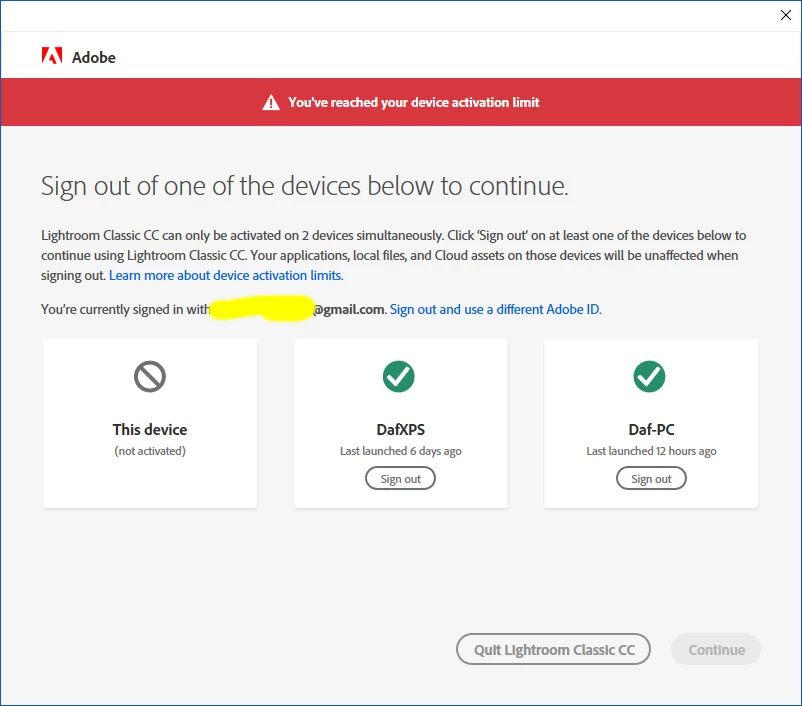
Activation_edit.jpg

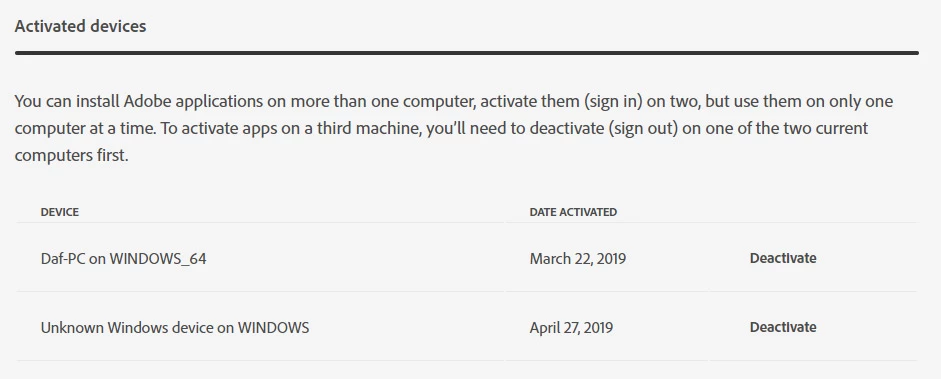
SO - Yes I have tried the help issue suggestion of logging in to my CC account and deactivating my computers.
Often this shows some anomalies e.g.:
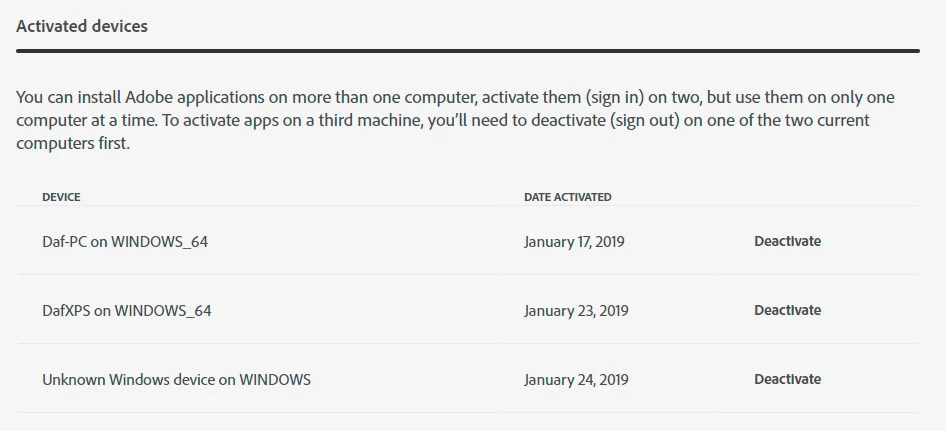
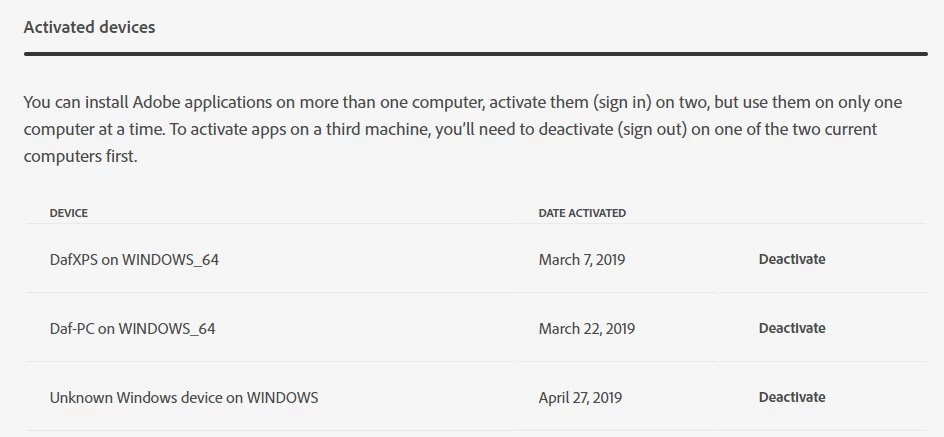
ActivatedDevices.jpg

ActivatedDevices-2.jpg

ActivatedDevices-2-afterdeactivate.jpg

When I Remove BOTH desktop and laptop from my account (as per help instructions) - it usually works for a while BUT then fails again - and it's even worse - the activation limit pop-up shows that 2 activations are taken up ON THE SAME PC!
I have a static IP at home so changing IPs  can't be the issue:
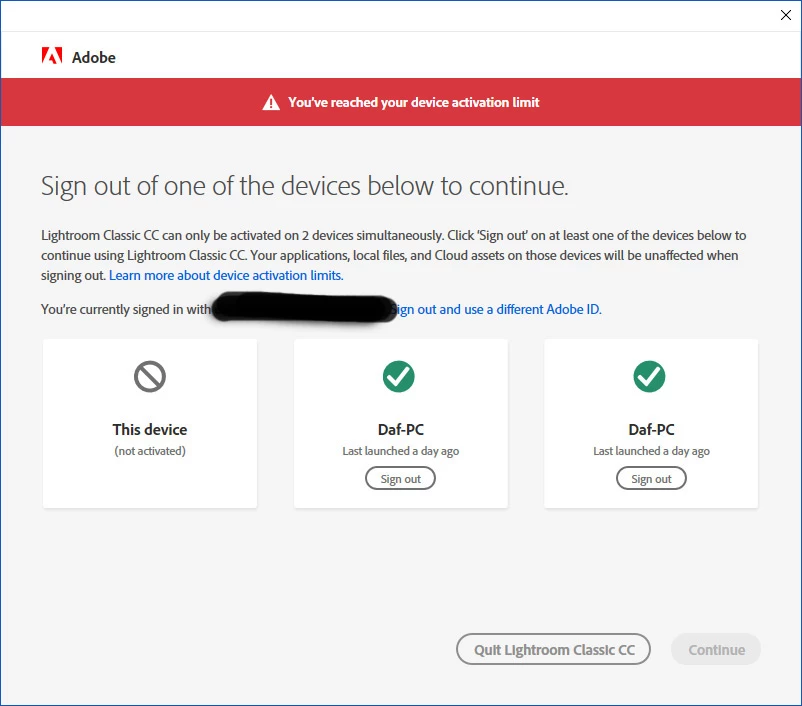

Activation-TwoDafPC_edit.jpg

Besides - laptop is Ok at home, desktop is not.

I remove both copies of this same desktop:
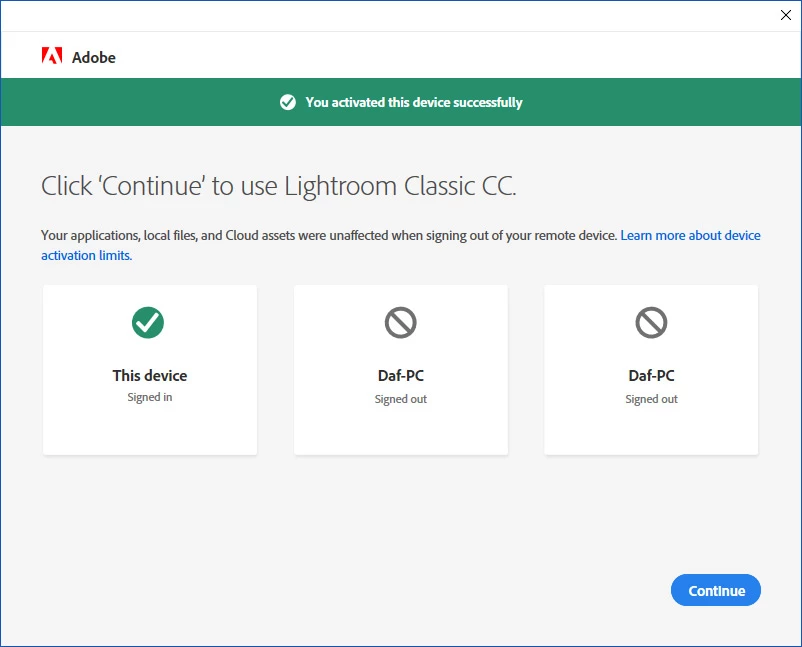
Activation-TwoDafPC_signedout.jpg

But it inevitably happens again after a day or two......

Any thoughts / help ?

TOPICS
Creative Cloud
488
Translate
Report
Community guidelines
Be kind and respectful, give credit to the original source of content, and search for duplicates before posting. Learn more
community guidelines
Community Expert ,
Apr 29, 2019 Apr 29, 2019

On the desktop you get a message that there are 2 active sign ins and that you need to sign out one computer?

And it proposes something like XY_windows_64 and XY_windows?

ABAMBO | Hard- and Software Engineer | Photographer
Translate
Report
Community guidelines
Be kind and respectful, give credit to the original source of content, and search for duplicates before posting. Learn more
community guidelines
Explorer ,
Apr 29, 2019 Apr 29, 2019

Often - yes on the desktop (called Daf-PC)  it shows a screen like this:
Activation_edit.jpg
I need to Sign out of one.
So I choose "Daf-PC" which is the desktop I'm actually on when I see this.
Then I can continue Ok - for a day or few and then it happens again.

Translate
Report
Community guidelines
Be kind and respectful, give credit to the original source of content, and search for duplicates before posting. Learn more
community guidelines
Community Expert ,
Apr 29, 2019 Apr 29, 2019

OK! I see.

I had that also...on my laptop. I didn't do any specific action and it went away. I suspect a specific update either on the Adobe side or on the Windows side.

Sorry that I can't be more specific with a solution...

ABAMBO | Hard- and Software Engineer | Photographer
Translate
Report
Community guidelines
Be kind and respectful, give credit to the original source of content, and search for duplicates before posting. Learn more
community guidelines
Explorer ,
Jun 15, 2019 Jun 15, 2019

Went away for a while - but seems to be back again!

Translate
Report
Community guidelines
Be kind and respectful, give credit to the original source of content, and search for duplicates before posting. Learn more
community guidelines
Explorer ,
Nov 19, 2019 Nov 19, 2019
LATEST

Again - went away for a good few months.
But back again with recent "2020" v 10 updates

Translate
Report
Community guidelines
Be kind and respectful, give credit to the original source of content, and search for duplicates before posting. Learn more
community guidelines