Hello - I would appreciate help from the Adobe community ...
I am attempting to install Adobe Photoshop CC (2015), but continue to get the error:
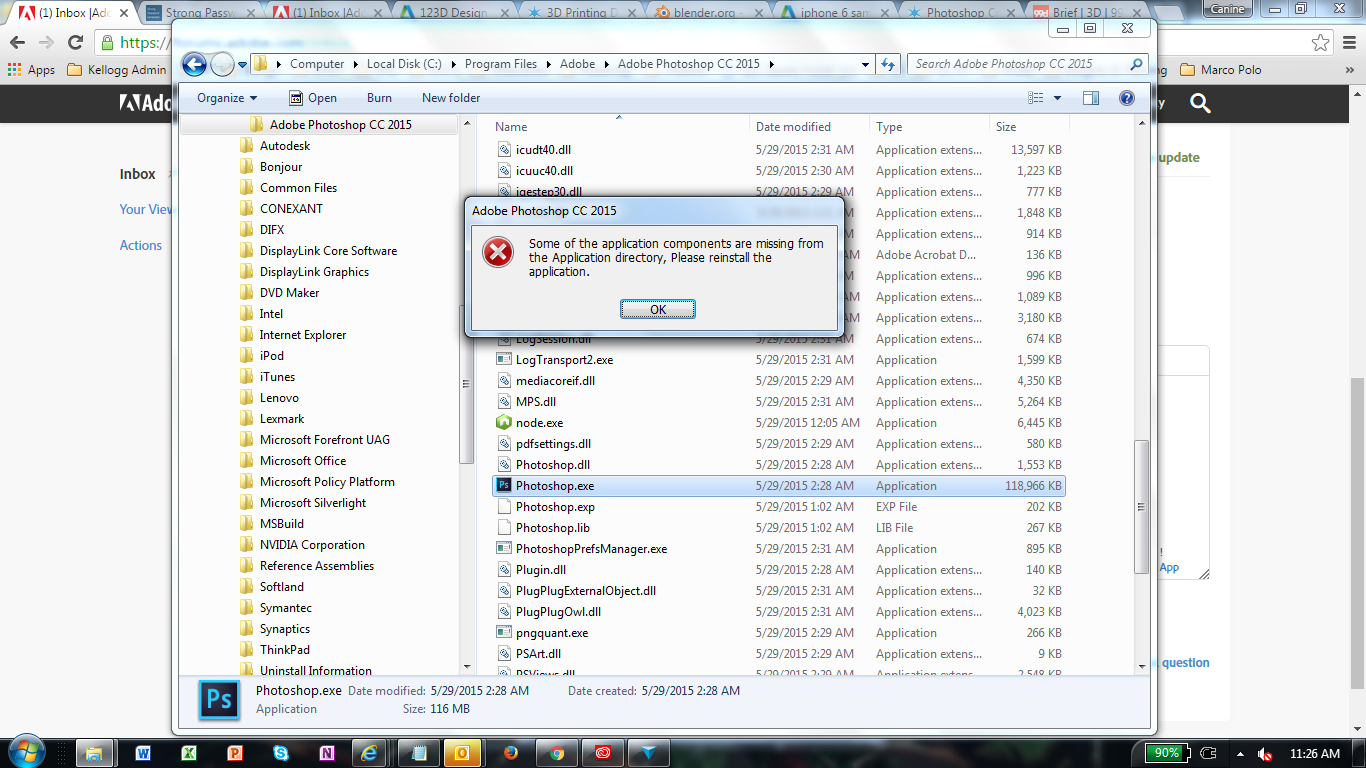
"Some of the application components are missing from the Application directory, Please reinstall the application." every time I attempt to launch the application (see screenshot below).
The Download / Extraction / Installation process runs successfully each time I attempt it ... I have reinstalled the application six times, as well as followed the instructions to use the Adobe Cleaner Tool to remove all Creative Cloud components, and redownloaded the Creative Cloud application as well as the Photoshop CC ...
I've rebooted my computer each time ... still to no avail.
I've looked through the logs in the PDApp.log file, and found these two error msgs:
[ERROR] | | ASU | OPM | P7Native | | | 7372 | OOBElib returned error: 1
[ERROR] | | ASU | OPM | CryptEngine | | | 6512 | Failed in key3List generation
System info:
I am running Windows 7 Enterprise - Service Pack 1; 64-bit
Intel i7-2640M CPU @ 2.8GHz
16GB RAM
Adobe Creative Cloud version 3.6.0.248
Please help. Really have no idea what to do next ...







 4
Replies
4
Replies



 AdChoices