
Participating Frequently
November 7, 2016
Question

Premiere 2017 Update Error Code: 190 from existing CC 2015

  • November 7, 2016
  • 3 replies
  • 36890 views

Just trying to update for the new features. On a Windows 7-64bit.  I have CC as well as Ps and Pr.  My Specs are fantastic and of no concern.. I immediately am given an error code, picture below.
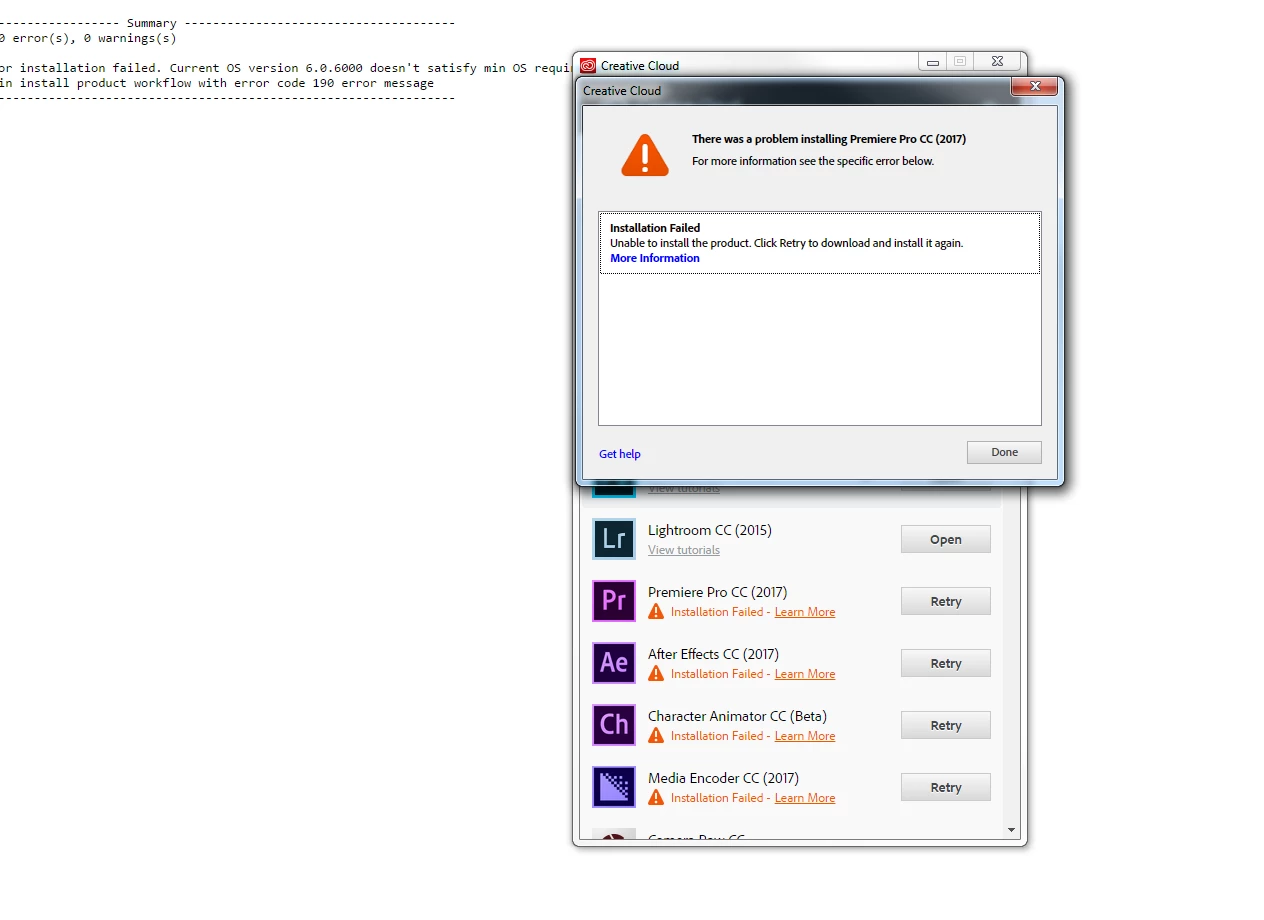
[Moved from non-technical Forum Lounge to specific Program forum... Mod]

[Here is the list of all Adobe forums... https://forums.adobe.com/welcome]

This topic has been closed for replies.

3 replies

Participant
November 28, 2016

Just forget about 2017 version. I had the same problem. Go head and download older version instead. Use link below
FAQ: How do I reinstall a previous version of Premiere Pro

Participant
November 26, 2016

Same problem here; I'm running Windows 7 Ultimate N 64-bit on a build with an i5-6500 and a GTX 1060. I'm not going to uninstall my old software until I know there's a fix, but all of the old versions seem to be crashing on launch now. I updated Photoshop alone the day after the new update came out, but that started crashing on launch abruptly this morning (which prompted me to check for CC updates). Hopefully this information helps.

NULL1Author
Participating Frequently
November 29, 2016

Interestingly enough I had a second ticket with the answer here -

Cloud CC Not Recognizing OS Version 6.1.7601 for Premiere 2017 Update (Error Code 190)

The answer was deleted.  I also grilled them for not responding or having a fix to a simple problem or even the recognition to a paying subscriber that my program had bugged.

I had to boot up in Safe Mode with Networking - I used a different DSL to download CC and it worked.  Not sure why.

Anyway hope this helps.

Participant
November 30, 2016

Thank you jonar.so!

I also was able to install in safe-mode+network .

My system is Win7 Ultimate(sp1) and encountered "Error Code 190" trouble about installing AE2017, PP2017, Illustrator2017, Audition  and MediaEncoder2017 .

In another PC running Win7 home-premium(sp1), I can install them all without any trouble .

i spent whole 2 days for clean install and windows update .

According to Adobe staff's post, I tried update by another admin-account but didn't work .

Finally installation worked fine thanks to your post !! Boot up in "Safemode+Network" is good solution!! Thank you !!

Richard Harrington
Participating Frequently
November 7, 2016

Try uninstalling previous version or any beta software first.

NULL1Author
Participating Frequently
November 7, 2016

Anoter question - the OS version referring to Windows, yes? Creative cloud is up to date.

verginl
Participant
March 9, 2018

I have also the same problem. Everytime I install the Premire Pro 2017 it always drop off, showing error: 190 even I am using a gaming laptop with Windows 10.1. But I resolved it as I go to Properties > Compability> Comability Options > Windows8 then boom... it worked (offline installer). Maybe, it was some compability issues and only matched with Windows 8 an service pack 2 of 7...


very thank's my problem solved. thx u