
Xephrew
Participating Frequently
September 1, 2016
Answered

Problem with installing

  • September 1, 2016
  • 2 replies
  • 754 views

Hi there,

I am installing Adobe CC trial version. I click on the installer which opens and installs CC but when it does open after installing, it just endlessly loads.

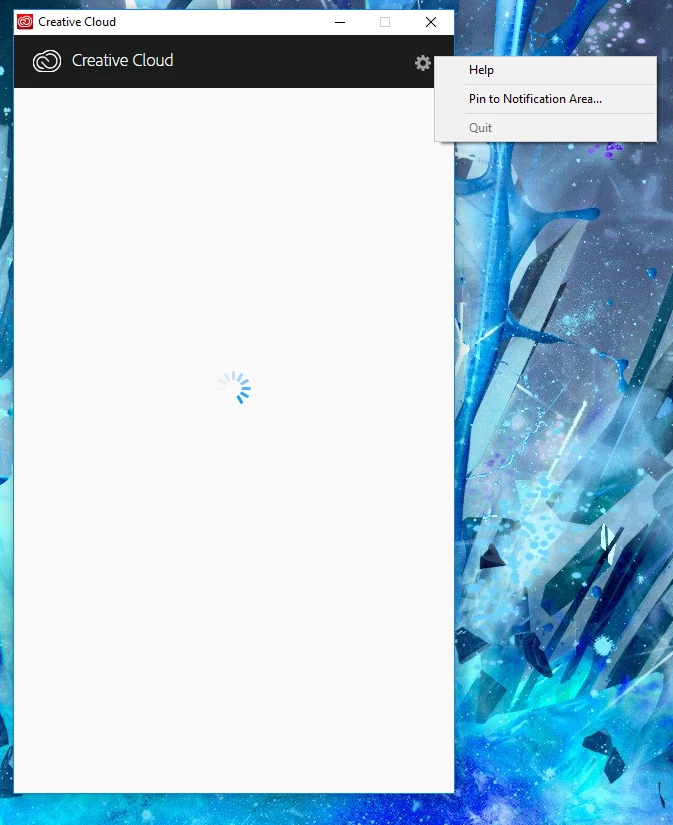
I am running Windows 10 64 bit. I have uninstalled everything to do with Adobe and deleted the Adobe folder in appdata, restarted and then reinstalled.

As it is still endlessly loading after more than an hour now. I am left to come and ask for some more knowledgeable help.

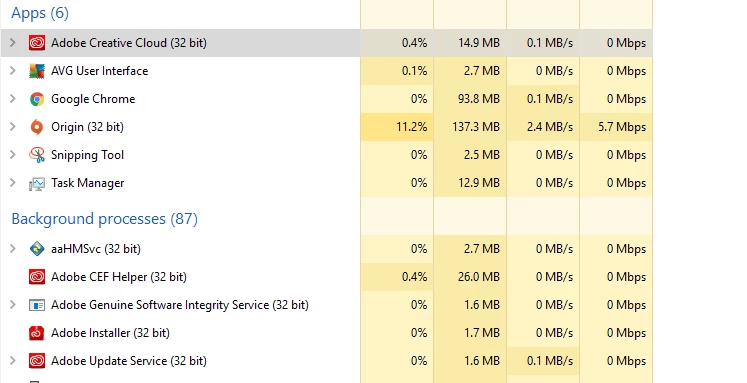
Adobe applications running in task manager:
Thank you very much indeed for any help.

Kind regards,

Flynn.

This topic has been closed for replies.
Correct answer kglad

When I click the cog, there is no preferences or settings showing. (See the image above).


using a browser that allows popups and cookies,  contact adobe support during pst business hours by clicking here and, when available, click 'still need help', http://helpx.adobe.com/x-productkb/global/service-ccm.html

2 replies

Participant
September 1, 2016

Hi I am facing a similar problem. But I cannot even install the creative cloud.
I launch the dmg but the app won't appear.

kglad
Community Expert
Community Expert
September 1, 2016
Xephrew
XephrewAuthor
Participating Frequently
September 1, 2016

Hi, Thank you for your response.

I was using that list earlier but nothing worked which is why I came here. However, I did try it all again, uninstalling and deleting all files that were related to Adobe, but it still does not work .

I can't press the quit button in the cog tab as that is not available to me, so I have to end the program via task manager.

Does it generally take this long or over an hour to get it working? I am running my computer off from a Samsung SSD.

Xephrew
XephrewAuthor
Participating Frequently
September 1, 2016

Also, I forgot to mention.

The location of the install changes from my second, mechanical hard drive (A drive) to my C drive. This makes the shortcut go funny. Cloud this be related to it not working?