
Participant
June 30, 2012
Frage

Product Code for Manual Uninstall of Elements Organizer 10

  • June 30, 2012
  • 1 Antwort
  • 1988 Ansichten

Installed Premiere Elements 10 to migrate application onto new laptop and free up space on original laptop (still in use).  Premiere Elements uninstalled completely but there is still an "Elements 10 Organizer" folder within Program Files which did not uninstall correctly.  Attempting to use Microsoft FixIt to complete the uninstall but this requires the 38 digit product code to delete applications which FixIt cannot locate by name.

The product code should look like this
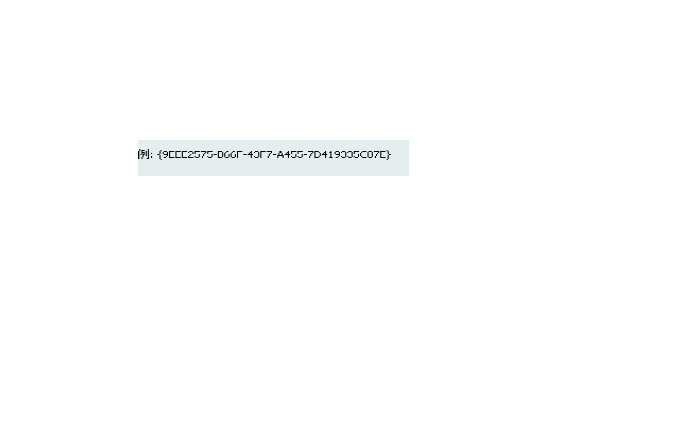
Alternatively, if there are other options to complete the uninstall, advice would be most welcome.

Thank you for your assistance.

    Dieses Thema wurde für Antworten geschlossen.

    1 Antwort

    Arpit Kapoor
    Participating Frequently
    June 30, 2012

    Remove Photoshop Elements:

    • Choose Start > Control Panel > Add Or Remove Programs.
    • Select Adobe Photoshop Elements <version>.

    • Click Change/Remove.
    • Follow the onscreen instructions to remove Photoshop Elements.
    • When the installer has finished, navigate in Windows Explorer to C:/Program Files/Adobe/Photoshop Elements (or your custom installation location).

    • Delete any files and folders that remain inside the Photoshop Elements folder.


    Participant
    July 1, 2012

    Thank you for your advice.

    Unfortunately, the “Elements 10 Organizer” folder did not properly uninstall using the Adobe disk or via the Start > Control Panel > Add or Remove Programs option. It is not possible to delete the “Elements 10 Organizer” folder manually via Windows Explorer because the “`PhotoshopElementsFileAgent.exe” cannot be accessed. I manually went in from Explorer to turn off “read-only” on the file but this still does not allow deletion of the folder. Hence, I resorted to using Microsoft FixIt to tidy up the uninstall as FixIt was able to resolve previous (unrelated) uninstalls when similar problems were encountered.

    I look forward to further assistance. Thank you.

    Inspiring
    July 1, 2012