Participant
February 28, 2020
Question

"You must update your system to install illustrator"

  • February 28, 2020
  • 2 replies
  • 3850 views

Greeting Adobe community


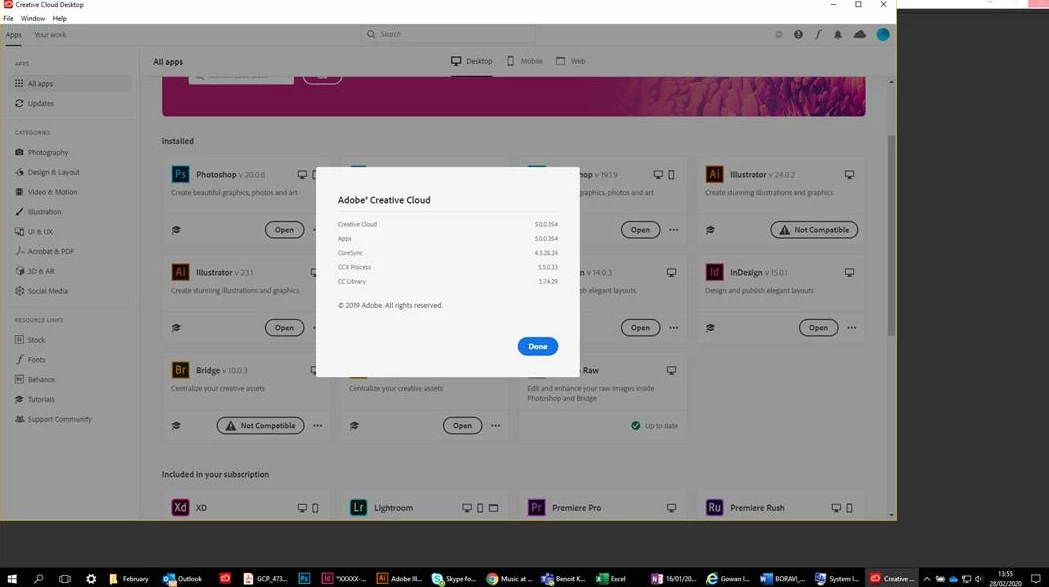
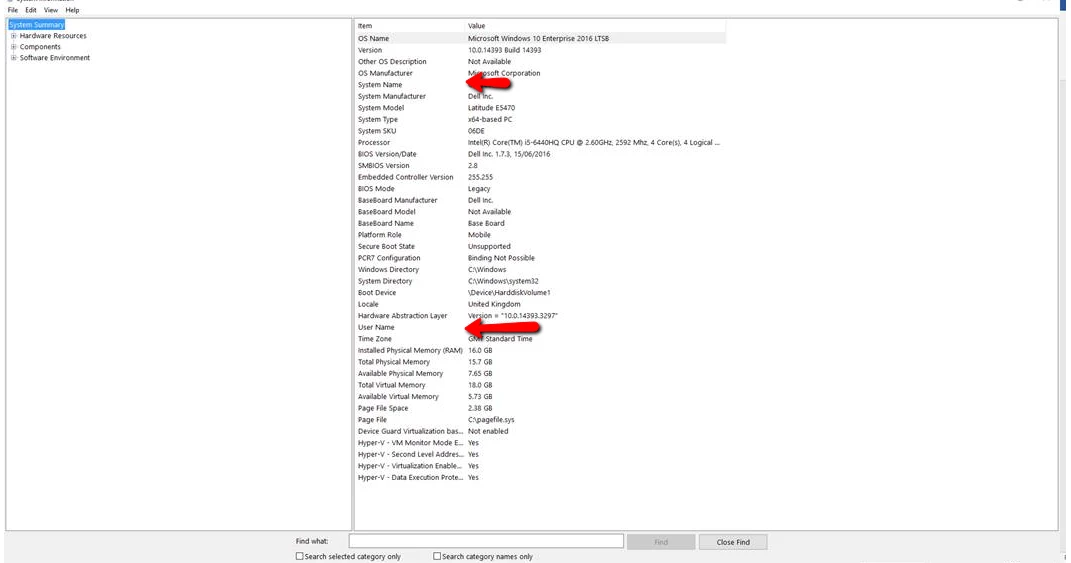
One of my user is getting the following message when trying to open illustrator within the creating cloud desktop. He is on windows 10 and the machine seems to match the requirements. I have attached the OS info as well the adobe version. Does anyone know what might be causing this?


Thanks for helping
 

This topic has been closed for replies.

2 replies

Legend
February 28, 2020

https://helpx.adobe.com/uk/illustrator/system-requirements.html "Not supported on Windows 10 versions 1507, 1511, 1607, 1703, and 1709."

Your screen shot Windows 10 Enterprise 2016 LTSB 10.9.14393 build 14393

No idea why Windows 10 has two different build numbers but https://en.wikipedia.org/wiki/Windows_10_version_history
says build 14393 build 1607.

|The use of an LSTB system is more serious. This is a highly specialist Windows 10 system, exempt from updates, and intended for use in mission critical tasks such as controlling a power station or medical equipment. LTSB is not intended for general purpose computing, and you really, really don't want Creative Cloud sharing a mission critical system. Mainstream Windows 10 has compulsory updates, and software vendors will target the latest two or so.


Just Shoot Me
Legend
February 28, 2020

That system looks to be running an Older version of Win 10, from 2016 with LT?? (Whatever that LT (Something,Something) is), and build 14393.


The most current version is 1909 and build 18363.476


So upgrade Windows if you can.

OvertechAuthor
Participant
February 28, 2020

Okay I will load a new image on the machine thanks