


Copy link to clipboard
Copied
Jeff, I have a similar issue. The creative cloud app suddenly displayed an error that it was unable to run. After removing and reinstalling all the Adobe programs, folders and files, running the cleaner tool and trying to reinstall the software, I get the error message asking for the /tmp folder. I ran a check and the folder is in place. The error keeps popping up. I even followed the steps listed in this question: Installation Failed
Any help is appreciated. I'm running Sierra 10.12.6 on a Macbook Pro.
AJ



 1 Correct answer


Branching to a new discussion.
Alvster1 what occurred prior to the Adobe Creative Cloud desktop application stating it could no longer locate the Temp directory? Did you run any systems optimizers or cleaners on the MacBook Pro running macOS 10.12.6?
Finally, Alvster1 what Adobe applications, and versions, are currently installed on the computer?

 8
Replies
8
8
Replies
8

Copy link to clipboard
Copied
Branching to a new discussion.
Alvster1 what occurred prior to the Adobe Creative Cloud desktop application stating it could no longer locate the Temp directory? Did you run any systems optimizers or cleaners on the MacBook Pro running macOS 10.12.6?
Finally, Alvster1 what Adobe applications, and versions, are currently installed on the computer?
Copy link to clipboard
Copied
I got a message that Adobe desktop app could not launch, and was given the option in the same pop up to repair it. The repair wasn't successful and it said to reinstall it. I trashed the desktop app and emptied the trash can, then tried to reinstall the software. And since then this message appears, even after following the clean up instructions in the link I listed in the previous post. I do have Clean My Mac 3 and ran it afterwards to get rid of all Adobe traces for a clean install and the message continues.
There are no adobe apps installed in my computer at this time.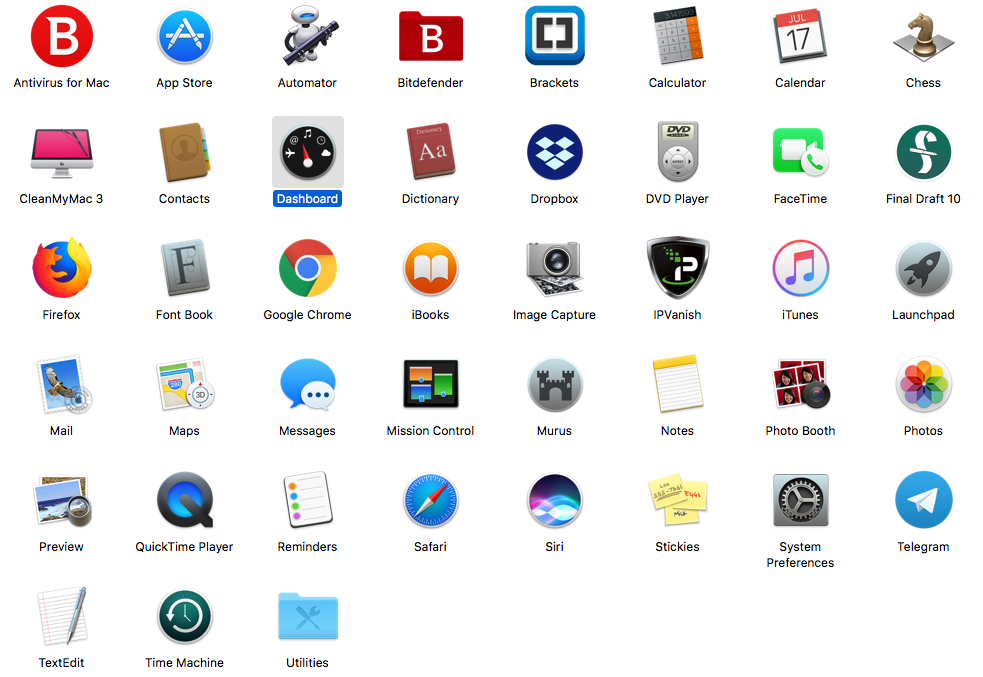

AJ
Copy link to clipboard
Copied
Ok thanks for the update, AJ. I figured with the unique error you were looking at the use of a system optimizer, in this case, Clean My Mac 3, which may have left the Adobe Creative Cloud desktop application in an unexpected state. Also dragging the application to the trash can could have caused additional damage.
Please begin by complete the steps listed in "Failed to install" error received when installing Adobe Creative Cloud desktop app to reinstall the Creative Cloud desktop app. In addition, please bookmark Uninstall or remove Creative Cloud apps for details on how to uninstall Adobe applications in the future.
Please update this discussion if you have any questions on how to implement the three solutions listed in "Failed to install" error received when installing Adobe Creative Cloud desktop app .
Copy link to clipboard
Copied
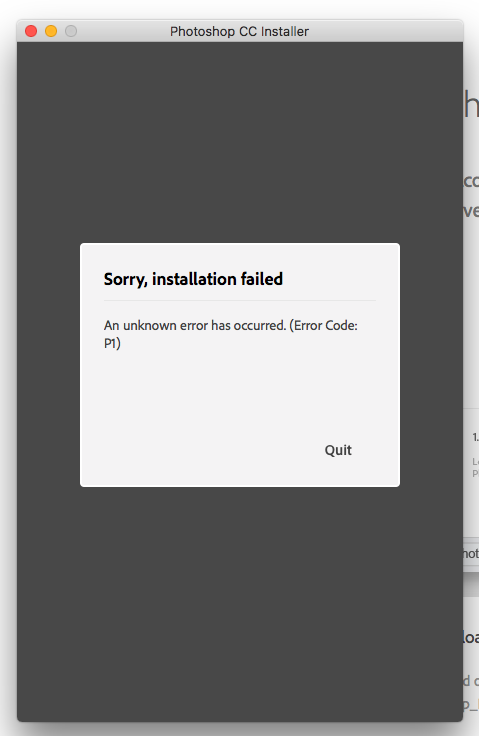
Hi, I followed the instructions and the same results from before occurred. I tried installing PS on its own and received an error message as well.
AJ


Copy link to clipboard
Copied
AJ, were you able to locate and delete the OOBE folder successfully? Did you also encounter the Error Code: P1 error under the original and newly created local administrator account?
Copy link to clipboard
Copied
Yes, I even tried it with Illustrator this time.

Copy link to clipboard
Copied
Ok, I am sorry that you continue to encounter this error, AJ. If you have already removed the OOBE folder and logged into a newly created administrator account then I don't have any additional suggestions. Please contact our support team at Contact Customer Care for direct assistance in resolving the error.

Copy link to clipboard
Copied
I was having this same error. It was a permission error on the /tmp folder as far as I could see. I was able to fix it with the following steps on a Macbook:
1) Open Terminal
2) Type: sudo chmod 777 /tmp
3) Enter your user password if it prompts you for it
4) Try the installer again
What this does is change permissions on your /tmp folder to fully open access. This might be bad depending on what your kind of system or network you are on but if it's your personal laptop it might (?) be ok for the most part. The 'sudo' command gives you 'root/admin' permission to change the folder to these access levels.
I was able to download the CC app after this. If you know of a better way without having to make the /tmp folder permissions so open then I think it would be helpful... but I'm not knowledgable enough for that stuff. But hope this helps.


Get ready! An upgraded Adobe Community experience is coming in January.
Learn more
 AdChoices