
New Participant
July 16, 2018
Answered

Reverting to older Adobe CC versions

  • July 16, 2018
  • 1 reply
  • 4299 views

I have searched around and found that it seems to be a feature that has been removed from Creative Cloud, I am using a script for Illustrator and with Illustrator CC 2018 it is not working and wish to revert back to Illustrator CC 2017 until I can fix the script.


Install a previous version of any Creative Cloud application

Revert to Previous Version of Premiere Pro CC

How to Find and Install Previous Version of Adobe Apps in CC 2015 | Adobe Customer Care Team

How do I revert to a previous version now? (and also disable auto-updates so it doesn't ruin itself again)
This topic has been closed for replies.
Correct answer MelissaLA88

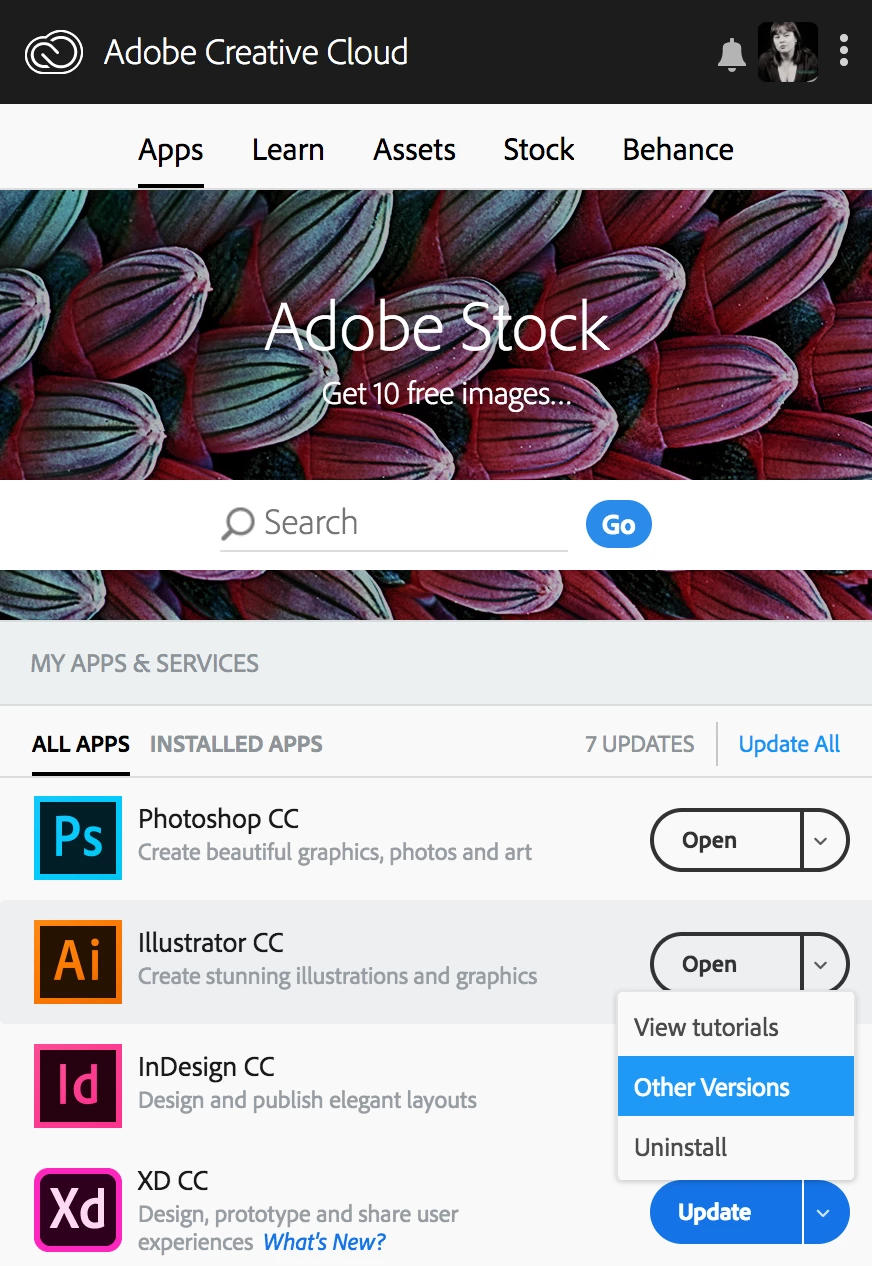
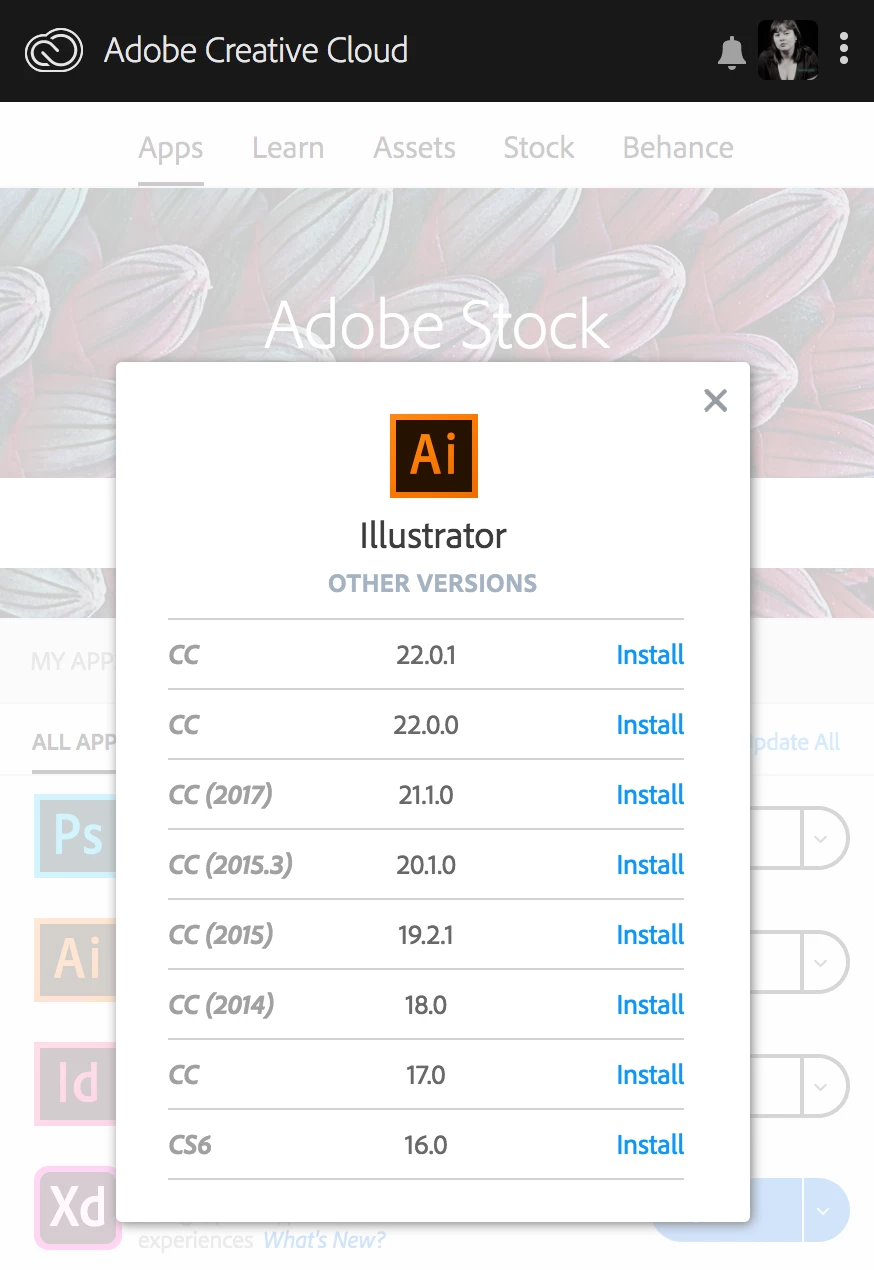
You can revert to a prior version through the Adobe Creative Cloud Desktop app! Here are some screenshots that should help:

Click the little downward facing tick next to the word "Open". Here you'll be able to select "Other Versions".

From here, you will see all sorts of other versions that you can install!

I hope that helps Best of luck!

1 reply

Abambo
Community Expert
July 16, 2018

auto updates? This is not windows 10! Only the CC app has an autoupdate function. The different programs like Indesign do not autoupdate. You can install older versions of the programs in parallel.

ABAMBO | Hard- and Software Engineer | Photographer
oauoAuthor
New Participant
July 17, 2018

But ​how ​do I revert to an old version? And my apps have updated automatically.

John Waller
Community Expert
July 17, 2018

oauo  wrote

But how do I revert to an old version?

What's not working for you from the links you've already posted?

If you install Illustrator CC 2017 and uninstall CC 2018, what happens next?