Participating Frequently
December 30, 2013
Answered

Same updates every day!

  • December 30, 2013
  • 1 reply
  • 4795 views

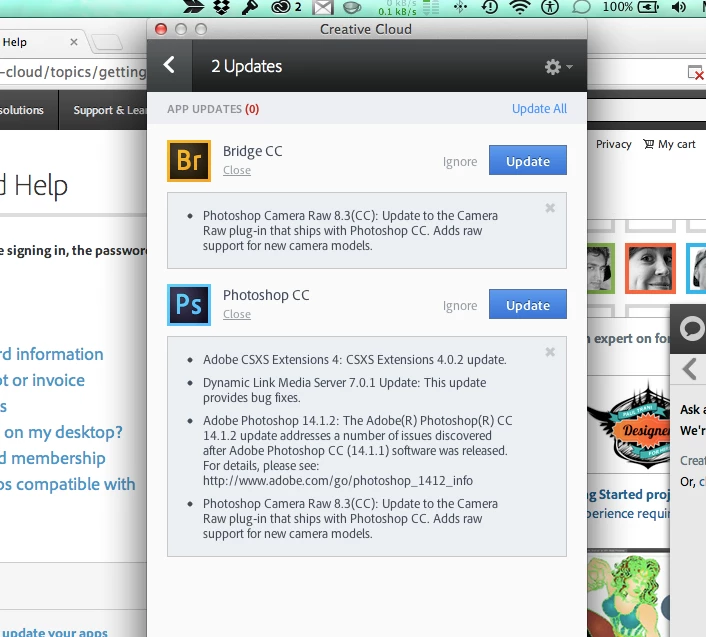
I am asked to update Photoshop and Bridge every day. It has been happening for over a week. At first I just thought - this is ridiculous, why do Adobe need to update these things every day, now I realise that the updates are FAILING.  They updates are the same. 

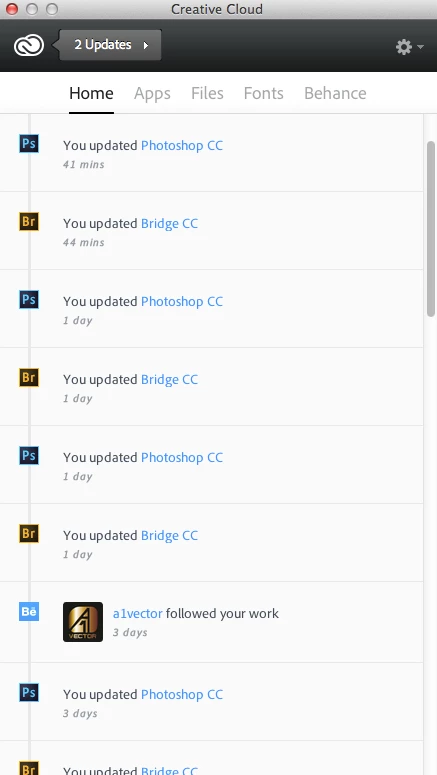
What happens is, I see the updates icon, so I click 'update all'.  CC then apparently completes the updates and all is well, until I reopen CC, then it says '2 updates' again - the same updates.  I can just do this over and over and nothing changes - the apps are never truly updated.

Please help


This topic has been closed for replies.
Correct answer Romsinha-9KMEUt

I have the exact same issue with the Photoshop update in particular.  The Adobe forums seem to be littered with this issue, and so we are not alone.


Please refer the thread: http://forums.adobe.com/message/6005305#6005305 and let us know whether it worked.

Regards,

Romit Sinha

1 reply

Jeffrey_A_Wright
Community Manager
Community Manager
December 30, 2013

Moving this discussion to the Creative Cloud Download & Install forum.

Missdeuxmont please see http://forums.adobe.com/message/5967145#5967145 where this topic has been discussed.

pemo??Author
Participating Frequently
January 6, 2014

Thanks Jeff,

I read through this: http://forums.adobe.com/message/5967145#5967145%235967145

And then (verrrrrry tediously) followed every step in this: http://helpx.adobe.com/x-productkb/global/troubleshoot-unexpected-behavior-user-account.html

Then finally, uninstalled and reinstalled CC.

Nothing worked.  I still have the same 2 updates pending.

How can I progress this to get some one on one assistance?  I am not getting the updates I'm paying for.

Thanks

pemo??Author
Participating Frequently
January 23, 2014

Missdeuxmont thank you for the update.

I have this discussion referenced where we are tracking customers experiencing similar difficultes.  If we develop a definative solution we usually will update the related discussions.

Missdeuxmont if you end up discovering any conflicting applications or utilities if you can update this discussion it would be appreciated. It is likely there is something which is affecting changes in your system which are causing you to recreate the 1.0 folder.


Thanks Jeff,

I see what you're saying - that my system is causing the problem.  But I disagree because of the number of other people experiencing the same issue.

Surely it can't be that we are all 'doing something wrong'.  It's more likely that Adobe are doing something wrong! Excuse my bluntness

Appreciate all your help and I eagerly await an update once this is fixed.