
Participating Frequently
October 11, 2019
Question

Unable to install Photoshop or CreativeCloud on Windows 10

  • October 11, 2019
  • 3 replies
  • 2356 views

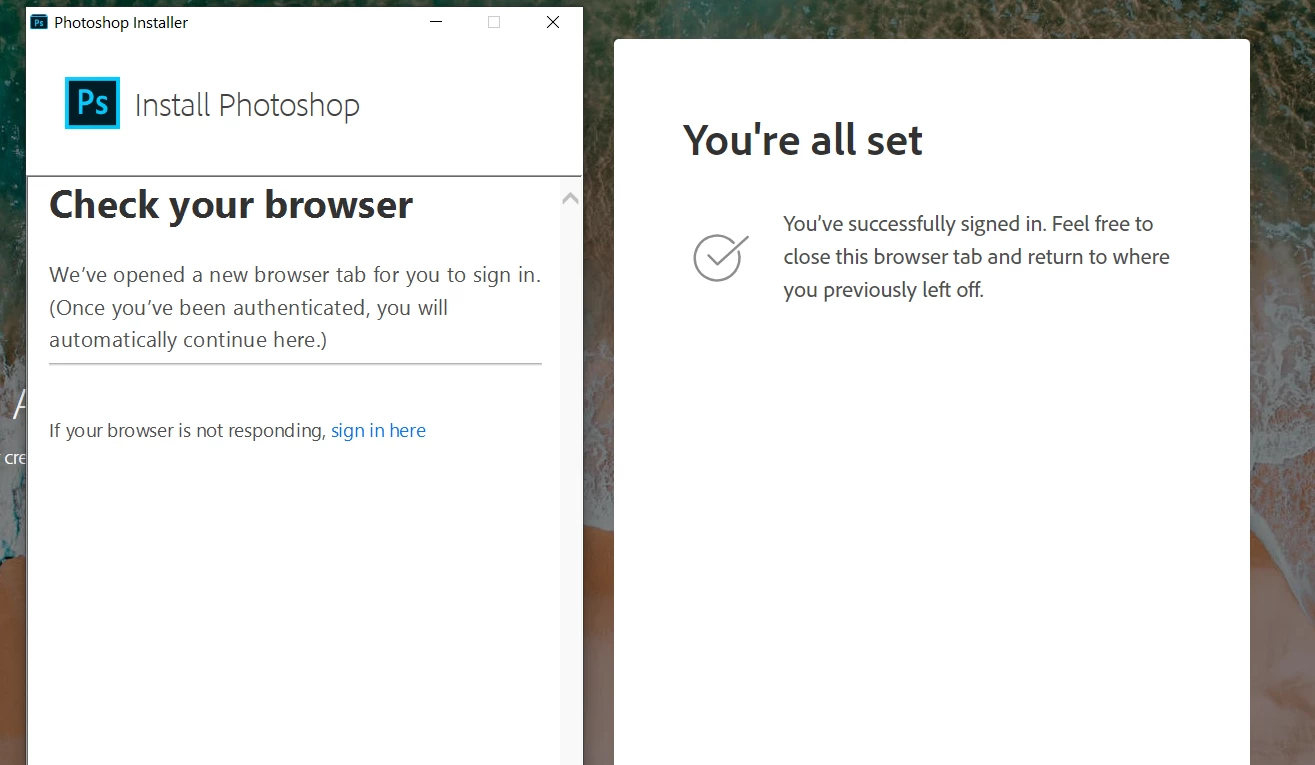
Hi, I'm on a paid plan and I cannot install any of your products on Windows 10. There seems to be a problem with the callbacks to the installer window when I have signed in through the browser.


Steps to reproduce

1) Download the exe installer

2) Start it

3) Click on the open browser button

4) Sign in through the browser

5) Wait forever since the "Check your browser" page never disappears. I cannot click the link in the bottom either, it is unresponsive.
 

    This topic has been closed for replies.

    3 replies

    Vipin6673
    Participating Frequently
    October 15, 2019

    Ok

    Jeffrey_A_Wright
    Community Manager
    Community Manager
    October 11, 2019

    Which web browser are you using Davidhagg1?  Have you tried setting a different web browser as the default?  What type of CC membership do you have?


    Please try installing the CC desktop app by following the steps listed in https://helpx.adobe.com/creative-cloud/help/download-install-app.html.

    dhaggAuthor
    Participating Frequently
    October 15, 2019
    I'm on Chrome Version 77.0.3865.90 (official version) (64 bits) on Windows 10.
    dhaggAuthor
    Participating Frequently
    October 15, 2019
    DavidHagg1, if you set Edge or FireFox as your default web browser do you continue to face errors?
    Yes, i just tried to set Edge as the default browser. It does not honor that and starts Chrome anyway
    Bani Verma
    Community Manager
    Community Manager
    October 11, 2019

    I am moving your query to the correct board 'Get Started'. Experts here will be able to help you better.