
Participant
April 17, 2022
Question

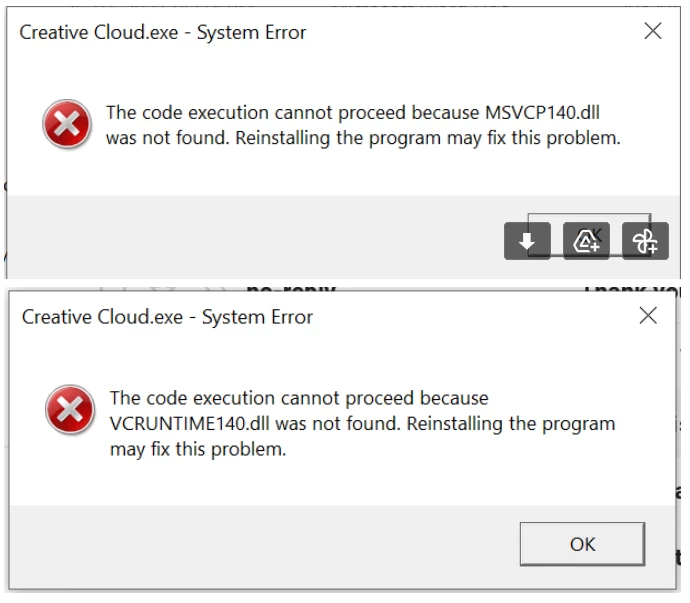
Unable to open InDesign - Code Execution cannot proceed bcoz MSVCP140.dll & VCRUNTIME140.dll not fou

  • April 17, 2022
  • 2 replies
  • 443 views

Hi All,


Need urgent help. I installed InDesign & Creative Cloud Desktop App on my Windows 10 (2020 version), but unable to open any file and getting following error. I have uninstalled, reinstalled, ran CC Cleaner Tool, but nothing worked out.


Can anyone please help ?


    This topic has been closed for replies.

    2 replies

    Nancy OShea
    Community Expert
    Community Expert
    April 17, 2022

    Update your Windows operating system.  MS sends out Visual C++ Runtime with Windows updates.


    Nancy O'Shea— Product User & Community Expert
    John T Smith
    Community Expert
    Community Expert
    April 17, 2022

    That is a Microsoft problem, so you need a Microsoft solution
    Go to the Search bar at the top of http://www.microsoft.com/en-us/ to find and re-install the C runtime, or for ALL Windows help
    -or direct to https://support.microsoft.com/en-us/help/2977003/the-latest-supported-visual-c-downloads
    https://helpx.adobe.com/x-productkb/global/troubleshoot-c-runtime-errors-products.html