
Participant
August 26, 2020
Answered

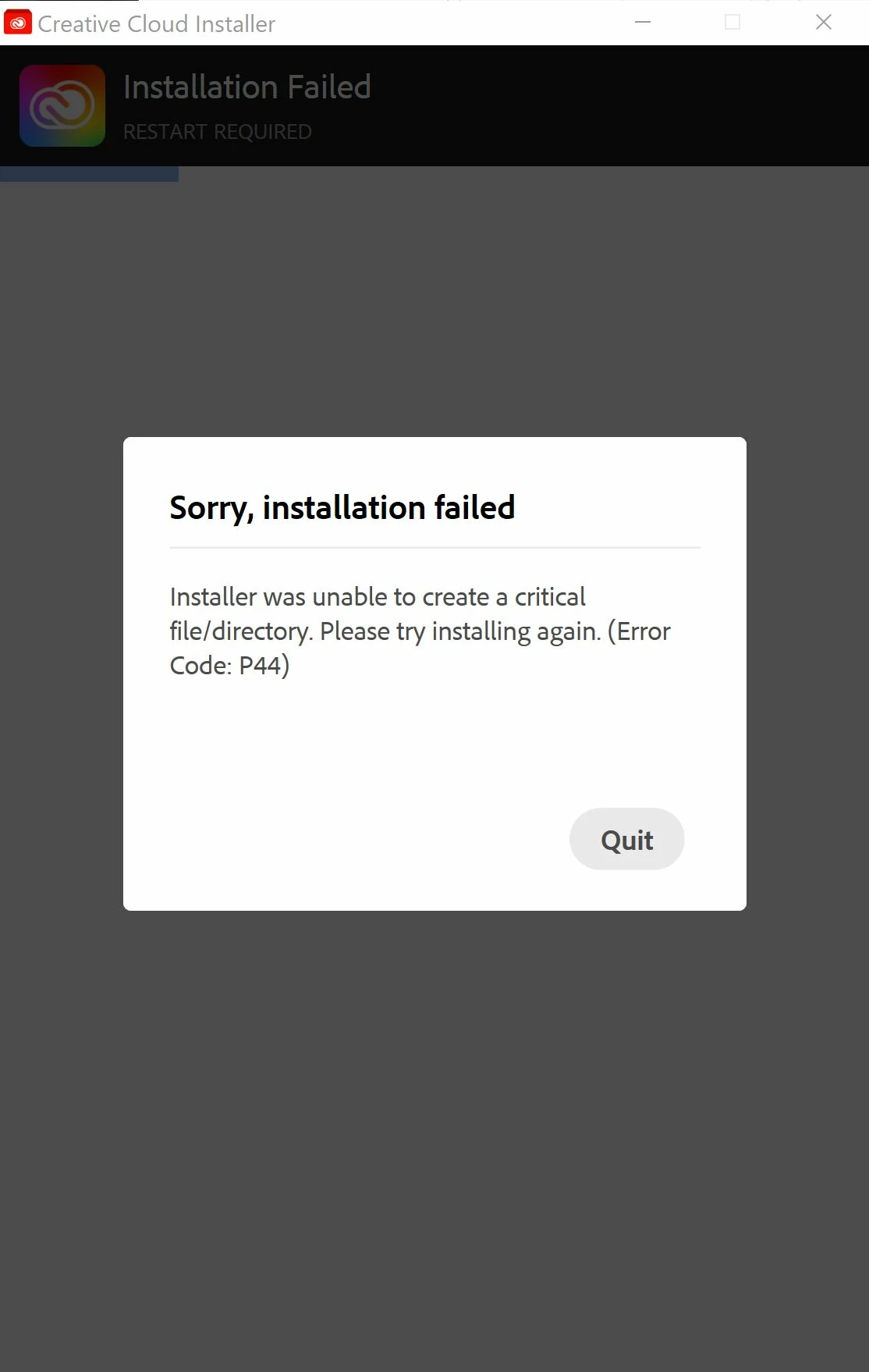
Unable to re install creative cloud due to P44 error code

  • August 26, 2020
  • 3 replies
  • 1634 views

I am currently attempting to reinstall the creative cloud after it seems to have disappeared from my computer. I am currently trying to install premiere pro but creative cloud says it needs to reinstall but when I download creative cloud P.S I have tried over 10 different attempts even restarting my computer but I always get this message "Installer was unable to create a critical file/directory. Please try installing again. (Error Code: P44)" I hope this is just an average problem but the help site just tells me to try again and that seems to be changing nothing but filling my downloads folder with .exe's.
This topic has been closed for replies.
Correct answer AxelMatt

Are you logged in as an Administrator or an user with Admin rights during the installation?

Do you have any protection software (like virus scanner, internet security suites etc.) running on your system?

If yes then deactivate this programs temporarly and try again.


You can also deinstall all Adobe software that you have installed (I think it's only tzhe CC desktop client) and run the Adobe Cleaner Tool -> https://helpx.adobe.com/de/creative-cloud/kb/cc-cleaner-tool-installation-problems.html

After this reboot your machine. Please do an cold boot and don't skip this step. Then try again.

3 replies

Participant
August 26, 2020

Before I saw your response Axel Matt uninstalled and reinstalled the whole cloud and that fixed it. Thanks, everyone for the quick support!

AxelMatt
Community Expert
AxelMattCommunity ExpertCorrect answer
Community Expert
August 26, 2020

Are you logged in as an Administrator or an user with Admin rights during the installation?

Do you have any protection software (like virus scanner, internet security suites etc.) running on your system?

If yes then deactivate this programs temporarly and try again.


You can also deinstall all Adobe software that you have installed (I think it's only tzhe CC desktop client) and run the Adobe Cleaner Tool -> https://helpx.adobe.com/de/creative-cloud/kb/cc-cleaner-tool-installation-problems.html

After this reboot your machine. Please do an cold boot and don't skip this step. Then try again.

My System: Intel i7-8700K - 64GB RAM - NVidia Geforce RTX 3060 - Windows 11 Pro 25H2 -- LR-Classic 15 - Photoshop 27 - Nik Collection 8 - PureRAW 5 - Topaz Photo
John T Smith
Community Expert
Community Expert
August 26, 2020
Participant
August 26, 2020

The help website sadly says to retry the download but I have already committed 10+ try's so far, also the link you sent sends me to a page saying access is denied.