
erinr44017938
Participant
January 29, 2018
Answered

Unable to reach adobe servers

  • January 29, 2018
  • 2 replies
  • 3437 views

I have tried every trick in the book to fix this but nothing will allow me to access my creative cloud so that I can use all of my products. I have turned off my firewall, reset my time settings, switched networks, gotten help from an adobe agent over chat, deleted hosts, uninstalled and reinstalled, etc. Please if you know anything about fixing this please help!
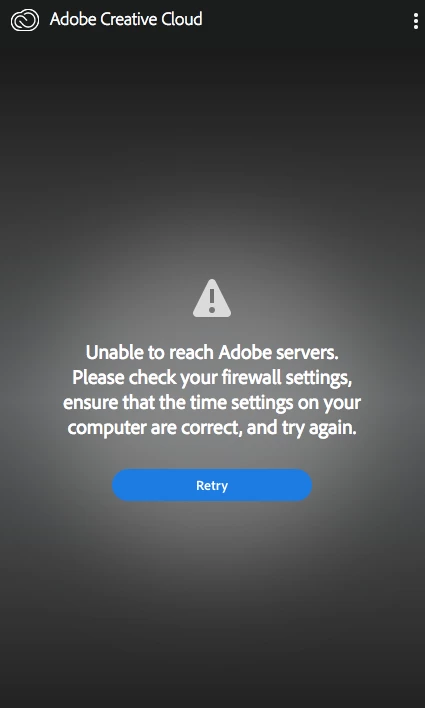
This topic has been closed for replies.
Correct answer kglad

confirm that you can connect to the secure adobe servers.

for help with that and other common secure adobe.com connection problems read, http://helpx.adobe.com/x-productkb/policy-pricing/activation-network-issues.html

[moved from Adobe Creative Cloud to Creative Cloud Download & Install]

2 replies

marbisman
Participant
April 11, 2018

what was the solution for this problem? I am having the same issue.

Jeffrey_A_Wright
Community Manager
Community Manager
April 11, 2018

Marbisman, for most individuals the solutions offered by Kglad, in message #1, allow them to resolve the connection error.

Participating Frequently
April 12, 2018

Having the same issue.

Did everything on that link. Nothing was wrong with any of that.

But still the same problem.

First it tells me to sign in, then the black error message appears, then the white one to sign in.
But it is not possible to sign in…I'm in this crazy loop.

Have also checked if my account is active and OK to use on two macs. All fine.

Would appreciate a quick answer to this problem


kglad
Community Expert
kgladCommunity ExpertCorrect answer
Community Expert
January 30, 2018

confirm that you can connect to the secure adobe servers.

for help with that and other common secure adobe.com connection problems read, http://helpx.adobe.com/x-productkb/policy-pricing/activation-network-issues.html

[moved from Adobe Creative Cloud to Creative Cloud Download & Install]

erinr44017938
Participant
January 30, 2018

Thank you but I have already tried everything in that list and it has still not been successful. Do you have anymore suggestions?

kglad
Community Expert
Community Expert
January 30, 2018

did you confirm you could connect?

if not, are you behind a corporate firewall?  if so, use a different connection.

if you showed you could connect, using a browser that allows popups and cookies,  contact adobe support during pst business hours by clicking here and, when available, click 'chat', http://helpx.adobe.com/x-productkb/global/service-ccm.html

or contact the Adobe Twitter team at @AdobeCare