
Participant
February 23, 2014
Question

Unable to run Premiere Pro CC

  • February 23, 2014
  • 1 reply
  • 303 views

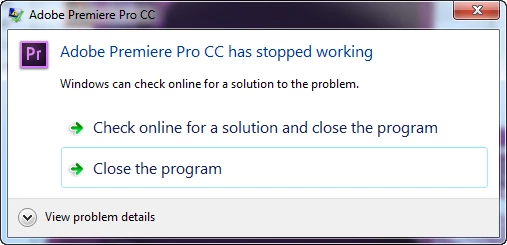
I have downloaded and installed Premiere Pro CC using the Creative Cloud app.  Every time I try to run it I get the error below.  I have uninstalled and reinistalled and still get this error.  Is there an alternative way download and install as using the Creative Cloud app to do it does not appear to work correctly?
    This topic has been closed for replies.

    1 reply

    kglad
    Community Expert
    Community Expert
    February 23, 2014

    1. reset your preferences by holding down shift-ctrl-alt while starting premiere. if done correctly you'll see a confirmation dialog.

    2. if that fails, uninstall clean and reinstall following these steps, http://helpx.adobe.com/creative-suite/kb/cs5-cleaner-tool-installation-problems.html

    Participant
    February 23, 2014

    The shift-ctrl-alt did not work.  Still crashed.  I was using the cleaner tool, but it does not give me the option for Premiere Pro CC.

    kglad
    Community Expert
    Community Expert
    February 23, 2014

    did you see the confirmation dialog when you reset the preferences?

    did you restart your computer after uninstalling premiere pro cc and before running the cleaner?

    if yes and yes, http://forums.adobe.com/message/5421858