
Participating Frequently
February 12, 2017
Frage

Uninstall Adobe CC (Mac)

  • February 12, 2017
  • 3 Antworten
  • 2076 Ansichten

hey there, been trying to uninstall CC today as ive been noticing some problems with it but i cant get into the desktop app to unstill apps. i've tried uninstalling and reinstall the desktop app but it either sits trying to load all the time or says its "its missing or damaged and to install a new copy" which i turn does the same as before. any ideas on how to solve this?
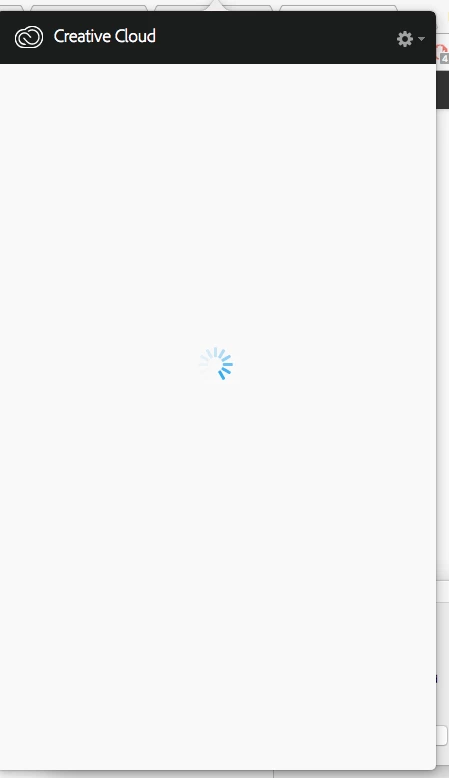
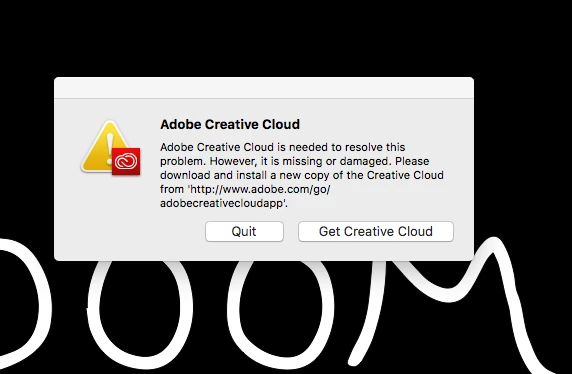
this is what i get everytime and i cant go through the uninstall process from the individual apps as it tries to load up the CC desktop app when i do.

cheers

Dieses Thema wurde für Antworten geschlossen.

3 Antworten

Sheena Kaul
Community Manager
Community Manager
February 14, 2017
liamtkAutor
Participating Frequently
February 14, 2017

Any more advice or tips to get this working? followed the above and still cant load the applications tab

Jeffrey_A_Wright
Community Manager
Community Manager
February 14, 2017

Liamtk were you able to locate and successfully remove the  /Library/Application Support/Adobe/OOBE folder prior to reinstalling the Adobe Creative Cloud desktop application? 

In addition did you receive any errors while downloading and running the Adobe Creative Cloud desktop application uninstaller utility discussed in Error: "Adobe Creative Cloud is needed to resolve this problem"​?

Finally what version of Mac OS do you have installed?  What occurred prior to receiving the error, "Adobe Creative Cloud is needed to resolve this problem. However, it is missing or damaged."  Did you run a system optimizer?  Restore your from a Time Machine backup?

Adobe Employee
February 12, 2017
liamtkAutor
Participating Frequently
February 12, 2017

followed and its still there, ive uninstalled and re installed multiple times. still this error

Adobe Employee
February 12, 2017

Hi liamtk,

I understand that your Creative Cloud Desktop app is not working. Please refer the below help links for the mentioned issue.

Adobe Creative Cloud is needed to resolve this problem. However, it is missing or damaged

Error: "Adobe Creative Cloud is needed to resolve this problem"

Please let us know if this helps you and if any further assistance is required. Thanks!

Regards

Himanshu Gupta

liamtkAutor
Participating Frequently
February 12, 2017

hey, tried the above steps which ive now been able to log into the CC desktop App, but it still cant load up the application tab to actually install them