Participant
March 6, 2018
Answered

Uninstall Lightroom cc

  • March 6, 2018
  • 2 replies
  • 1184 views

does anyone know how to uninstall the Lightroom cc and  get the classic back. I really don’t like the new one. To many things missing.

    This topic has been closed for replies.
    Correct answer MelissaLA88

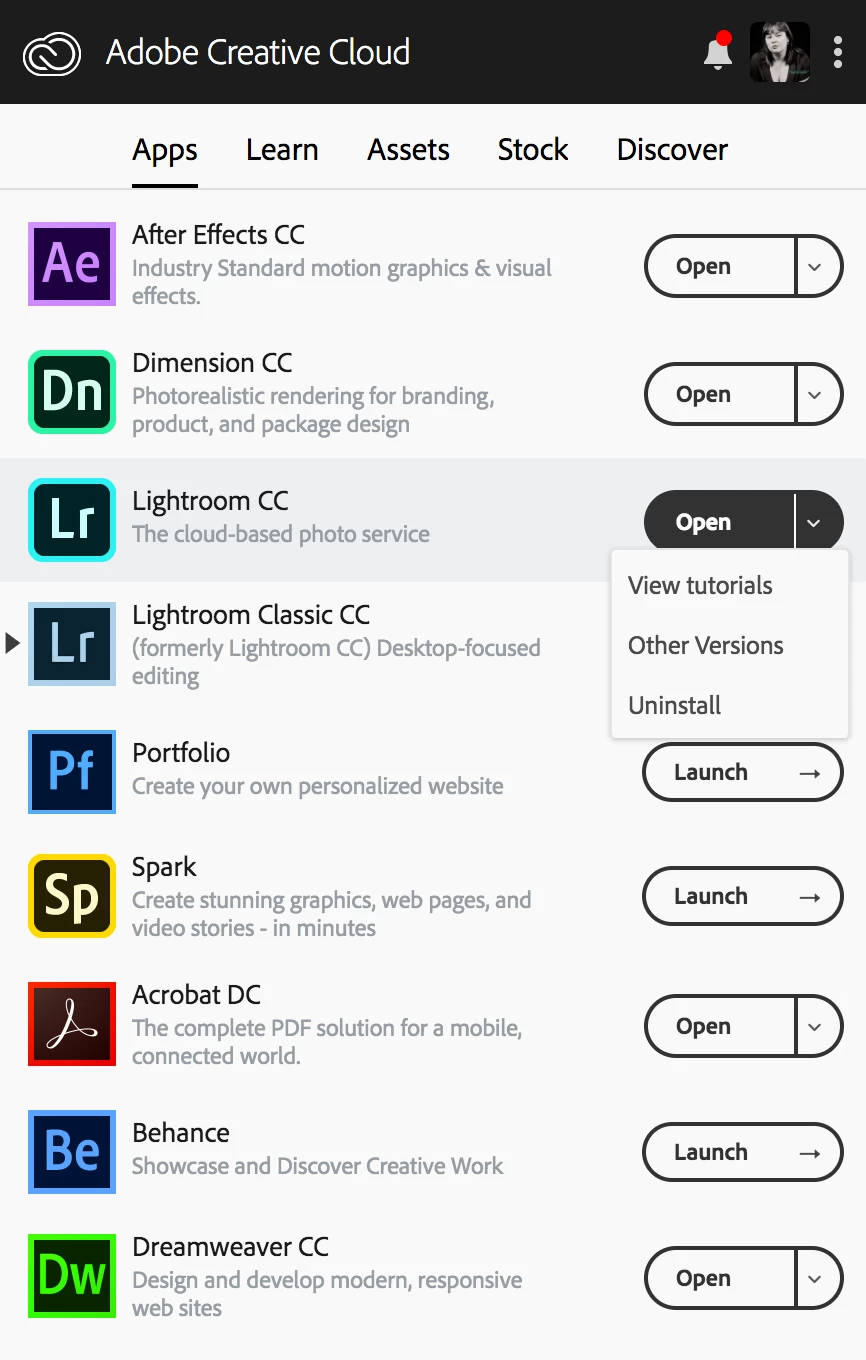
    You can use the Adobe CC desktop app to install and uninstall   Here is a screenshot from my computer:
    2 replies

    MelissaLA88Correct answer
    Participating Frequently
    March 6, 2018

    You can use the Adobe CC desktop app to install and uninstall   Here is a screenshot from my computer:

    Bani Verma
    Community Manager
    Community Manager
    March 6, 2018

    Hi Brittneyt45502551,

    As you have mentioned you would like to uninstall Lightroom CC and install Lightroom Classic CC instead, You may use the Creative Cloud desktop app to do both the tasks.

    To know how to uninstall an app using the desktop app see: Uninstall or remove Creative Cloud apps

    And, to know how to download an app please see: Learn how to download your Adobe Creative Cloud apps.

    Let us know if this helps.

    Participant
    March 6, 2018

    Does this work for only desktops?  i imagine it would work for a MacBook. As well

    Bani Verma
    Community Manager
    Community Manager
    March 7, 2018

    Sorry for the confusion, our main Creative Cloud app is known as 'Creative Cloud desktop app'. And, Yes,  this troubleshooting is for both Windows and Mac operating systems.