

Friendlyy
Participating Frequently
June 24, 2022
Question

Uninstalled products are still taking up space

  • June 24, 2022
  • 1 reply
  • 6231 views

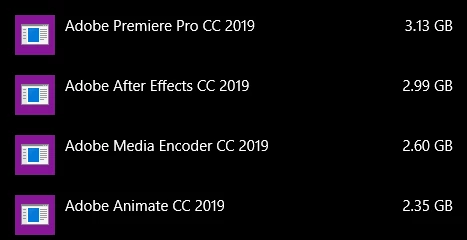
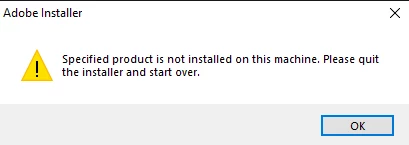
I have several Adobe products that I used to use still taking up space on my computer despite no longer being installed and every method I've used to try and get them removed have resulted in it not being found on the computer. So why is it still taking up so much space? I've looked online and there seems to be no clear answer for what's going on.
This topic has been closed for replies.

1 reply

John T Smith
Community Expert
Community Expert
June 24, 2022

Have you used this?

-https://helpx.adobe.com/creative-cloud/kb/cc-cleaner-tool-installation-problems.html to remove programs

Friendlyy
FriendlyyAuthor
Participating Frequently
June 24, 2022

I have and it doesn't work out for me

Friendlyy
FriendlyyAuthor
Participating Frequently
June 29, 2022

Ok, thanks, Friendlyy.  I am very sorry, but I don't have any additional suggestions.  The behavior in this discussion seems to indicate an application or disk cleaner may have been used to remove portions of both 2019 applications, leaving you stuck with the entry within Programs and Features.  Removing and reinstalling should have fixed this behavior, but it isn't.


Our chat support no longer supports 2019 applications, so you don't have any additional options for assistance beyond this public discussion.  You may want to consider backing up any critical files and then formatting and reinstalling Windows.  If you decide to install older Adobe applications, then make sure that you start with the oldest version first.  This will prevent any file association conflicts when the newer versions of the applications are installed.


Do you think downloading the 2019 versions of the apps again and then uninstalling them would help?