

Friendlyy
Participating Frequently
June 24, 2022
Question

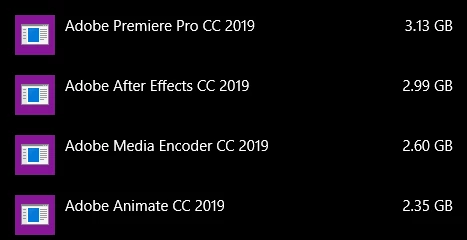
Uninstalled products are still taking up space

  • June 24, 2022
  • 1 reply
  • 6152 views

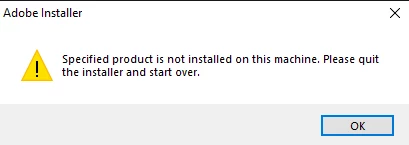
I have several Adobe products that I used to use still taking up space on my computer despite no longer being installed and every method I've used to try and get them removed have resulted in it not being found on the computer. So why is it still taking up so much space? I've looked online and there seems to be no clear answer for what's going on.
This topic has been closed for replies.

1 reply

John T Smith
Community Expert
Community Expert
June 24, 2022

Have you used this?

-https://helpx.adobe.com/creative-cloud/kb/cc-cleaner-tool-installation-problems.html to remove programs

Friendlyy
FriendlyyAuthor
Participating Frequently
June 24, 2022

I have and it doesn't work out for me

kglad
Community Expert
Community Expert
June 25, 2022

if you still have a subscription, you can reinstall those apps to restore the uninstaller and then properly uninstall, https://helpx.adobe.com/creative-cloud/help/uninstall-remove-app.html and clean.


otherwise, you can manually delete adobe folders that detected.