Copy link to clipboard
Copied
I have noticed that over time I have 3 versions of Premiere Pro (13.1, V12.1.2 and CS6 V6.0), After Effects (V16.1.1 andV15..2). All these APPs get updates. Do I need them all or should I only have the latest version? If I only need the latest version, how do I remove the older versions without losing any projects or data? I would appreciate your input.
Hi
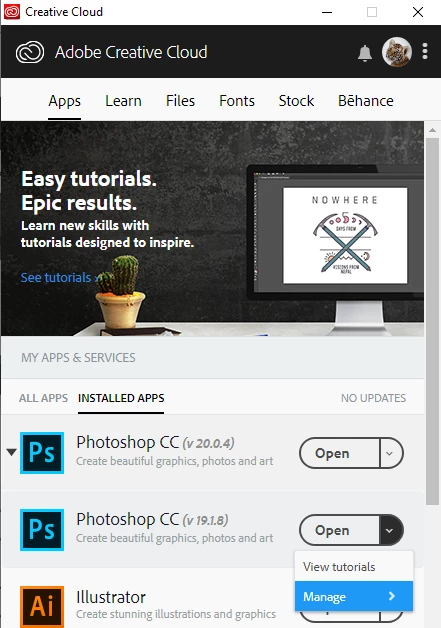
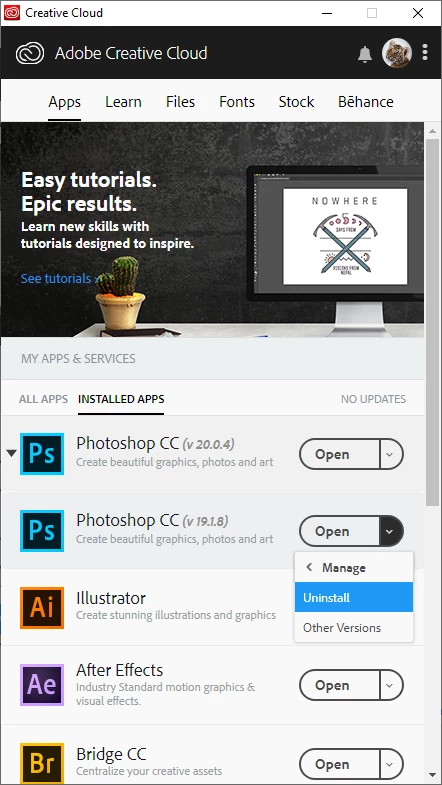
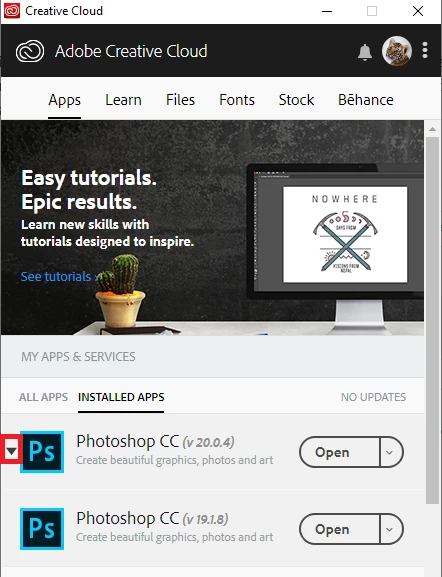
You can uninstall them using the creative cloud desktop app if you're happy that the most recent version is running fine, some people keep older versions as a backup


Copy link to clipboard
Copied
Hi
You can uninstall them using the creative cloud desktop app if you're happy that the most recent version is running fine, some people keep older versions as a backup


Copy link to clipboard
Copied
Hi
Keeping backup versions of programp does not make much sense and it should not be the default setting in CC. Additionally, it also leads to serious problems of communications betweens programs in this same ecosystem.
Is there any way the CC app can by default "clean" previous versions of programs automatically? I ask because it currently does install programs automatically so it would make sense it automatically cleans previous versions.
Copy link to clipboard
Copied
keeping older versions makes sense to many users. eg, they may have plugins that may not work with newer versions. they may have a workflow that may not be supported by a newer version. there may be a bug that affects users of newer versions. etc.
Copy link to clipboard
Copied
If the majority of users need more versions of the same program, then I guess it would make sense to keep it as a default, otherwise it should be optional.
Copy link to clipboard
Copied
it is optional. i think you're suggesting the default should be to remove previous versions, though. i disagree, but my opinion counts no more than yours. ie, if you want to make that suggestion to adobe, post it at the cc desktop ideas forum.
Copy link to clipboard
Copied
Ah I'm sorry, I was under the impression it wasn't optional, since I did have some older versions of apps on my hard drive but I never turned on the feature. Then again these extra versions might have been the result of inappropriate cleaning on my computer's part.
No need for a suggestion to Adobe, I'll just keep in mind that sometimes I have to manually clean the hard drive.
Copy link to clipboard
Copied
if you don't rush through the update (and you're not allowing automatic updates) and you're make a major (not minor) version update, you'll see the option to keep the older version, or not.
Copy link to clipboard
Copied
@Walter Bosello please make sure to provide the feedback to your organization's Creative Cloud plan administrator. I don't see an individual or team membership under the account you used to post to this public discussion forum, but this discussion is related to individual memberships, not ones that are controlled by an organization or company.
Copy link to clipboard
Copied
for others, if you don't want to keep older versions, select that option when updating.
Get ready! An upgraded Adobe Community experience is coming in January.
Learn more