Participating Frequently
June 13, 2015
Answered

Why isn't photoshop downloading?

  • June 13, 2015
  • 2 replies
  • 16729 views

Hi, I got a subscription for creative cloud a few months ago but I didn't download it at the time. My subscription is still up to date. I have tried to download creative cloud and photoshop. I get a message telling me photoshop is downloading but doesn't download at all. How can I fix this?

This topic has been closed for replies.
Correct answer Govardhan.V

Hi 

Thank you for your advice. I'll contact Adobe in a couple of days. 

Is the root user account different from the admin account? I've altered the permissions in both libraries (hidden and overt) and played around with everything else using the admin account. I also used a VPN to access Adobe through San Franscisco (I live in Australia) but that didn't work either.

I won't have time to play with the computer in the next couple of days because of work.

Elizabeth


Root User account is Super user account with superior privileges.  You can try launching CC app once.

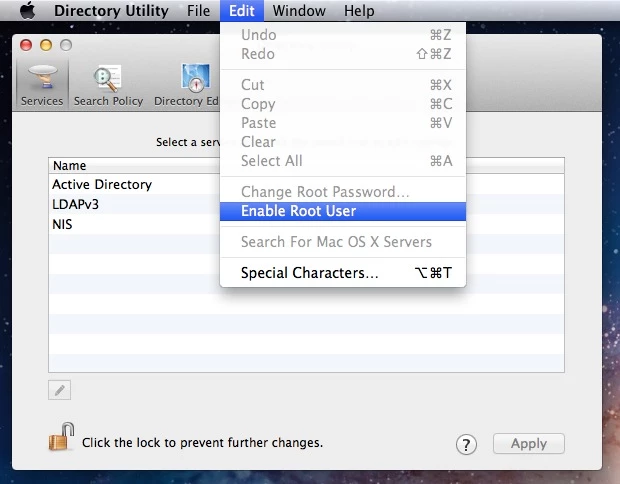
You cannot create Root account , It is an built in user account , you can enable it and disable it as per your choice.

Step for enabling Root user account :


OS X Mavericks: Enable and disable the root user

(Applies for Yosemite as well)
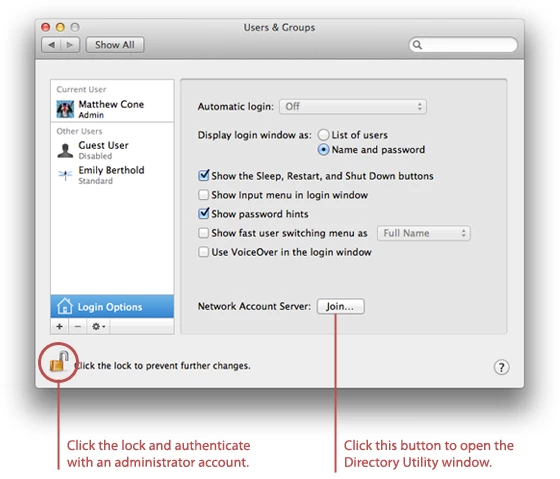
How to log in as root

  1. If you are logged in, choose Log Out from the Apple menu.
  2. If you are logging in from a list of usernames with pictures, click Other.
  3. In the Name field, type: root
  4. In the Password field, type the password you defined when setting up the root user account.

Once you logged in to Root Account try to launch  Creative Cloud app and check.

2 replies

Participant
August 11, 2020

this information is 5 years old.  I'm having the same exact issues loading photoshopped from my CC account.  Do you still recommend these instructions? I don't want to go through all of this only to find out it doesn't work any longer.  I can't believe in 5 years you haven't made this easier to work with.  I miss my legacy software.  HELP!!!

Govardhan.V
Participating Frequently
June 13, 2015

Are you trying to download from Adobe website??

If yes , please install Adobe Creative Cloud application and then you can install Photoshop cc using same,

https://creative.adobe.com/products/creative-cloud

Reference :

https://helpx.adobe.com/creative-cloud/help/download-install-app.html

Anna LizaAuthor
Participating Frequently
June 14, 2015

That's what I have bee trying unsuccessfully to do. I have spent hours installing and uninstalling bits and pieces but all I can get to is the app trying to install and initialise then failing. Not cool.

Govardhan.V
Participating Frequently
June 15, 2015

It doesn't give me an error message. The .dmg downloads and I can start the installation, which either just stops, or slows right down then almost completes. When it appears to almost complete there is an adobe creative cloud icon alias in Applications and what seems to be the full program in Utilities, but double clicking any of it  won't make CC run. I've tried clean uninstall and install, I've updated adobe applications manager to version 9, and i've tried installing in safe mode. Nothing works. I'm over it. I've wasted 2 days trying to install it. It does work on my iPad.


So sorry to hear that .

We can try our level best to fix the issue .

As you said , clean uninstall , did you remove Adobe folders from both Library and All Adobe apps and folders from Applications and Utilities? ?

Did you tried providing full permissions to Adobe folder or did you tried with Root use account .

Let me know so that we can proceed further.

Also mention the version of Mac OS