
Participating Frequently
April 10, 2025
Question

Your App Will Disable ... Days

  • April 10, 2025
  • 1 reply
  • 2149 views

Heyya ... this issue started over last weekend. Spent an hour with tech support on Monday who reinstalled Creative Cloud and all my apps (wiping out my settings in the process), killing all the old apps and for the last two days, no error message even though I've been using the creative suite. Well, now it's back and it's a royal pain! Even with Creative Cloud disabled, it still takes up a large piece or real estate. You can close it, make it go away. Anyone found an anwer other then reinstalling everything (which has already failed). 

Thanks

Moose
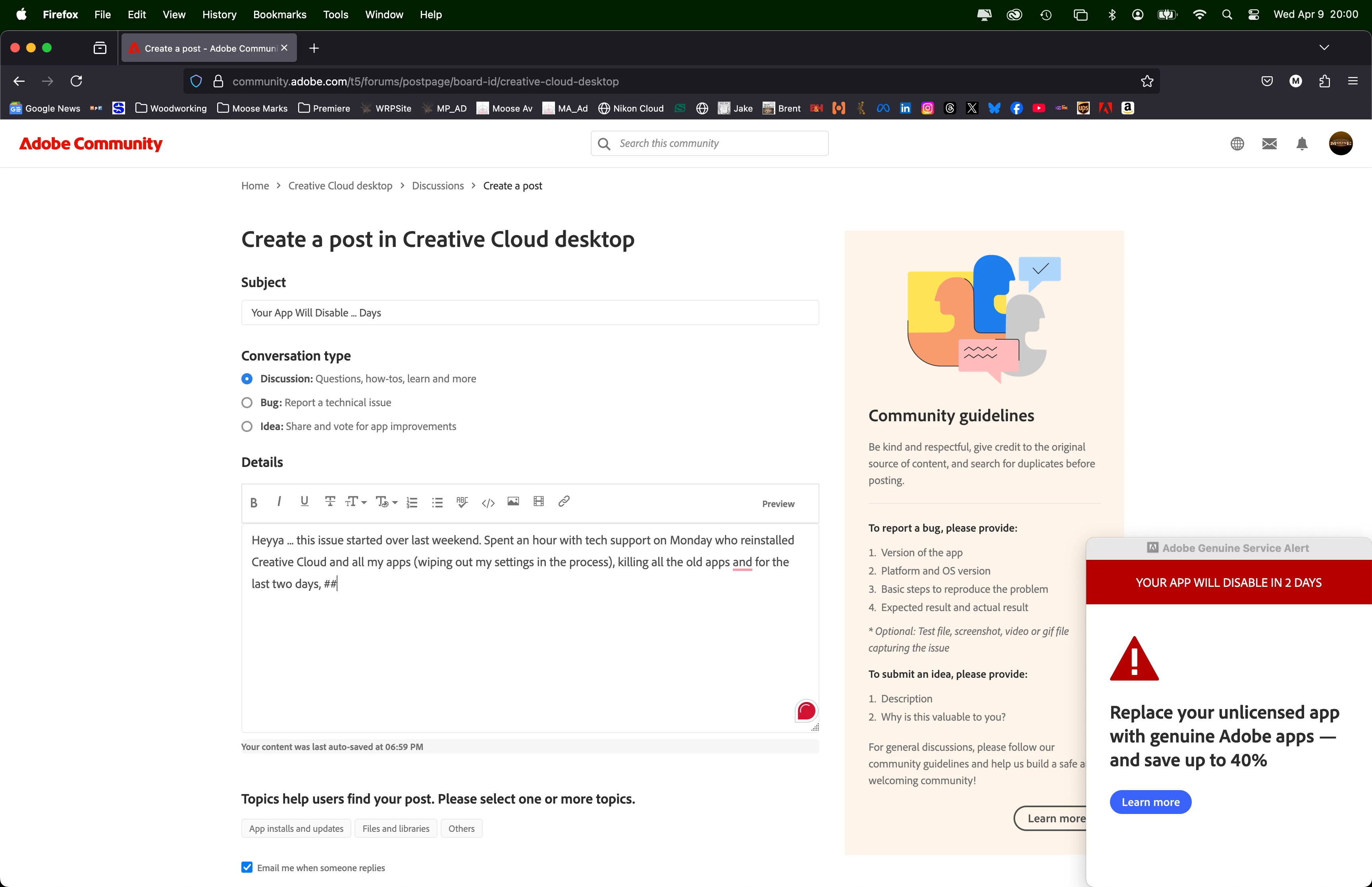
[Edited by moderator]

1 reply

kglad
Community Expert
Community Expert
April 10, 2025

start here - https://helpx.adobe.com/manage-account/kb/stop-creative-cloud-trial-mode-after-purchase.html


if that fails, proceed to these steps - https://helpx.adobe.com/enterprise/kb/resolve-trial-and-license-expired-errors.html


if that fails, https://helpx.adobe.com/download-install/kb/adobe-license-issues-keychain-credential-mgr.html


if those all fail, change your cc language.  eg, try international english


if that fails, change the install location


Participating Frequently
April 10, 2025

Thanks kglad ... did everything on that list twice now ... no joy

kglad
Community Expert
Community Expert
April 10, 2025

Support said it takes 24-48 hours once everything is reinstalled to see if the fix took, the box doesn't return.


is your default browser updated and not opera?