Participant
September 14, 2019
Answered

Installer hangs on browser authentication

  • September 14, 2019
  • 16 replies
  • 38664 views

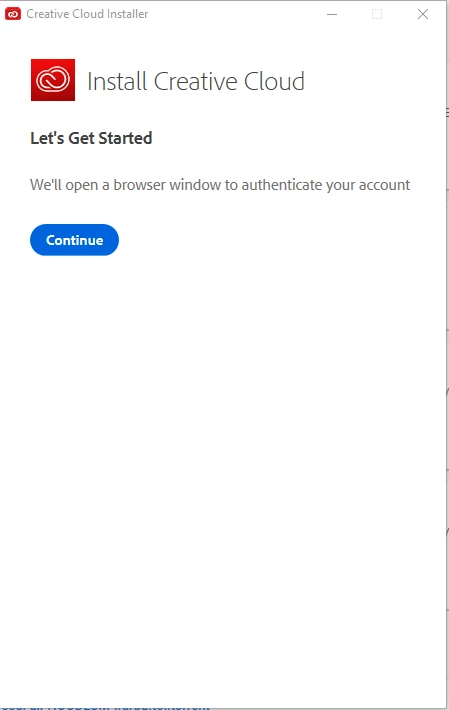
I've tried several apps and the main Creative Cloud installer (I have the all apps plan) and it hangs every time I get to the part requiring browser identification, here:
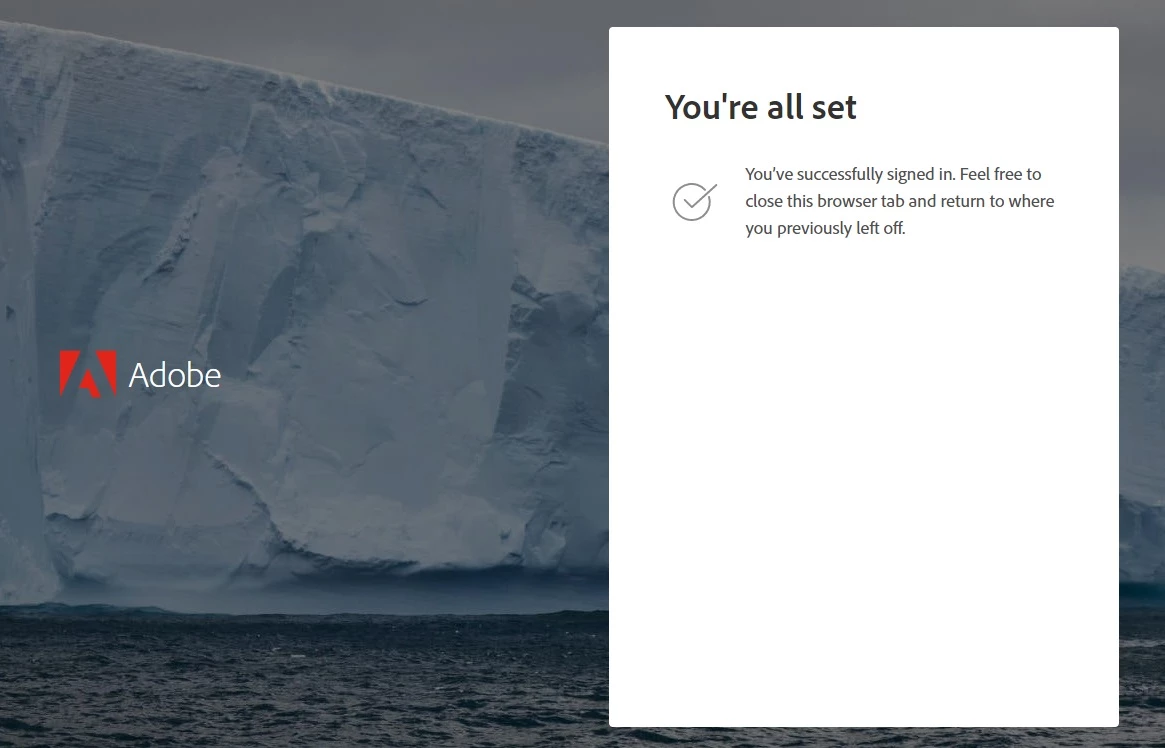
I get taken to the browser window (in Chrome, regardless of my default browser settings) and it says:
But the installer does not proceed, and I end up here:
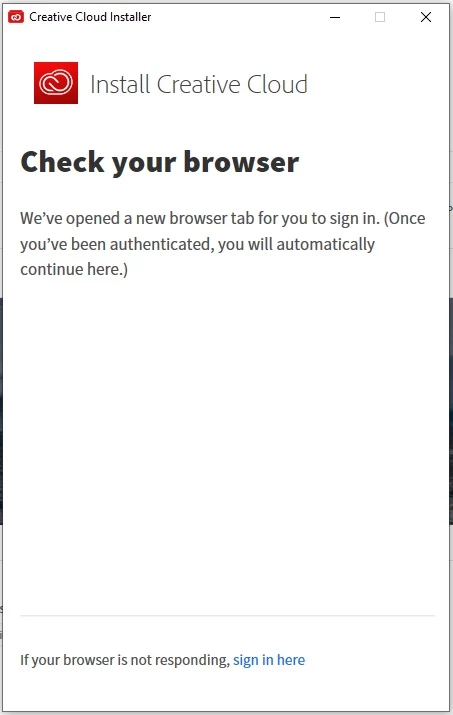
If I click on "If your browser is not responding, sign in here" nothing happens. I've uninstalled, tried again, then used the Adobe CC cleaner tool and removed everything, tried again, I've gone into the registry and deleted all Adobe keys, I've run as admin and as not, I've restarted and tried installing in Safe Mode with networking. Same results. I've also tried signing out before being taken to the browser, then signing in, then getting the "You're all set!" screen again. I've tried doing that with a different account. Nothing has worked.


Prior to this I had only Photoshop installed, and it worked fine. The issue started when I switched to the 'all apps' plan and tried to install acrobat. The installer hung 1/2 way through the Acrobat install. I quit, tried again, and got the above. Then tried all the steps I mention above. I also tried installing other apps, which is why the screengrab above shows my attempt to install XD.


I've explored all the forums and FAQs and tried everything suggested in them.


(Posting again because someone marked my previous post as spam.)
    This topic has been closed for replies.
    Correct answer kglad

    to clarify @iDaze's solution:


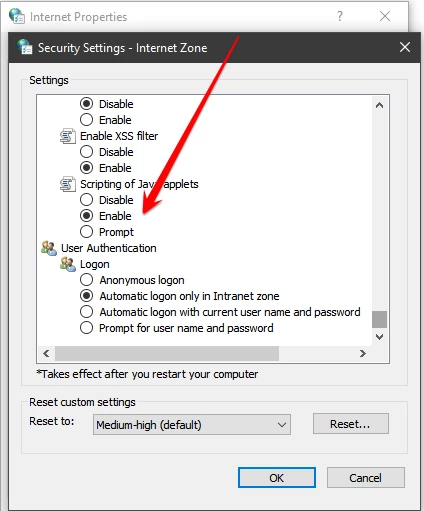
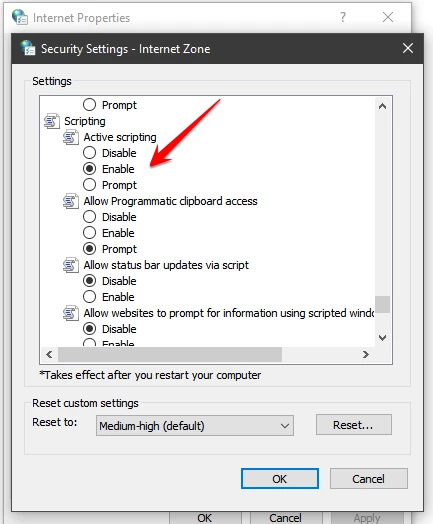
    Adobe's GUIs (graphical user interface) are governed by Windows Internet Explorer privacy setting regardless if you are using other internet browsers. so you have to check your Windows Internet Explorer settings (not Edge) and insure that Java Script and Scripting are enabled.


    one way to do this is to open Control Panel (icons) > internet options > "security" tab > custom level > enable "scripting" and "scripting of java applets" (both are towards the bottom) > click apply


    16 replies

    Participating Frequently
    September 28, 2024

    Help my Adobe CC 2018 installer does not show the options, it appears as HTML


    I can't fix it

    kglad
    Community Expert
    Community Expert
    September 28, 2024

    @victor hugo32302141hajg 


    what are you trying to install?

    what os are you trying to install it onto?

    Participant
    April 11, 2023

    PSA for people using DROPOX.

    Move the installation file out of your downloads into the root of your user folders and run the installer again this will resolve the issue. DROPBOX does some stupid folder redirection which means that running installers from any 'Synced' location will fail across the board.


    Hope this helps someone!

    kglad
    Community Expert
    Community Expert
    April 11, 2023

    thank you, @Wahid29347699gjc8 

    Participant
    May 27, 2022

    Fishing Hook MOD APK is a one of a kind fishing game that emphasizes realism. Players will spend the majority of their time in this sandbox sailing around the world on a virtual cruise, launching the fishing reel, and performing skillful skills to win the most awful fish. Fishing Hook is a game that you should not skip if you enjoy fishing games. Players can experience fishing in some of the world’s most spectacular locations thanks to captivating gameplay, breathtaking visuals, and vibrant gameplay.

    Y2Nk4
    Participant
    February 5, 2021

    My case is because the internet explorer's javascript is disabled, and this might usually caused by Windows servers' internet explorer security enhanced configuration, I disabled it, allows JavaScript and it finally works. Also, the Alternative downloads will also work if you don't want to configure your IE settings since it requires you to put your account&password by default.

    Participant
    January 15, 2021

    I am also faceing the same issue


    I have tried everything 

    Participant
    January 8, 2021

    It is very strange - but you need to open Internet Explorer and enable Javascript in there (https://helpx.adobe.com/x-productkb/multi/enable-javascript.html)

    Even if you are using Chrome or Firefox to authenticate.


    It works after that!


    Participant
    January 10, 2021

    Direct installing the app it was the ulimate solution for me:

    https://helpx.adobe.com/in/download-install/kb/creative-cloud-desktop-app-download.html

    Participant
    December 18, 2020

    Install an older adobe app from 2014, like premiere pro, then sign in. it will install adobe premiere pro 2014, then detect system updates and reinstall everything including the new creative suite. uninstall the old software and reinstall the new apps!

    Participant
    October 10, 2020

    I had the same issue and I fixed it with internet options and setting the security level from high to medium-high

    Participant
    July 26, 2020

    July 2020 and I too had this problem, and for me I have a brand new computer and have never installed anything Adobe except flash player; that's when I realized. All Adobe GUI's (graphical user interface) are governed  by Windows Internet Explorer privacy setting regardless if you are using other internet browsers. So you have to check your Windows Internet Explorer settings (not Edge) and insure that Java Script and Scripting are enabled. You can do this one of two ways. Either open Internet Explorer and click on the "gear" "settings" > internet options or via Control Panel > internet options. Once you have "internet options" gui open you click on the "security" tab which is where you will find your internet security settings, and will have to check to make sure your security settings via "security level" in the "security tab", and make sure "scripting" and "scripting of java applets" are "Enabled". (once the changes are made remember to click "apply") This will enable and allow java script for Internet Explorer. Again you are doing this regardless of what internet browser you primarily use because Adobe gui's are governed by internet explorer settings. I remembered that I always have this problem when I have to update "Flash Player", and I have to go through this same hassle of enabling Java on Internet Explorer every time I have to update Flash Player.

    Participant
    November 2, 2020

    Thanks, this works.

    Wonder how they expect you to figure that out.

    Participant
    May 20, 2020

    Sounds like your JavaScript is disabled. You need to enable JavaScript for the installer to continue.


    Google enable javascript and it should help.