
Participant
May 2, 2020
Answered

trouble installing creative cloud - IPC broker errors

  • May 2, 2020
  • 1 reply
  • 1946 views

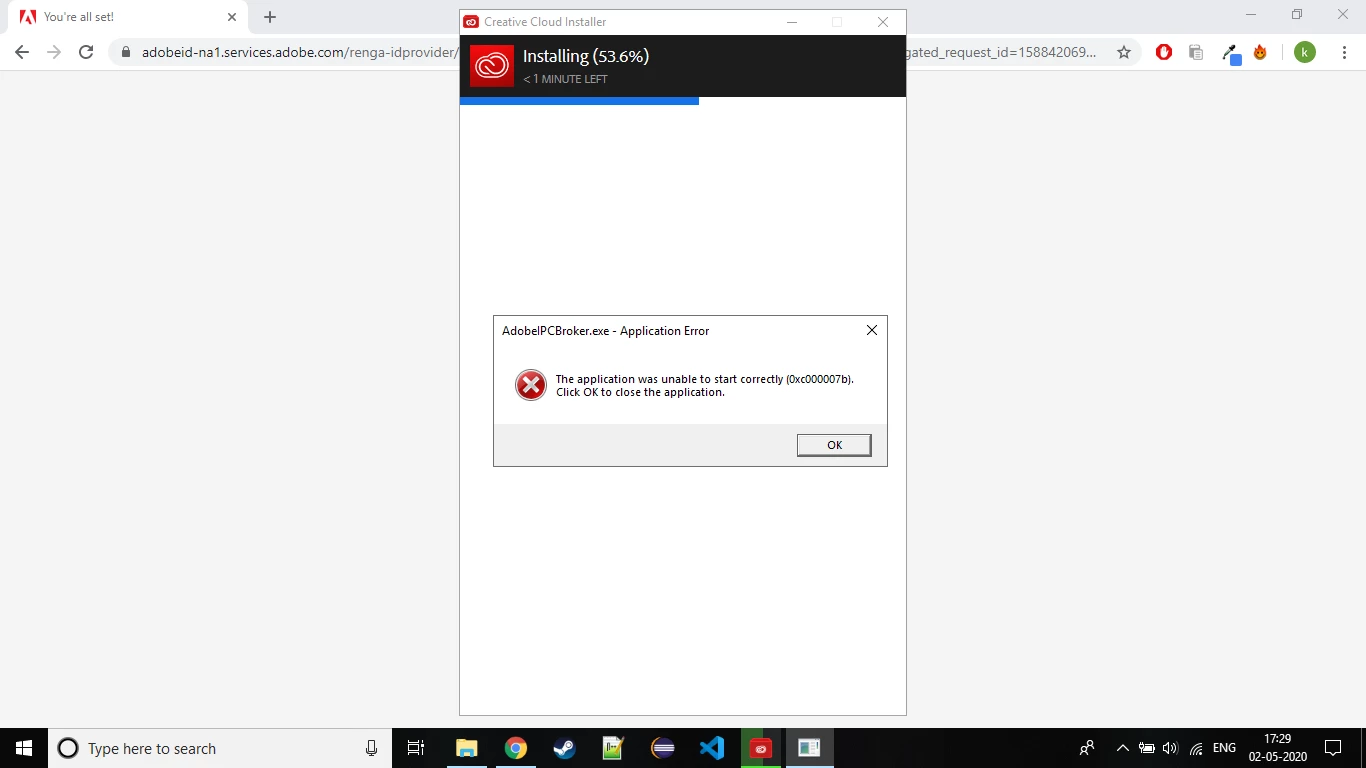
I was installing adobe creative cloud.while installing at about 50% 'adobe ipc broker error' pops up continously and installation stops at 58% and fails after sometime. i tried uninstalling and re installing , rebooting etc. I even tried deleting ipc broker applcation while installing but nothing helps. Cannot find any solutions in forum . Please help
 

This topic has been closed for replies.
Correct answer Just Shoot Me

You are runniing an older version of Windows 10. Newest is 1909 build 18363.693.


The CC DTA is up to 5.1.0.407.


Update Windows then If need be go to the Adobe website and download the newest Setup.exe for the CC DTA.

1 reply

Just Shoot Me
Legend
May 2, 2020

Which version of Windows are you running? Please be Specific about the exact version and build number of Windows.

Participant
May 2, 2020

Thank you for the response. 

Windows version : 10.0.17763

Build number : 17763


Creative Cloud version : 5.0.1.381

Just Shoot Me
Just Shoot MeCorrect answer
Legend
May 2, 2020

You are runniing an older version of Windows 10. Newest is 1909 build 18363.693.


The CC DTA is up to 5.1.0.407.


Update Windows then If need be go to the Adobe website and download the newest Setup.exe for the CC DTA.