


pliles
Inspiring
August 16, 2025
Question

Access To Site Stopped?

  • August 16, 2025
  • 2 replies
  • 400 views

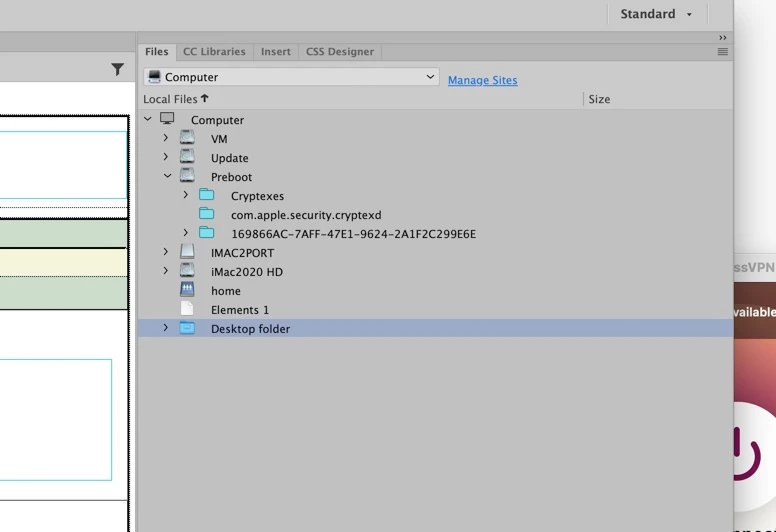
I was minding my own business, taking care of some minor updates to my 100 DW sites, and all of a sudden, I couldn't see the sites anymore.    In the upper right-hand corner where my sites used to be displayed, I get:


Using file manager, I see the sites under  HomeImac2020 as directory Sites: :
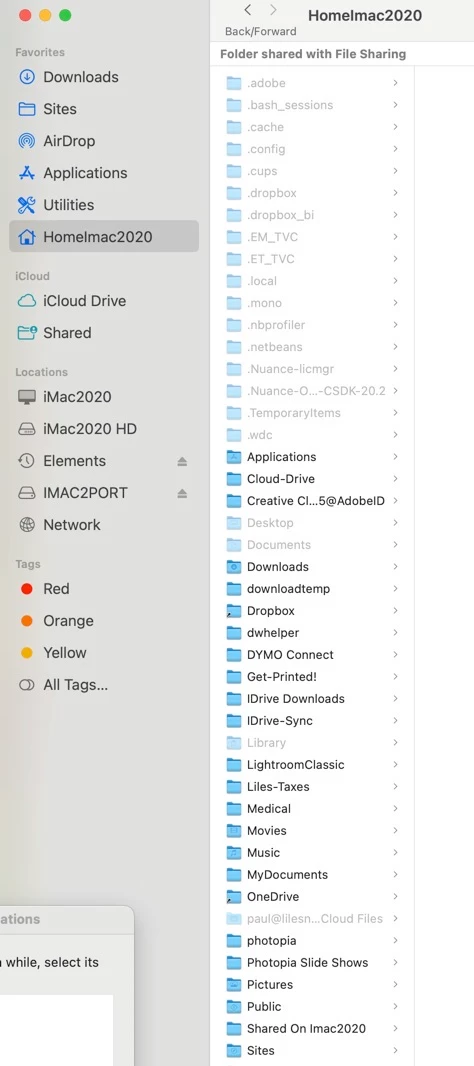
 

I scrolled it but could not find anything related to the 100 sites I had for years.   That means I cannot access them or update them.


I am using an iMac with the latest OS and version 21.5 of DW..


I am puzzled!


ALSO, the "Manage Site" dialog box comes up empty!  It used to be full of the names of my sites.
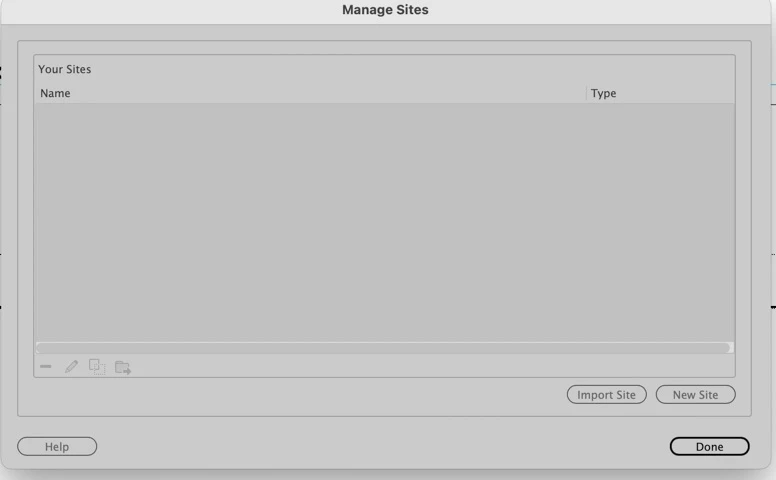
 

 I cannot get  DW to see HomeImas2020


Any help would be appreciated


http://lilesnet.com


Paul Liles

[email address removed by Moderator - this is to stop spammers from hammering your inbox]

    2 replies

    Nancy OShea
    Community Expert
    August 17, 2025

    If you previously exported your site definition settings, you can recover them by importing your .ste files into DW's Manage Sites panel. 


    Whenever I create a new site definition, I export my .ste files and store them in a safe place (external HD or USB stick) to have as backup. 


    See Restore Preferences. 

    https://helpx.adobe.com/dreamweaver/kb/restore-preferences-dreamweaver.html


    Nancy O'Shea— Product User & Community Expert
    pliles
    plilesAuthor
    Inspiring
    August 18, 2025

    Thank you both for the assistance.  I am 81 years old an what used to come easy, does not aymore!


    I wanted to make sure you knew that I have close to 100 DW sites, because if I put everything in one site, it would be almost 400 GB.   As an example, I have one site dedicated to Christmas with the family.  I have kept it online since 2000, and it alone is 48 GB.   


    For some unexplained reason, the Files Panel, which used to have a top directory of "Sites," disappeared???


    It is located at iMac2020HD/Users/Homemac2020/Sites .  If I could get DW to make that the top directory on the Files Panel, I would likely be OK, right?


    Right now I am afraid to do anything.  If it is safe I will try Ben's idea of rebuilding the cache.


    I'm not sure, Nancy, where the .ste files are, but I will look for them.  Since you have helped me before, I tried your suggestion, but the File Panel came up without a change. I still cannot see the DW sites I used to have shown.


    I REALLY REALLY appreciate your patience with the old man!


    Paul Liles

    BenPleysier
    Community Expert
    August 19, 2025

    Paul, thank you for your kind words, and for reminding me that age is just a number. You were born in 1944, I was born in 1943, so between us we’ve got over 160 years of combined wisdom (and probably a few grey hairs earned from Adobe quirks alone).


    As for the missing “Sites” directory, I still think rebuilding the cache is safe and worth a try. It’s like giving DW a gentle nudge to remember where it left its glasses. If it works, your top-level directory at iMac2020HD/Users/Homemac2020/Sites should reappear in the Files Panel, and you’ll be back in business.


    @Nancy OShea’s advice on .ste files is also gold—those little guys are your site definitions in miniature. If you find them, you can re-import and restore your setup without breaking a sweat.


    You’re not “just an old man,” Paul, you’re a digital archivist, a patient troubleshooter, and a generous soul. We’re lucky to be on your team.


    Wappler is the DMXzone-made Dreamweaver replacement and includes the best of their powerful extensions, as well as much more!
    BenPleysier
    Community Expert
    August 17, 2025

    Hi Paul,
    One thing that might help: try clearing Dreamweaver’s internal cache. It’s stored in a file called MacFileCache-<randomString>.dat inside the Configuration folder. For your setup (DW 21.5 on macOS), you’ll likely find it here:

    MacHD/Users/<your username>/Library/Application Support/Adobe/Dreamweaver CC/<language>/Configuration/


    Just quit Dreamweaver, delete that .dat file, and relaunch the app. DW will rebuild the cache automatically. This has resolved visibility issues for others when the “Manage Sites” dialog goes blank.

    Let us know if that brings your sites back—or if you need help locating the file.


    Wappler is the DMXzone-made Dreamweaver replacement and includes the best of their powerful extensions, as well as much more!