


Add Mailchimp Subscribe Now HTML CSS to my own button
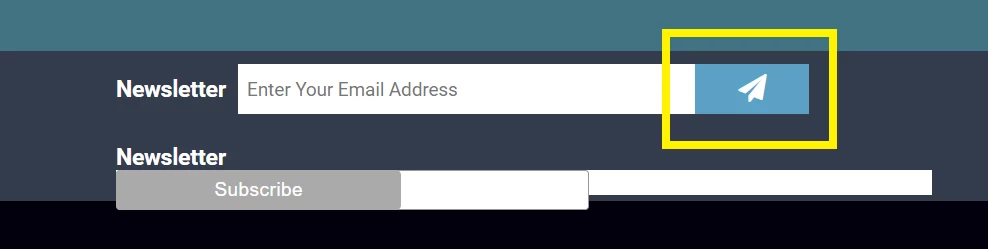
I want to add the code to make the button in yellow functional. Alternatively, make the subscribe button on the button look like the above.
Here is my button:
<form>
<p>
<input type="email" name="newsletter" placeholder="Enter Your Email Address" id="newsletter" >
<button type="submit" ><i class="fa fa-send"></i></button>
</p>
</form>
Here is the code mailchimp spit out:
<!-- Begin Mailchimp Signup Form -->
<link href="//cdn-images.mailchimp.com/embedcode/slim-10_7.css" rel="stylesheet" type="text/css">
<style type="text/css">
#mc_embed_signup{background:#fff; clear:left; font:14px Helvetica,Arial,sans-serif; }
/* Add your own Mailchimp form style overrides in your site stylesheet or in this style block.
We recommend moving this block and the preceding CSS link to the HEAD of your HTML file. */
</style>
<div id="mc_embed_signup">
<form action="https://touch-the-universe.us17.list-manage.com/subscribe/post?u=17254369a831ab340dcc39d21&id=2769e73a04" method="post" id="mc-embedded-subscribe-form" name="mc-embedded-subscribe-form" class="validate" target="_blank" novalidate>
<div id="mc_embed_signup_scroll">
<input type="email" value="" name="EMAIL" class="email" id="mce-EMAIL" placeholder="email address" required>
<!-- real people should not fill this in and expect good things - do not remove this or risk form bot signups-->
<div style="position: absolute; left: -5000px;" aria-hidden="true"><input type="text" name="b_17254369a831ab340dcc39d21_2769e73a04" tabindex="-1" value=""></div>
<div class="clear"><input type="submit" value="Subscribe" name="subscribe" id="mc-embedded-subscribe" class="button"></div>
</div>
</form>
</div>
<!--End mc_embed_signup-->
Any advice would be greatly appreciated. Cheers.
 AdChoices