


Known Participant
May 7, 2017
Answered

Connecting to Bluehost Mysql from Dreamweaver - and DMX database connector 404 problem

  • May 7, 2017
  • 4 replies
  • 4211 views

The instructions are:

Problem: How can I connect to our MySQL database from Dream Weaver?

Solution:

Log into your bluehost account and click on "MySQL Databases" then under "Users" create a new user and password if you don't already have one you want to use. Then add that user to the database you wish to work with through Dreamweaver.

Now open Dreamweaver, create a new blank PHP page, then at the top bar click on "Site" then "New". Leave the "Local Info" as it is, but click on "Remote Info" instead and change the access type to FTP.

Here are the settings you'll need to fill out:

FTP host = your domain name or IP (the IP can be found in the Control Panel)

        Host Directory = public_html (or public_html/addondomain)

        login = control panel (cpanel) username

        password = control panel (cpanel) password

Next click on 'Testing Server' then change the 'Server Model' to 'PHP/MySQL' and access to FTP. Use the same account information as above, and if Dreamweaver asks for a 'Remote Info Page', simply use http://www.yourdomain.com

Now to connect to your account and set up a connection to a database.

Up at the top menu bar in Dreamweaver click on 'Window' then 'Databases'. This will bring up a menu on the side bar, if it is not already up, where you can click on the + button and set up a 'MySQL Connection'. Label it what you would like in the 'Connection Name' and use these settings:

MySQL Server = localhost

        Username = The control panel username then '_' and MySQL database username

        Example: cpanel_mysqlname

        Password = Password to the MySQL database username

        Database = Click 'Select' and choose your database

Then you can test the connection to see if your settings are correct.

These instructions don't work with DW CC 2017.  I have two servers set up.  One to connect to the Bluehost public_html for files which is working.  The second to go to a XAMPP test server on my pc which also works.  I need to have a connection to the database on Bluehost too.  I am new to this and really don't know what I am doing.  I got this far but using the Dreamweaver tutorials and instructions.  I have a membership form and need to store and use the data on Bluehost.

  1. There is no local information when you click on new site
  2. Dreamweaver won't let me have the same site info as the first server
  3. There is not Databases under Window

The second problem is that to make my life easier, I purchased some DMXzone extensions.  The Database Connector extension isn't working correctly and everything on DMXzone says it is because I have set Dreamweaver up incorrectly.  I am getting a 404 error on both servers.  I would really like to use this extension but have used up a week researching why it won't work and am about to get fired since I missed the deadline.  Bluehost has no idea what the problem is.  I need some expert help.  I was hoping that using the extension would go well since I have not idea how to write my own script to do what I need.

I hope you can help me.  I am 69 years old and retired 10 years ago from Ohio State.  I have done several websites but never had to do a membership form before. The form was very easy using Bootstrap but now it is just sitting there waiting for me to finish.  I hope you can help.

Thank you.

Connie
This topic has been closed for replies.
Correct answer Nancy OShea

I understand but it is when trying to connect to the database through

DMXzone database connection extension that the error shows up. I sent you

a screen cut of the message.

On Sun, May 7, 2017 at 5:22 PM, Rob Hecker2 <forums_noreply@adobe.com>


Email attachments do not come through to this web forum. 

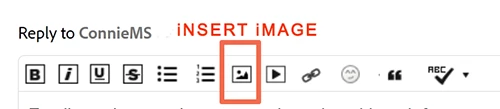
If you want to post a screenshot, come back to this web forum,  use the image icon that appears in your reply's toolbar.

4 replies

Ussnorway7605025
Legend
May 12, 2017

would you mind posting a link to the tutorial you started with i.e, the one that needs updating?

ConnieMSAuthor
Known Participant
May 19, 2017

Sorry. I no longer have it.

ConnieMSAuthor
Known Participant
May 11, 2017

It works:

I had to set myself up as a new user  and connect it to the db.

Thank you to everyone.  I have learned a lot during this process.

Nancy OShea
Community Expert
Community Expert
May 7, 2017

When developing locally, I always import MySQL data from the remote server to my local testing server with phpMyAdmin.    That way I can be sure everything works before it goes online.

Launch phpMyAdmin from Xampp and create a database.  If unsure how to create a MySQL database, Google has numerous links to help you.

Log in to your remote server and using the server's phpMyAdmin, export your data to an SQL file and note where you saved it.  It usually saves to a My Downloads folder.

Go back to your local phpMyAdmin and import the SQL data file. 

Create a new PHP file in DW with the following code.  This will test the connection to your newly created local database.

<?php

$con = mysqli_connect("localhost","username","password" ,"database_name");

// Check connection

if (mysqli_connect_errno())

  {

  echo "Failed to connect to MySQL: " . mysqli_connect_error();

        }

        else echo "Successfully connected, happy coding!"

?>

Nancy

Nancy O'Shea— Product User & Community Expert
ConnieMSAuthor
Known Participant
May 7, 2017

Thank you. I haven't tried this yet.  I hope it works to facilitate the connection.

Rob Hecker2
Legend
May 7, 2017

You may have several problems, but to get started, a 404 error means that the page cannot be found. This can be for various reasons, such as:

  • The page doesn't exist on the server
  • The page exists on the server but you are mistyping the file name (Watch out for case, it matters)
  • The page exists on the server but not at the location you are attempting
ConnieMSAuthor
Known Participant
May 7, 2017

Thank you. I had found all of that earlier but I did not know if any of

those things fit my problem. The page does exist on the server and shows in

local, remote and test spelled correctly and where it is supposed to be.

But DMX connection error states that it isn't found and says it issued a

404 error.

On Sun, May 7, 2017 at 5:19 PM, Rob Hecker2 <forums_noreply@adobe.com>

ConnieMSAuthor
Known Participant
May 10, 2017

As a further thought, please

1. turn Debug Mode on as per

2. complete membership.html as far as possible (even if not working) and upload to remote

3. upon completion of the above, give me a signal and I will have a look


Most of the Membership.html has been on the remote server since before the

data connection fiasco started. URL is NABCD.org. The submit button and

the paypal buttons have not been put on the site since I can't test

anything until I figure out what I am doing (if that ever happens). I

finally understand that the file DMX pushes is not getting to the

database. That took a while to sink in. I am sure I have messed something

up in Xampp and the remote server. I have never worked with sql server or

set up a server on my pc and as you can probably tell, know little about

it. I purchased DMXzone products because it sounded like I would be able

to use it instead of trying to learn sql. The most I have done prior to

this is a really long php form on dog behaviors which went to the site

owner in an email. Thank you for all of your help and patience. I feel

like I am getting closer to a solution.

On Mon, May 8, 2017 at 10:23 PM, BenPleysier <forums_noreply@adobe.com>