


Inspiring
July 25, 2017
Answered

Dreamweaver 2017.5 - Red numbers in JavaScript

  • July 25, 2017
  • 2 replies
  • 1841 views

Why are there these red numbers showing erroneous errors in files with the .js extension?

Here's an example:
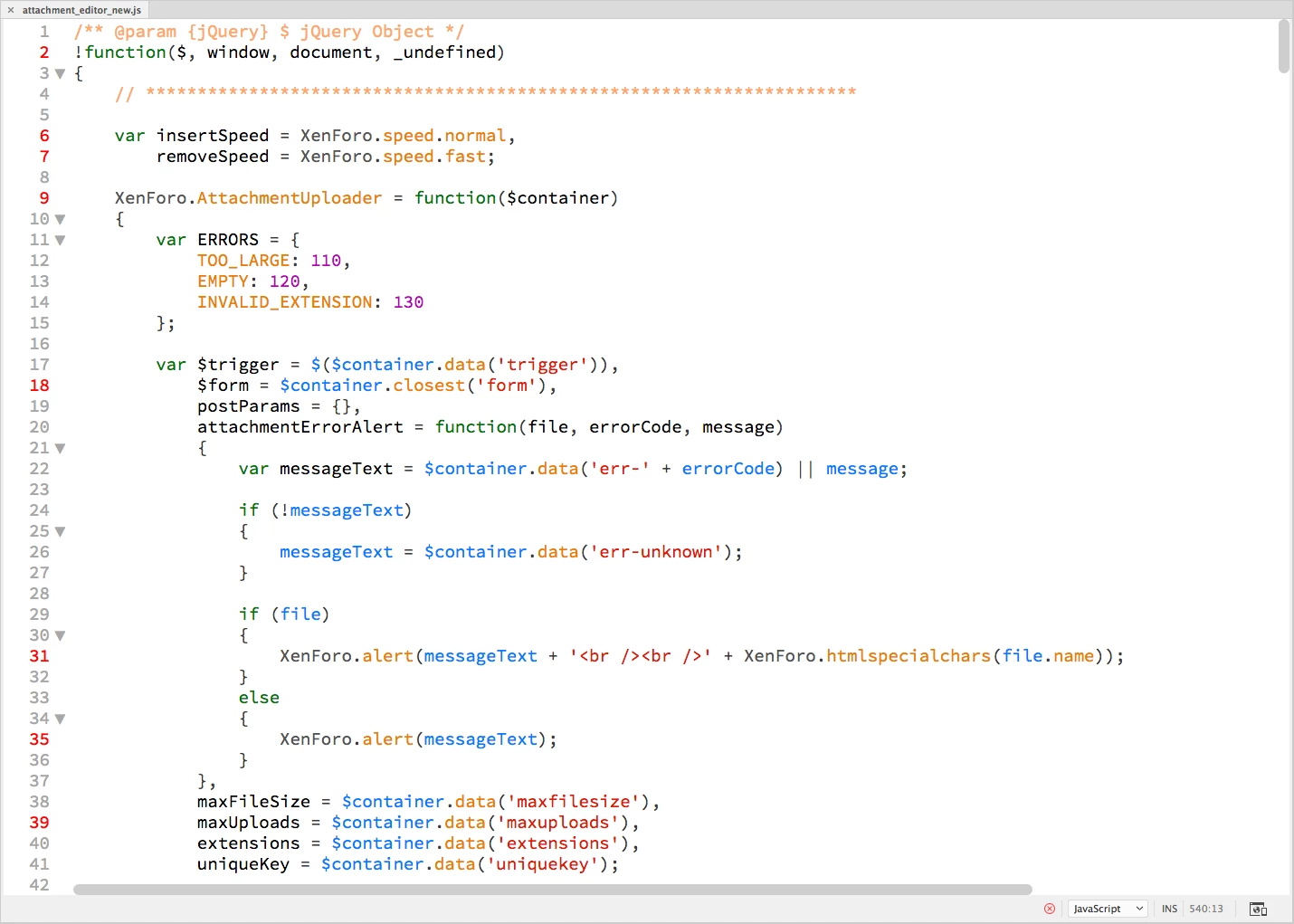
For example if I hover my cursor over the number 2 I see this message:

Is there a way to disable these erroneous red numbers and messages?

    This topic has been closed for replies.
    Correct answer pziecina

    All these errors are caused by the use of linting, which i always turn off.

    You will find the setting to turn linting off in your Dw preferences window. It is an all or nothing setting in Dw, so turning off will also turn linting off for every other supported file type.

    Linting is in theory a good idea, but in practice it is only for beginners in my opinion.

    2 replies

    pziecina
    pziecinaCorrect answer
    Brainiac
    July 25, 2017

    All these errors are caused by the use of linting, which i always turn off.

    You will find the setting to turn linting off in your Dw preferences window. It is an all or nothing setting in Dw, so turning off will also turn linting off for every other supported file type.

    Linting is in theory a good idea, but in practice it is only for beginners in my opinion.

    Inspiring
    July 25, 2017

    Thank you.

    I have now disabled linting.

    Jon Fritz
    Adobe Expert
    July 25, 2017

    That's DW's overzealous Linting tool. It likes things to be done a certain way, even if they way you're doing it isn't invalid, it will still tell you it is on certain items.

    It's disabled under Edit > Preferences > Linting

    Brainiac
    July 25, 2017

    https://forums.adobe.com/people/Jon+Fritz+II  wrote

    That's DW's overzealous Linting tool. It likes things to be done a certain way, even if they way you're doing it isn't invalid, it will still tell you it is on certain items.

    It's disabled under Edit > Preferences > Linting

    Actually it can be a useful guide. I don't now about the linting in DW as I have not had the pleasure of using it but in the program I use I look and see what it says - sometimes it can be very useful for improving your coding abilities where the over use of declarations can be consolidated into somethimg more streamlined, make one a better coder, I think anyway.

    Jon Fritz
    Adobe Expert
    July 25, 2017

    Sure, it could be a useful guide, if it worked correctly.

    DW used to fire the Linter on Open, Edit and Save in CC2015. In CC2017, it only fires on Save, so your errors and inconsistencies need to be "baked into" your document before it will mention them. An interesting concept for someone who uses the DW Upload on Save function. The errors, if they are errors or not, also don't go away until the document is saved a second time.

    It needs to differentiate between capital E "Errors", like an unclosed <div> tag or missing doctype declaration, and inconsistencies/abnormalities/non-errors, like using single quotes for tag attributes or writing a tag in all uppercase letters.

    It also likes to mark all kinds of things in javascript as errors that simply aren't. In some cases leading the developer on lengthy wild goose chases for phantom errors. Sure, there might be a more streamlined way to do something, but if it's not an actual "error" it should say so, but doesn't.

    So, I award the overzealous moniker. In my book, it's pretty much useless given all of the other validation tools already available for saved files. I don't need a bunch of red line numbers on code I know to be correct, that the Linter just doesn't like.

    In CC2015, I simply changed the attributes for a couple of the "non-error errors" in the Linter (like double quoting attributes) , preferring to see the errors as I created them over running a validator. Now in CC2017, I turn it off entirely and use the validation tools instead.