New Participant
April 19, 2022
Question

Editing HTML file in Dreamweaver....

  • April 19, 2022
  • 4 replies
  • 644 views

Hi Dreamweaver Pros,

I would like to know how I can create more of these blue rectangular boxes below the first one, and also connect the additional rectangular boxes with a thin red vertical line.  See below example.  The file is in  html.



This topic has been closed for replies.

4 replies

Nancy OShea
Community Expert
April 19, 2022

It's unclear what this will be used for. 


If you want an actual flowchart, you might have better success with something like LucidChart.  They offer 100 templates for every possible discipline with free and tiered pricing plan options.

https://www.lucidchart.com/pages/landing/flowchart-software

https://www.lucidchart.com/pages/templates/flowchart


Nancy O'Shea— Product User, Community Expert & Moderator
B i r n o u
Community Expert
April 19, 2022

that's a nice alternative, but why going from scratch, if the template can already handle it ?

B i r n o u
Community Expert
April 19, 2022

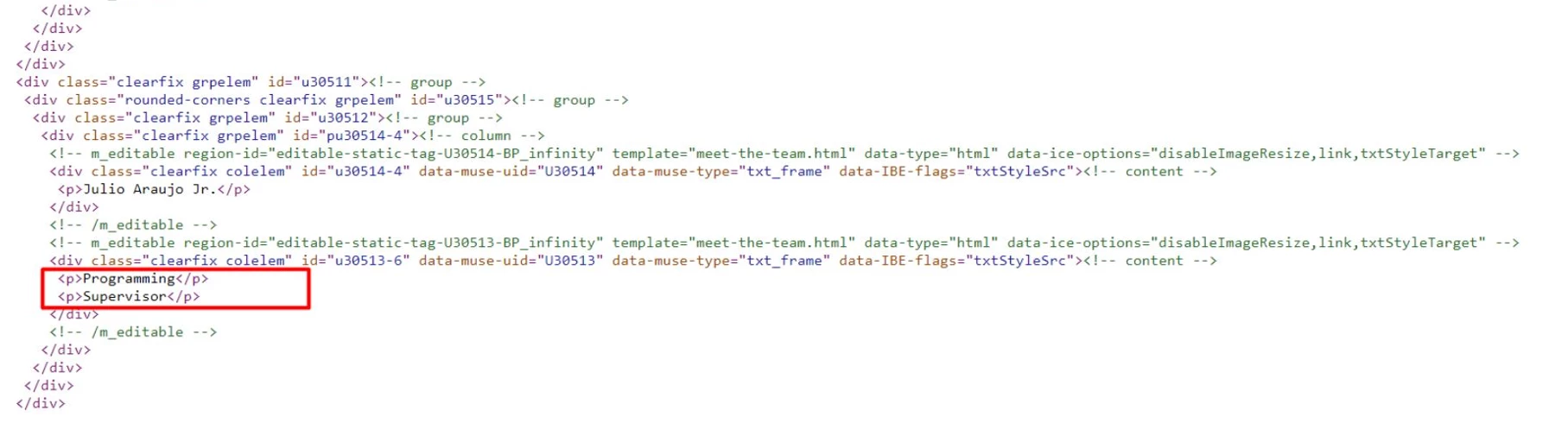
it seems to me that @Stephen22940996kf6b uses a template for that, this template must be able to manage the various branches, children, sibling, last column etc... hence my question to see on the one hand the corresponding code and the template itself (which by the way does not seem to be of DW origin)...


So, I repeat my words, before razing everything and start from scratch make sure that the existing can, or not, perform the work.

Brainiac
April 19, 2022


See code below, works on mobile devices too!


<!DOCTYPE html>
<html lang="en">
<head>
<meta charset="UTF-8">
<meta name="viewport" content="width=device-width, initial-scale=1.0">
<title>Text Boxes</title>
</head>
<style>
body {
font-family: helvetica, sans-serif;
}
.textBoxesWrapper {
display: grid;
grid-template-columns: repeat(3, 1fr);
grid-column-gap: 30px;
width: 80%;
margin:	0 auto;
border-top: 10px solid #ed1d00;
}
@media screen and (max-width: 768px)	{
.textBoxesWrapper {
grid-template-columns: repeat(2, 1fr);
}
}
@media screen and (max-width: 520px)	{
.textBoxesWrapper {
grid-template-columns: 1fr;
}
}
.textBoxGroup {
display: flex;
flex-direction: column;
}
.textBox {
display: flex;
flex-direction: column;
justify-content: center;
background-color: #3778fa;
padding: 20px;
flex: 1;
border-radius: 4px;;
}
.textBox h3 {
margin:	0 0 5px 0;
padding: 0;
text-align: center;
font-size: 20px;
font-weight: 600;
color: #fff;
}
.textBox h4 {
margin: 0;
padding: 0;
text-align: center;
font-size: 16px;
font-weight: 600;
color: #fff;
}
.vertLine {
height:	70px;
width: 10px;
margin:	0 auto;
background-color: #ed1d00;
}
</style>
<body>
<div class="textBoxesWrapper">


<div class="textBoxGroup">
<div class="vertLine"></div>
<div class="textBox">
<h3>Gustavo Aragon</h3>
<h4>Production Control Manager</h4>
</div>
</div>
<!-- end textBoxGroup -->


<div class="textBoxGroup">
<div class="vertLine"></div>
<div class="textBox">
<h3>Gustavo Aragon</h3>
<h4>Production Control Manager</h4>
</div>
</div>
<!-- end textBoxGroup -->


<div class="textBoxGroup">
<div class="vertLine"></div>
<div class="textBox">
<h3>Gustavo Aragon</h3>
<h4>Production Control Manager</h4>
</div>
</div>
<!-- end textBoxGroup -->


<div class="textBoxGroup">
<div class="vertLine"></div>
<div class="textBox">
<h3>Gustavo Aragon</h3>
<h4>Production Control Manager</h4>
</div>
</div>
<!-- end textBoxGroup -->


<div class="textBoxGroup">
<div class="vertLine"></div>
<div class="textBox">
<h3>Gustavo Aragon</h3>
<h4>Production Control Manager</h4>
</div>
</div>
<!-- end textBoxGroup -->


<div class="textBoxGroup">
<div class="vertLine"></div>
<div class="textBox">
<h3>Gustavo Aragon</h3>
<h4>Production Control Manager</h4>
</div>
</div>
<!-- end textBoxGroup -->


<div class="textBoxGroup">
<div class="vertLine"></div>
<div class="textBox">
<h3>Gustavo Aragon</h3>
<h4>Production Control Manager</h4>
</div>
</div>
<!-- end textBoxGroup -->


<div class="textBoxGroup">
<div class="vertLine"></div>
<div class="textBox">
<h3>Gustavo Aragon</h3>
<h4>Production Control Manager</h4>
</div>
</div>
<!-- end textBoxGroup -->


<div class="textBoxGroup">
<div class="vertLine"></div>
<div class="textBox">
<h3>Gustavo Aragon</h3>
<h4>Production Control Manager</h4>
</div>
</div>
<!-- end textBoxGroup -->


</div>
<!--end textBoxesWrapper-->
</body>
</html>


B i r n o u
Community Expert
April 19, 2022

very nice part of answer,

you should complete it with what's about the sibling ones, and the ending horizontal line ?

Brainiac
April 19, 2022
quote

very nice part of answer,

you should complete it with what's about the sibling ones, and the ending horizontal line ?


By @B i r n o u


OP just states they want boxes beneath each other with an adjoining line..........if they want to output the loopy-loop flowchart then they may need a more sophisticated approach.

Nancy OShea
Community Expert
April 19, 2022

Use a vector graphics editor like Illustrator or Inkscape and export to SVG code.   Or use an SVG Generator.

https://www.smashingmagazine.com/2021/03/svg-generators/


Scalable Vector Graphics are math-based images that can be scaled up or down without any loss in quality.  SVG is perfect for flow charts, infographics, text and other non-photographic web images.  The code can be further edited in Dreamweaver to add custom animation and interactive functionality.


Hope that helps.


Nancy O'Shea— Product User, Community Expert & Moderator
B i r n o u
Community Expert
April 19, 2022

two points

  • the code and the screen shot doesn't fit the same region
  • the templating model doesn't seams to belong to DW

could you be more specific of give the appropriate veiw and code part