


Participant
May 18, 2018
Question

File shows as checked out but loads in Read-only mode, can't edit

  • May 18, 2018
  • 2 replies
  • 1370 views

I'm using Adobe Dreamweaver CC 2015. I recently had a computer failure and had to move my backup to a new one (everything was working fine before that).

Now when I double click a file from our web site in the files pane a dialog box come up that looks like this:
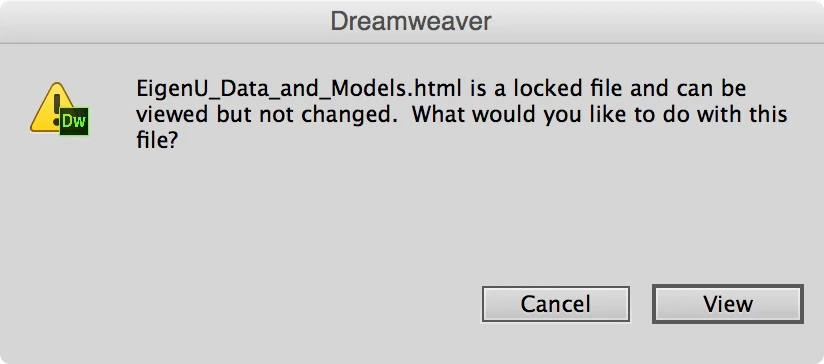
It used to give you the option to check the file out so that you could edit it. At the same time a window pops up with info about incomplete file activity, like this:
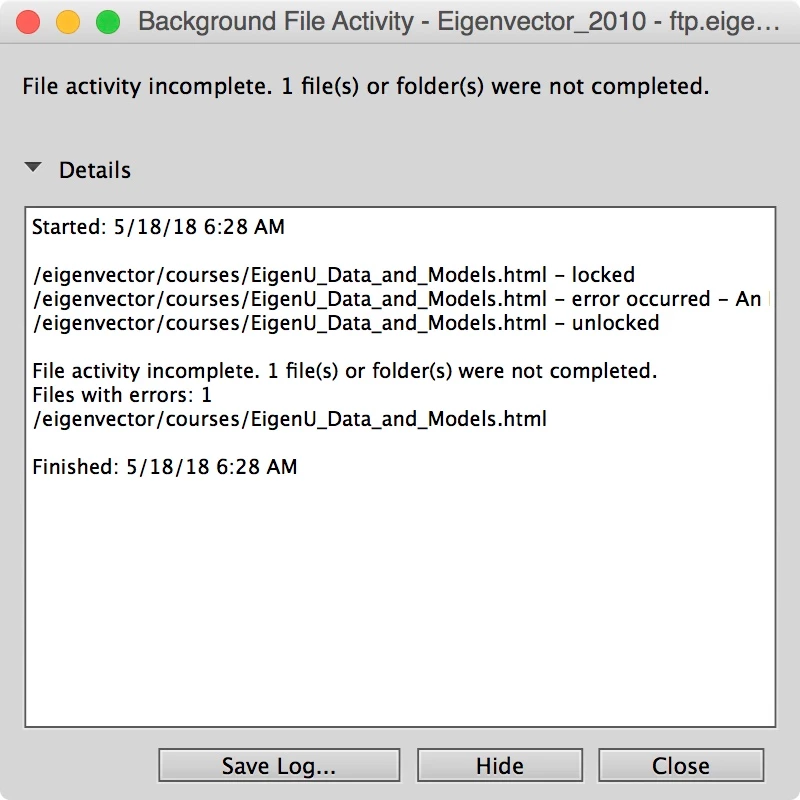
The rest of the message that is cut off says:

eigenvector/courses/EigenU_Data_and_Models.html - error occurred - An FTP error occurred - cannot get EigenU_Data_and_Models.html.  Access denied.  The file may not exist, or there could be a permission problem.

I tested the FTP connection under Manage Sites and the connection tested as OK.

In the files pane, you can check out a file, and it shows as checked out, but you still can't edit it.

So what do I need to do so I can edit my web pages? Thanks in advance!

This topic has been closed for replies.

2 replies

Jon Fritz
Community Expert
Community Expert
May 18, 2018

I never use DW's check out functionality, but I do recall more than a few posts in the past about it being controlled by .LCK files.

If you turn on your operating system's hidden files, then browse to your local site folder (from the OS, not DW), you will be able to see and delete the .LCK files from the site.

That will make your files editable from within DW again.

I'm sorry, I don't know what effect it will have on check in/out though, if it disables it completely, or just starts a new .LCK file when a user checks something out.

Hopefully someone with a bit more experience with the old check-in/out feature can give you more options.

bmw42Author
Participant
May 18, 2018

Thanks Jon, but I don't see any .LCK files in my local site folder when I turn on "view hidden files."

Jon Fritz
Community Expert
Community Expert
May 18, 2018

...and you're looking at the files in an OS folder, not from within DW?

BenPleysier
Community Expert
Community Expert
May 18, 2018

I think the error message says it all

there could be a permission problem

I do not have iOS machine, but I believe that you need to set user permissions on the folders and files.

Wappler is the DMXzone-made Dreamweaver replacement and includes the best of their powerful extensions, as well as much more!