


Answered
How do I position an iframe in a bootstrap 5 Grid-layout?
Dear all,
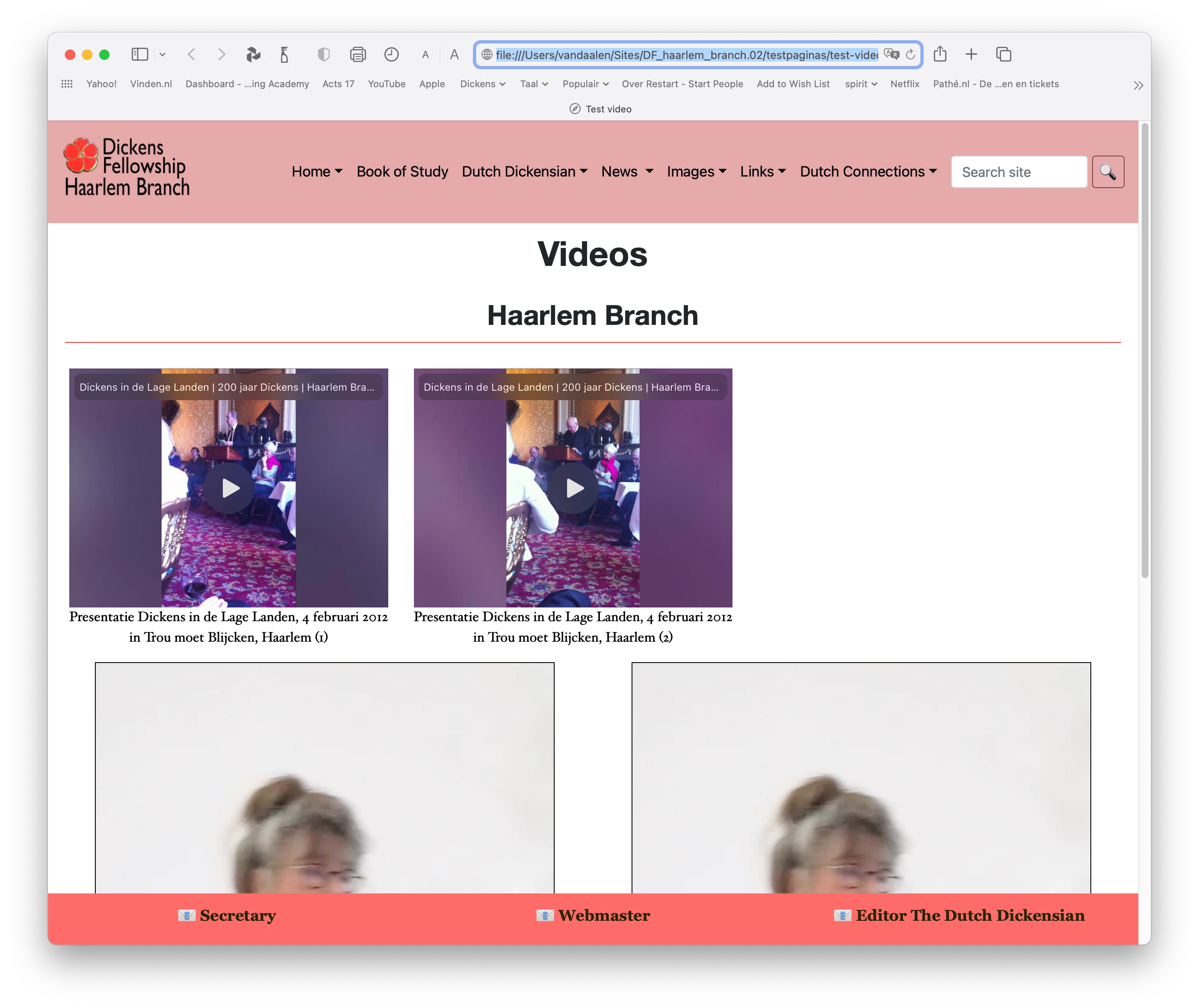
Currently I'm working on a (try-out) page with videos. I have two videos next to each other in an iframe, but I cannot position them properly. I want them evenly divided on the screen, not right next to each other, leaving the right side of the screen emtpy. I've searched the internet for solution and tried several, but nothing worked out properly.
What properties can I add to the iframes besides margin:auto and display:block to center them horizontally in their column? They are responsive.
Here's a screen-image of the page:
Here's the css-code:
iframe {
	margin: auto;
	display: block;
}
video {
	width: 90%;
	height: auto;
	display: block;
	margin-right: auto;
	margin-left: auto;
	border: thin solid hsla(0,0%,0%,1.00);
And the html:
<div class="row main">
				<div class="row">
						<div class="col-md-6 justify-center">
								<div class="embed-responsive embed-responsive-4by3"><iframe class="embed-responsive-item" src="https://www.youtube.com/embed/EBcL7xK7JUQ"></iframe>
								</div>
							<figcaption>
								<p>Presentatie Dickens in de Lage Landen, 4 februari 2012<br>
in Trou moet Blijcken, Haarlem (1)</p>
				</figcaption>
						</div>
						<div class="col-md-6 justify-items-center">
<div class="embed-responsive embed-responsive-4by3"><iframe class="embed-responsive-item" src="https://www.youtube.com/embed/tLB6ryTsQos"></iframe>
							</div>
						<figcaption>
								<p>Presentatie Dickens in de Lage Landen, 4 februari 2012<br>
in Trou moet Blijcken, Haarlem (2)</p>
				</figcaption>
			</div>
					</div>
				<div class="row">
						<div class="col-md-6">
<video class="embed-responsive-4by3" title="Vertelster" controls="controls" >
		<source src="../10.mp4" type="video/mp4">
</video>
<figcaption>
		<p>Dit is het bijschrift</p>
	</figcaption><br>
</div>
						<div class="col-md-6">
<video controls class="embed-responsive-item">
		<source src="../10.mp4" type="video/mp4">
</video>
<figcaption>
								<p>Dit is het bijschrift</p>
				</figcaption><br>
						</div>
			</div>
					</div>

 AdChoices