



Answered
How do I use an image button to activate a popup modal?
I need help getting a button to activate a modal popup. The buttton on image looks like this:
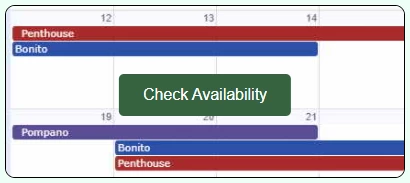
And the modal like this:
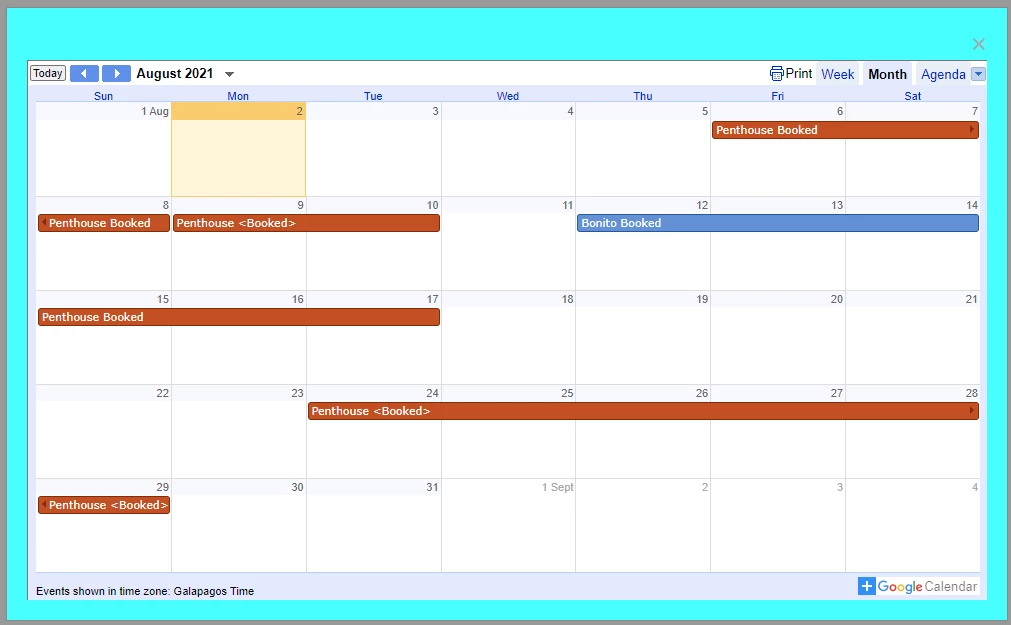
I have the button working and I have the modal popup working - But I can't figure out how to link the two - What elements in the button need to be called in the script?
This is the button:
<!DOCTYPE html>
<html>
    <head>
        <meta charset="utf-8" />
        <meta name="viewport" content="width=device-width, initial-scale=1" />
        <!-- ---------------- EXTERNAL LINK DISABLED FOR FORUM -->
        <!-- <link href="css/global.css" rel="stylesheet" type="text/css" /> -->
        <link
            rel="stylesheet"
            href="https://cdnjs.cloudflare.com/ajax/libs/font-awesome/4.7.0/css/font-awesome.min.css"
        />
        <style>
            .calbtncontainer {
                position: relative;
                width: 100%;
                max-width: 400px;
            }

            .calbtncontainer img {
                width: 100%;
                height: auto;
            }

            .calbtncontainer .calbtn {
                position: absolute;
                top: 50%;
                left: 50%;
                transform: translate(-50%, -50%);
                -ms-transform: translate(-50%, -50%);
                background-color: rgb(47, 100, 61);
                color: white;
                font-size: 16px;
                padding: 12px 24px;
                border: none;
                cursor: pointer;
                border-radius: 5px;
                text-align: center;
            }

            .calbtncontainer .calbtn:hover {
                background-color: black;
            }
        </style>
    </head>
    <body>
        <!-- BBBBBBBBBBBBBBBBBBBBBBBBBBBBBBBBBBBBBBBBBBBBBBBBBBBB -->
        <!-- BBBBBBBBBBBBBBBBBBBBBBBBBBBBBBBBBBBBBBB B O D Y BBBB -->
        <!-- BBBBBBBBBBBBBBBBBBBBBBBBBBBBBBBBBBBBBBBBBBBBBBBBBBBB -->
        <!--  -->

        <h2>Button on Image</h2>
        <p>Add a button to an image:</p>

        <div class="calbtncontainer">
            <img
                src="images/link_calendar.jpg"
                alt="Calendar"
                style="
                    width: 100%;
                    border: 1px black solid;
                    border-radius: 10px;
                "
            />
            <button class="calbtn">Check Availability</button>
        </div>
    </body>
</html>
And this is the modal popup (the big mess in the middle is the Google calendar link):
<!DOCTYPE html>
<html>
<head>
<meta charset="utf-8" />
<!-- ---------------- EXTERNAL LINK DISABLED FOR FORUM -->
<!-- <link href="css/global.css" rel="stylesheet" type="text/css" /> -->
<link
rel="stylesheet"
href="https://cdnjs.cloudflare.com/ajax/libs/font-awesome/4.7.0/css/font-awesome.min.css"
/>
<meta name="viewport" content="width=device-width, initial-scale=1" />
<style>
.modal_1 {
display: none; /* Hidden by default */
position: fixed; /* Stay in place */
z-index: 1; /* Sit on top */
padding-top: 100px; /* Location of the box */
left: 0;
top: 0;
width: 100%; /* Full width */
height: 100%; /* Full height */
overflow: auto; /* Enable scroll if needed */
background-color: rgb(0, 0, 0); /* Fallback color */
background-color: rgba(0, 0, 0, 0.4); /* Black w/ opacity */
}
/* Modal Content */
.modal_1-content {
background-color: cyan;
margin: auto;
padding: 20px;
border: 1px solid #888;
width: 50%;
}
/* The Close Button */
.close {
color: #aaaaaa;
float: right;
font-size: 28px;
font-weight: bold;
}
.close:hover,
.close:focus {
color: #000;
text-decoration: none;
cursor: pointer;
}
.modalcontainer-16x9 {
position: relative;
overflow: hidden;
width: 100%;
padding-top: 56.25%;
}
/* Then style the iframe to fit in the container div with full height and width */
.responsiveiframe {
position: absolute;
border: solid 1px #777;
top: 0;
left: 0;
bottom: 0;
right: 0;
width: 100%;
height: 100%;
}
</style>
</head>
<body>
<h2>Modal Example</h2>
<!-- Trigger/Open The Modal -->
<button id="calBtn">Open Modal</button>
<!-- The Modal -->
<div id="calModal" class="modal_1">
<!-- Modal content -->
<div class="modal_1-content">
<span class="close">×</span>
<!-- -->
<!-- -->
<div class="modalcontainer-16x9">
<iframe
class="responsiveiframe"
src="https://calendar.google.com/calendar/embed?height=750&wkst=1&bgcolor=%23ffffff&ctz=Pacific%2FGalapagos&src=dDdua2M1NzYzZmU0OTV0cjNwY2hpcmxlcTBAZ3JvdXAuY2FsZW5kYXIuZ29vZ2xlLmNvbQ&src=cm9kbDdxN2VoY3NtYW9sbHIyZnJzZTdiNjBAZ3JvdXAuY2FsZW5kYXIuZ29vZ2xlLmNvbQ&src=MmdkMmxmb21nY2JiYmg5ampwcnN2N3BoN2tAZ3JvdXAuY2FsZW5kYXIuZ29vZ2xlLmNvbQ&src=Mm9vMjYyMmkzY2xrOGVmOWNpbjdxYTNldHNAZ3JvdXAuY2FsZW5kYXIuZ29vZ2xlLmNvbQ&color=%237CB342&color=%234285F4&color=%23EF6C00&color=%23B39DDB&showTitle=0"
></iframe>
</div>
<!-- -->
<!-- -->
</div>
</div>
<script>
// Get the modal
var modal = document.getElementById("calModal");
// Get the button that opens the modal
var btn = document.getElementById("calBtn");
// Get the <span> element that closes the modal
var span = document.getElementsByClassName("close")[0];
// When the user clicks the button, open the modal
btn.onclick = function () {
modal.style.display = "block";
};
// When the user clicks on <span> (x), close the modal
span.onclick = function () {
modal.style.display = "none";
};
// When the user clicks anywhere outside of the modal, close it
window.onclick = function (event) {
if (event.target == modal) {
modal.style.display = "none";
}
};
</script>
</body>
</html>Maybe there is a simpler way to do the button. I could just use the image itself but the button on the image is a bit more intuitive for the user.
 AdChoices