



Ezad
Inspiring
February 22, 2018
Answered

How to Add a Photo into a Div

  • February 22, 2018
  • 1 reply
  • 1782 views

Hello

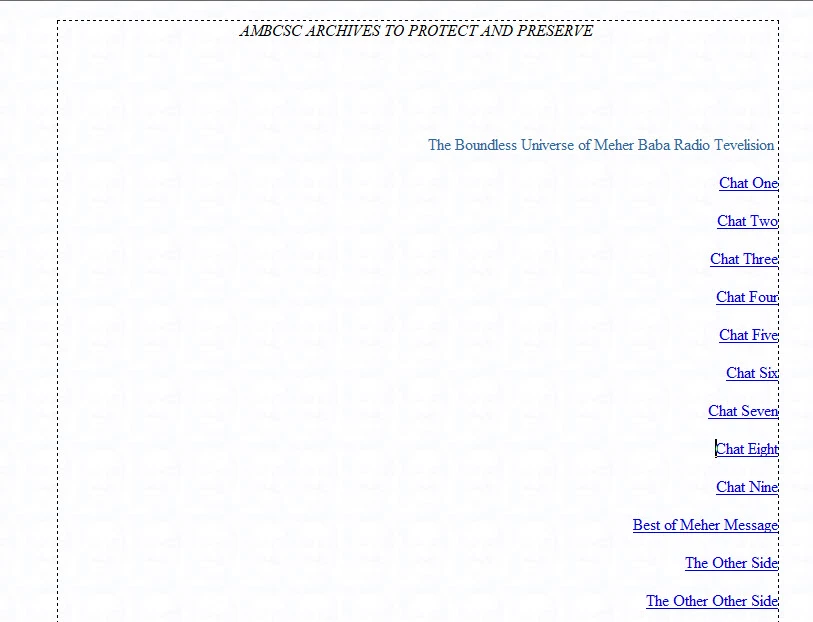
I forgot how to do this to insert an image into a Div area without pushing the text/links up/down out of wack.

I need to keep the area as we see below with all elements in place, as is, and then insert a photo to fill in the wide space in the middle area and to the left.

Thanks for any advise!
Dreamweaver CS6
    This topic has been closed for replies.
    Correct answer hans-g.

    Hello Ezad,

    as an addition: Do you think about something like this? >>> Text Umfliessen  If yes feel free to use my source code by "playing around" with the different parameters.

    Hans-Günter

    1 reply

    BenPleysier
    Community Expert
    Community Expert
    February 22, 2018
    Wappler is the DMXzone-made Dreamweaver replacement and includes the best of their powerful extensions, as well as much more!
    Ezad
    EzadAuthor
    Inspiring
    February 22, 2018

    The video only showed how to insert a photo.

    I need to know how to create a div within a div to hold the photo so as to not disturb the already positioned text and links.

    If I simply insert a photo the photo will push down and up the text to make room for the photo.

    I am attempting to add a photo without disturbing what is already there / the text and links.

    Thanks

    hans-g.
    hans-g.Correct answer
    Legend
    February 22, 2018

    Hello Ezad,

    as an addition: Do you think about something like this? >>> Text Umfliessen  If yes feel free to use my source code by "playing around" with the different parameters.

    Hans-Günter