New Participant
April 8, 2017
Answered

How to set up Dreamweaver/Wordpress LAN server workflow?

  • April 8, 2017
  • 2 replies
  • 601 views

I have a Ubuntu LAMP server on my local network with a few existing WP sites. The LAMP server is used only for development.

I want to be able to work with Dreamweaver/Wordpress using that server, rather than having to import to my local machine.


I have read a few tutorials for doing this with a local WAMP/MAMP server, and tried to extrapolate the instructions for a LAN server, but to no avail.

Does anybody have any resources on how to do this? Is this even possible?
    This topic has been closed for replies.
    Correct answer Nancy OShea

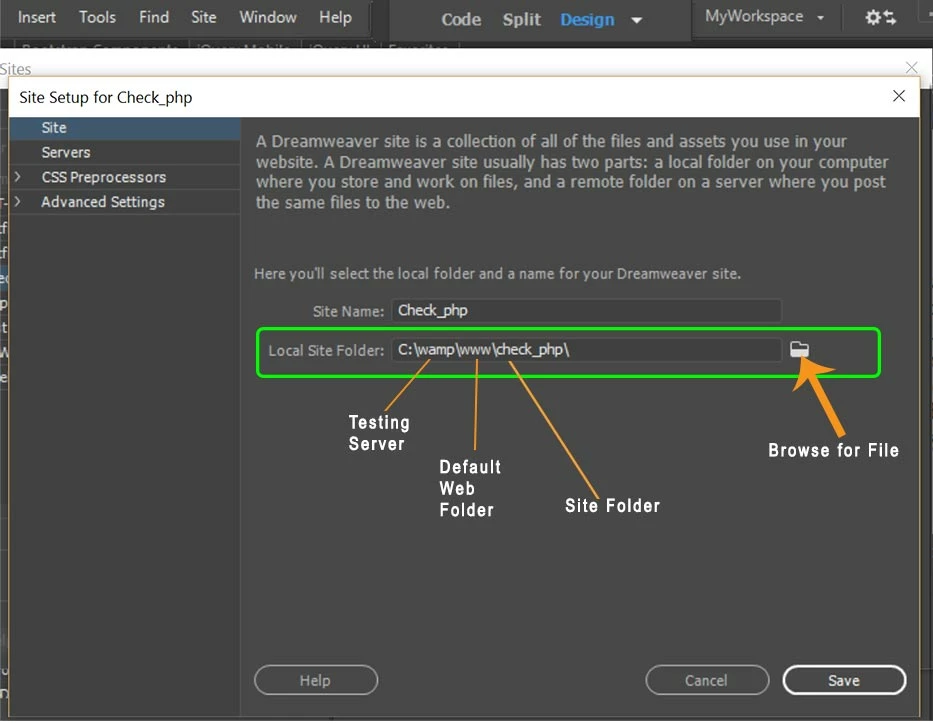
    I've never tired it.  I always use a local testing server on my primary hard drive, the same drive as DW.  And I keep my local site folders in my testing server's default web directory:  www or htdocs (aka the  locahost).

    Working with files on a LAN tends o add latency issues to DW because it's constantly trying to access those networked resources.  In my experience DW performs much better when the local site folder resides on the primary hard drive.

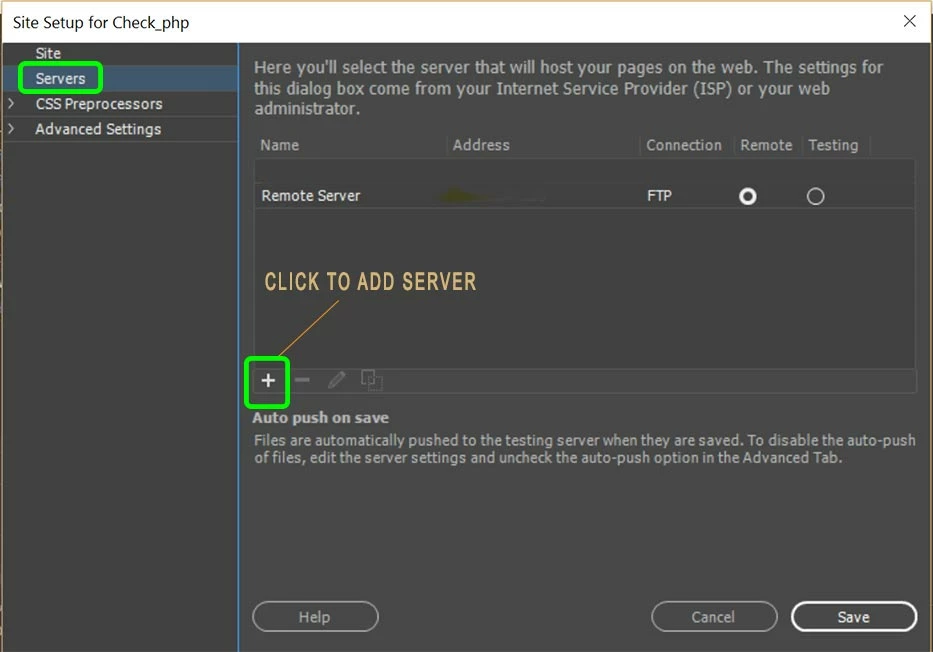
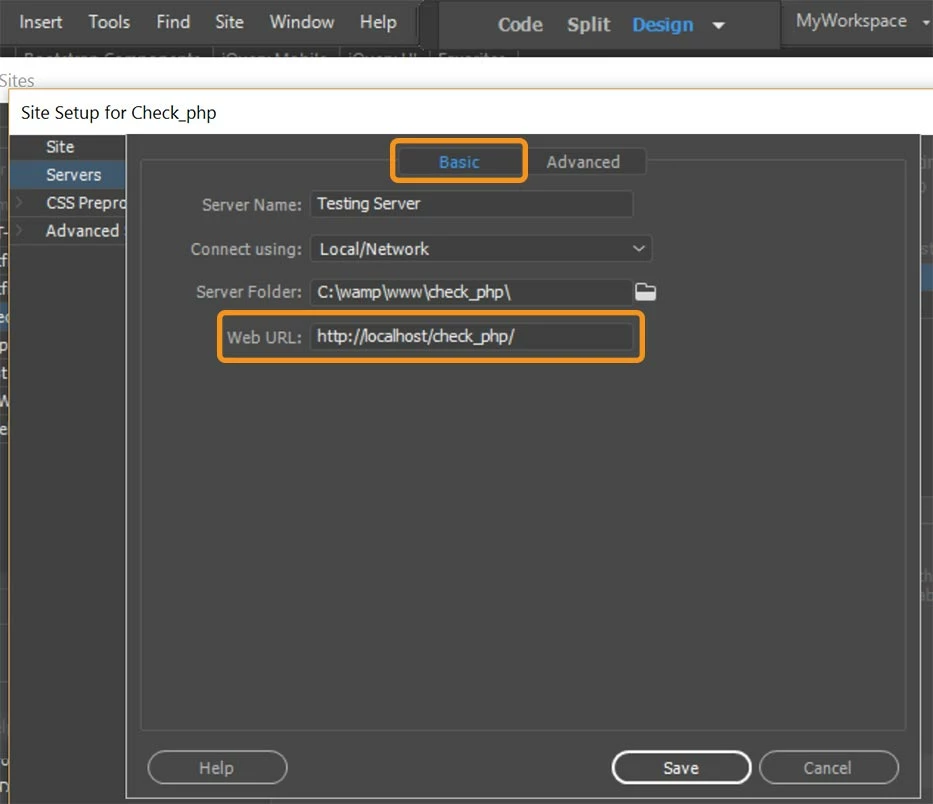
    That said, I don't see any reason why it would not work providing you have the correct path to the networked server in you site definition.   See screenshots.

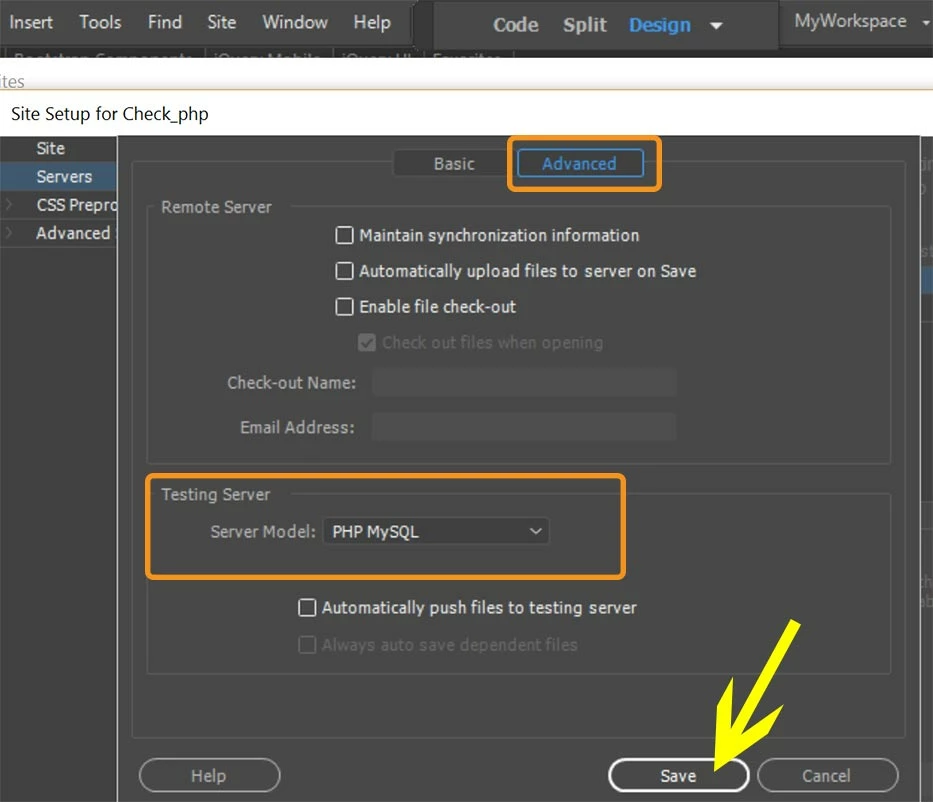
    Advanced Tab:  Server model

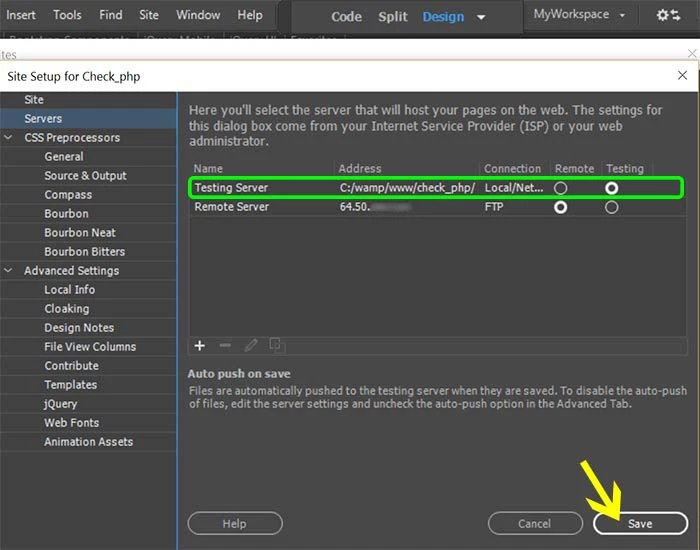
    Final screen.

    Nancy

    2 replies

    New Participant
    March 25, 2020

    Here is the full tutorial on how to set up your local server and connect to it. If you do not mind, please tell me your opinion about this tutorial.
    Thanks

    Using Dreamweaver CC 2019 with Ubuntu 19.10 as a localhost PHP server 

    Nancy OShea
    Nancy OSheaCorrect answer
    Braniac
    April 8, 2017

    I've never tired it.  I always use a local testing server on my primary hard drive, the same drive as DW.  And I keep my local site folders in my testing server's default web directory:  www or htdocs (aka the  locahost).

    Working with files on a LAN tends o add latency issues to DW because it's constantly trying to access those networked resources.  In my experience DW performs much better when the local site folder resides on the primary hard drive.

    That said, I don't see any reason why it would not work providing you have the correct path to the networked server in you site definition.   See screenshots.

    Advanced Tab:  Server model

    Final screen.

    Nancy

    Nancy O'Shea— Product User, Community Expert & Moderator