limakid2015
Inspiring
April 24, 2023
Answered

HTML pattern - Regular Expression not working in Dreamweaver and nowhere locally.

  • April 24, 2023
  • 2 replies
  • 8156 views

My pattern in the html form is very simple 

<form>
<input type="text" pattern="[A-Za-z]{2,30}" required>
<!--SEND button bla bla bla...-->
</form>

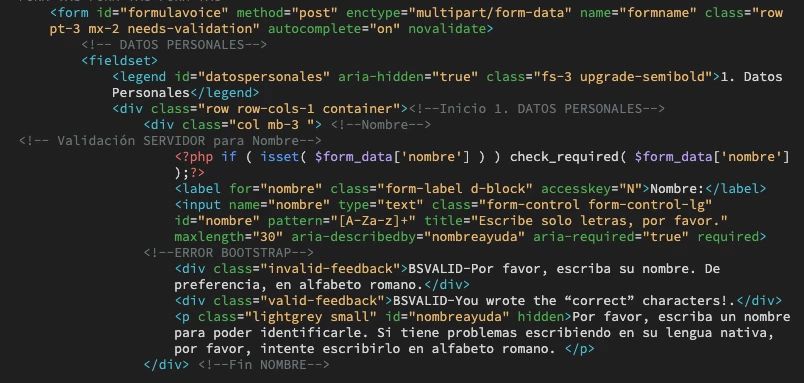
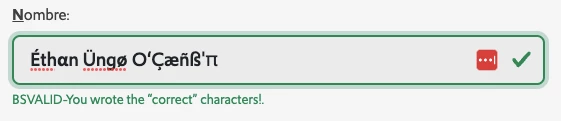
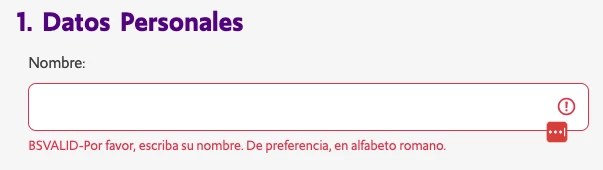
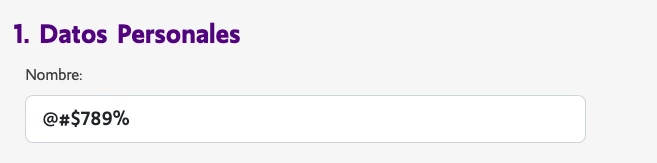
Why the input still accepts characters like $ ^ % @ #...??? They are VALIDATED like correct, valid characters. I wanted to accepot unicode characters, so I've been implementing the `\p{L}` and similar, so I understabnd that some characters are difficult to restrain or filter but to this `A-Z`, so basic, accepting symbols and numbers??? confusses me. Or DW regex don‘t work at all in local environment? If field is empty I got the client validation of Bootstrap, because I am using Bootstrap utilities too. I have also server side validation. Three pictures attached. 1. If Empty, red message advises me. 2. The wrong characters typed. 3. Correct VALIDATION with the wrong characters, so the PATTERN didn't work. Orientations, please.

This topic has been closed for replies.
Correct answer limakid2015

This is the first block from the begining of the form and the first div containing the text field of the issue (nombre). I added a valid-feedback class.


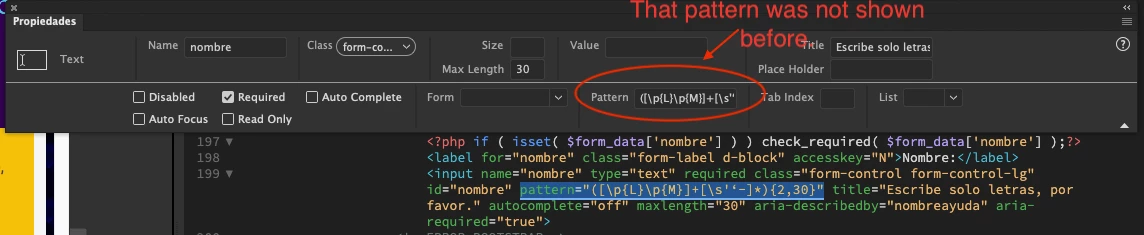
FINALLY, at 07:15 in the morning I got this pattern:

pattern="([\p{L}\p{M}]+[\s'‘-]*){2,30}"

This is what I expected, actually. Maybe not 100% perfect. Now I have to see the server side. This is just using the PATTERN attribute. WHAT HAPPENED? I guess that there was a problem with the interface. In the properties, when focussing th INPUT, the PATTERN field was empty even when it was codeed in the HTML (code view). It was surprising for me. I just tried to make the pattern appears in the respective field and it worked.

Weird things of the dreamweaver, but I still love it.

2 replies

BenPleysier
Community Expert
April 25, 2023

This will help you out https://formvalidation.io/

Wappler is the DMXzone-made Dreamweaver replacement and includes the best of their powerful extensions, as well as much more!
limakid2015
Inspiring
April 25, 2023

Thank U, Mr. Ben. I will check it.

Nancy OShea
Community Expert
April 24, 2023

Form valiation won't do anything while you're typing. That's not how HTML5 forms work. 


Validation occurs when the form submit button is tapped.  As you can see from this screenshot, the HTML5 form validation works and the pattern attribute does exactly what it's expected to do.


Hope that helps.


Nancy O'Shea— Product User, Community Expert & Moderator
limakid2015
Inspiring
April 25, 2023

I am using Bootstrap and I set «novalidate», because I expect the “nice” validation messages (valid or invalid / green or red feedback from Bootstrap). What you show is the browser validation. I guess that pattern is not so reliable, I will go for pure javascript validation on the client side, let‘s see what happens. Of course, I also have a server side validation, but my concern for now is what happen with the Pattern attribute.

The Bootsrap validation tools allow me to see, yes, if I am typing the right characters, the input border becomes green color as long as the characters are the correct ones. 

This is something wrong. The border should be RED, not green, because the pattern is just [A-Za-z]{2,30}. It confusses me. Ok, I will try full javascript custom validation. Thank U.

Nancy OShea
Community Expert
April 25, 2023

With Bootstrap 5 forms, you set the default class of invalid-feedback or valid-feedback . Which class is expressed on your patterned form field? 

See this related link for more details on Bootstrtap 5 form validation: https://getbootstrap.com/docs/5.0/forms/validation/


Nancy O'Shea— Product User, Community Expert & Moderator