Inspiring
May 4, 2019
Answered

Localhost Versions of XAMPP for Mojave

  • May 4, 2019
  • 1 reply
  • 1976 views

Hello:

I've upgraded my Mac OS to Mojave. After launching DW CC, I attempted to activate one of my DW pages but got this message:  "Safari can't connect to the server "localhost". Apple advises me that the "localhost app that I use — XAMPP (5.631-0) — is not a 64-bit version that Mojave will soon require.

I Google-searched "XAMPP 64-bit version for Mojave" and found six versions available. [I planned to attach a screenshot of those versions but I no longer see an option to do that. Is there another way to add screenshots to Adobe forums? Hope so.]

I'll now type the list of versions:

7.1.28 / PHP 7.1.28 @ 144 Mb

7.2.17 / PHP 7.2.17 @ 145 Mb

7.3.4 / PHP 7.3.4 @ 145 Mb

7.1.28 / PHP 7.1.28 @ 305 Mb

7.2.17 / / PHP 7.2.17 @ 306 Mb

7.3.4 / PHP 7.3.4 @ 311 Mb

On what bases do I determine which XAMPP version to choose?

Thanks, in advance.
This topic has been closed for replies.
Correct answer wcamp

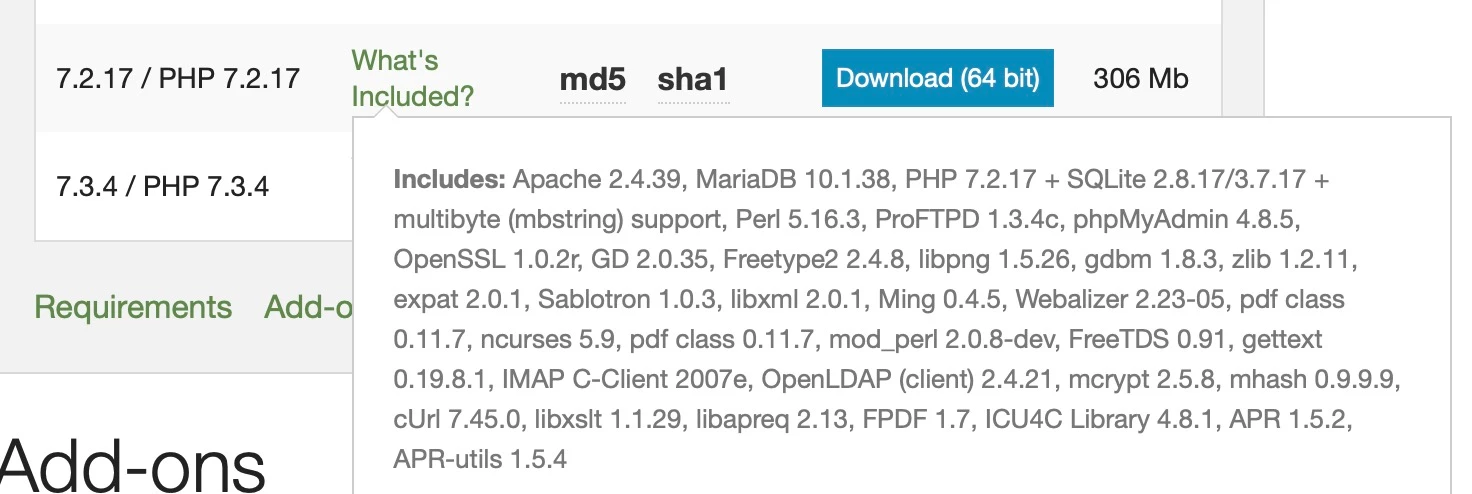
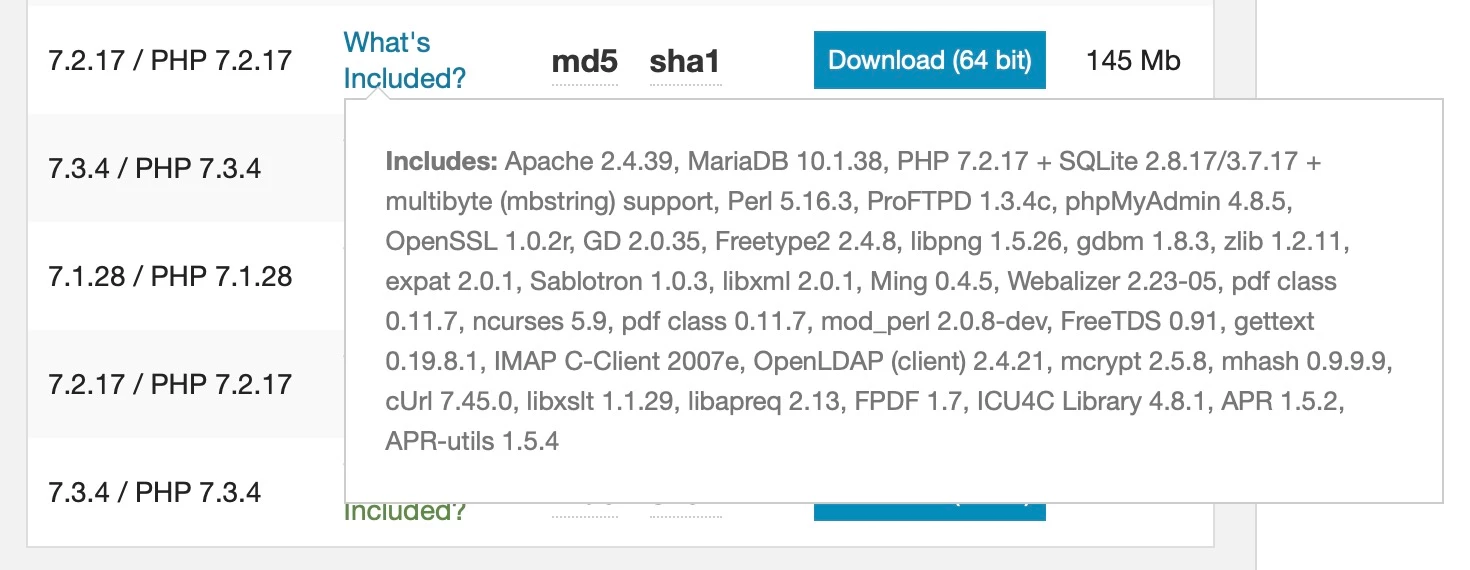
I'd checked that informational tooltip but didn't see any difference in inclusions. I'll attach each screenshot with the hope that someone experienced in XAMPP can explain why I might need one-sized version over the other.

Here's the smaller version's inclusions:

And here's that larger version's inclusions that appear to be identical:

Hoping that someone "in the know" about XAPP can help me choose the appropriate version.

Thanks, again, Nancy!

Warren

_______


Hello, again, Nancy:

I've upgraded my host/server to PHP-7.2.

For XAMPP for Mac OS X, I learned that the larger of the two versions of version 7.2.17 is for its upper-level "VM" capability, for which I have no Need. So, I've downloaded the smaller 145 Mb version of it.

And, "Localhost" works well with DW CC, after both upgrades. I thank you for guiding me on the processes.

Sincerely,

Warren

_______

1 reply

Nancy OShea
Community Expert
Community Expert
May 4, 2019

Which PHP version does your remote server have?  Ideally your localhost should be identical to your production server's configuration.   Also the deprecated  server behaviors that were removed from DW CC won't work on PHP 7 or higher.  So if your site is still relying on old code, you need a server that uses older PHP 5.6 or lower.

Nancy O'Shea— Product User & Community Expert
wcampAuthor
Inspiring
May 4, 2019

Hello, Nancy:

It's good to find another prompt e-reply from you.    (  ; - )

I don't understand all of what you've written, however, I've emailed the tech support department of my host/server, including your helpful comment. I trust that they'll understand it and I'll soon be advised of the most appropriate PHP-compatible version of XAMPP for me to download and install.

Thanks, Nancy. I'll follow up with a forum reply once I learn the recommended version.

BTW: Is there a way to attach a screenshot in this new JIVE forum format? Hope so.

Warren

_______

wcampAuthor
Inspiring
May 4, 2019

Yes, using Chrome I see the toolbar after clicking Reply.

Previously that toolbar appeared when using Safari. Apparently, the newer OSs and/or Safari versions don't cooperate with JIVE.

Hopefully, I'll remember to work with Chrome when I engage in Adobe forum activity.

Thanks, again, for your assistance, Nancy. It's always very helpful.

Oh, I just now received an e-reply from my host /server. I'll get back to you after I see what it says. . .

Warren

_______


Nancy, hello again:

I received an e-reply from my host/server (Christian Web Host) saying the following:

~~~

I have checked your website 'warrencampdesign.com' and currently it is using PHP version 5.4. It will be better to first consult your website developer before upgrading the XAMPP app since our support regarding the website-coding-related queries are limited.

        If you would like to upgrade the PHP version of your website, we can assist you with the same. Your domain is hosted in a server with MultiPHP enabled and you can apply newer PHP version from MultiPHP Manager in cPanel.

~~~

Now that we know that I'm currently using PHP 5.4, and that all of six versions of XAMPP for MacOS X are version 7-something, what considerations should I make regarding choosing the appropriate version-7 app?

I'll appreciate your guidance with this selection very much, Nancy.

Sincerely,

Warren

_______