Sorry, but as soon as I saw two separate calls in your document to the jQuery library and a link to SpryCollapsiblePanel.css, I did not bother wading through the code.
Instead I'll show you what the markup should look like for the jQuery Accordion, assuming that the jQuery resources reside in the Assets directory.
<!doctype html> <html> <head> <meta charset="utf-8"> <title>Untitled Document</title> <link href="Assets/jquery.ui.core.min.css" rel="stylesheet"> <link href="Assets/jquery.ui.theme.min.css" rel="stylesheet"> <link href="Assets/jquery.ui.accordion.min.css" rel="stylesheet"> </head> <body> <div id="Accordion1"> <h3><a href="#">Section 1</a></h3> <div> <p>Content 1</p> </div> <h3><a href="#">Section 2</a></h3> <div> <p>Content 2</p> </div> <h3><a href="#">Section 3</a></h3> <div> <p>Content 3</p> </div> </div> <script src="Assets/jquery-1.8.3.min.js"></script> <script src="Assets/jquery-ui-1.9.2.accordion.custom.min.js"></script> <script> $(function() { var defaultPanel = parseInt(getParam('panel')); $( "#Accordion1" ).accordion( {active: defaultPanel} ); }); function getParam(name) { var query = location.search.substring(1); if (query.length) { var parts = query.split('&'); for (var i = 0; i < parts.length; i++) { var pos = parts.indexOf('='); if (parts.substring(0,pos) == name) { return parts.substring(pos+1); } } } return 0; } </script> </body> </html> |
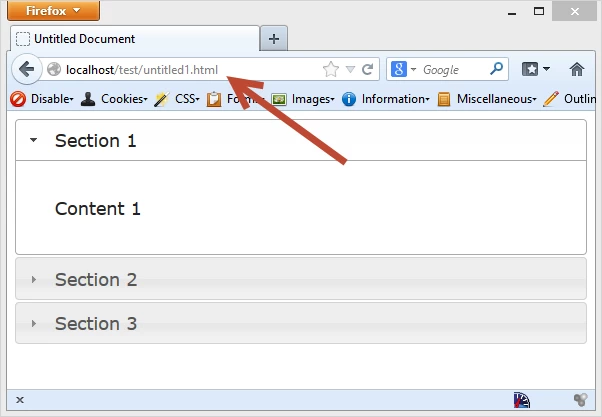
If you copy and paste the above code into a new document called untitled.html and view it in your favourite browser, you will see the default jQuery Accordion with the first panel open as in
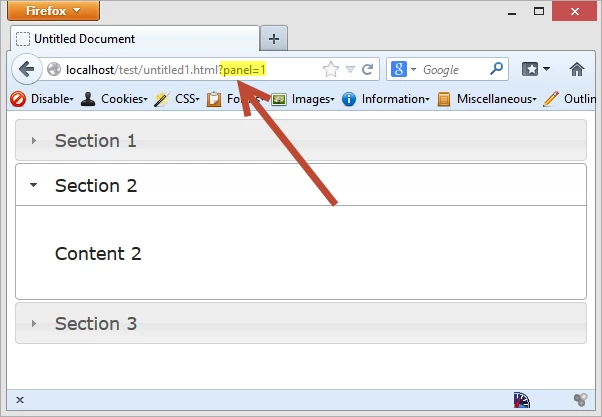
Now add ?panel=1 to the URL and you will see that it has open the second panel as in



 AdChoices