If I'm understanding what you're asking, then yes I'm on a defined site and I can see my files under files. Am I supposed to save my custom css file in the css folder? I didn't do that but then it's been like hit or miss as far as having the option to work with my custom css file. It works for awhile and then if I leave the page to look at my site, I can't come back and do any more editing.
I'm also having an issue with the program crashing on me. That was my last problem and now I can't edit the css file again.
CS6 seemed so much easier.
I started off using the trial version and had multiple crashes so I figured it might have something to do with that but I've since purchased the annual monthly version and it's still crashing and still giving me problems editing a custom css file.
You're not required to make folders for your site assets. I do it because it makes site management easier for me when things are organized.
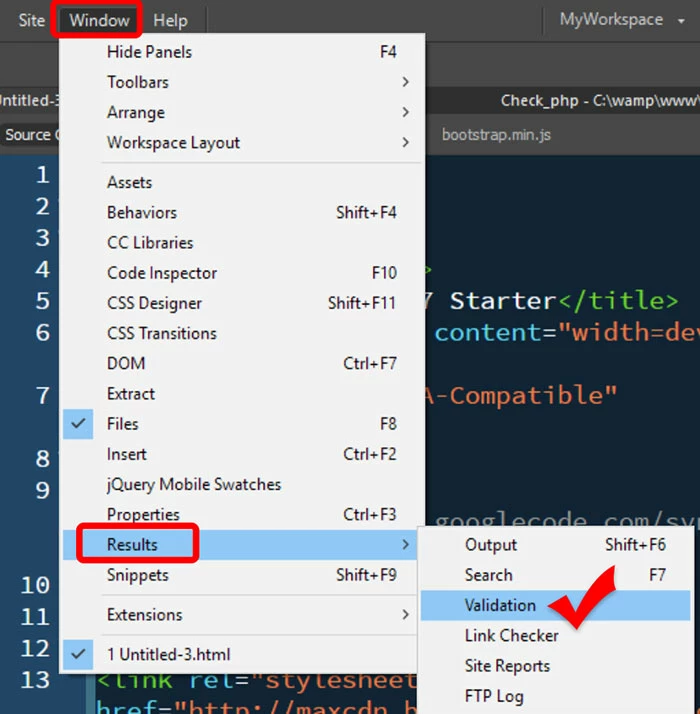
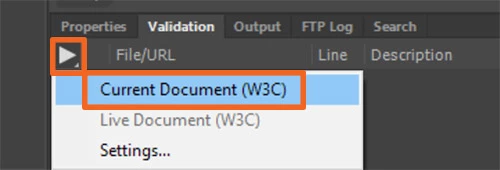
Crashes can be caused by errors in your code. Check your code often and fix reported errors.
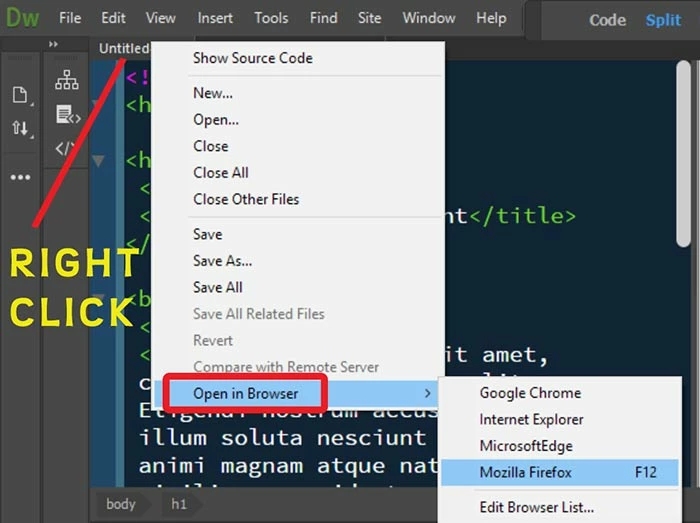
I think yo're having trouble with Real-Time Preview. You can bypass it. Simply right-click on an HTML file and select Open in Browser.
When working in Live View, save often (Ctrl+S) and refresh with F5.
If you continue to have crashes, Restore Preferences.
Unusual behavior in Dreamweaver? Try restoring preferences.



 AdChoices