



Shrink or adjust div "container" of bootstrap template
Hello there. I'm working with a nice Bootstrap template and trying to make an adjustment to a middle spot where there are four "meet me" images along with links, etc. Here is the link if you want to actually see the template. I'm making some changes and so far all is looking well. There is one area I'd like to change but am unsure of how to do, and that is adjusting the "Meet Our Team" section. There are 4 images there and I'd like to adjust that to one and center it for the Bootstrap Template.
I've already tried deleting items and adjusting a variety of items and can't seem to make the right movements to accomplish this. I also would like to know why I get the option of "Add new column" when I hover over the picture via DW but it doesn't give me a "remove column" option. That would be AWESOME and easy if it did.
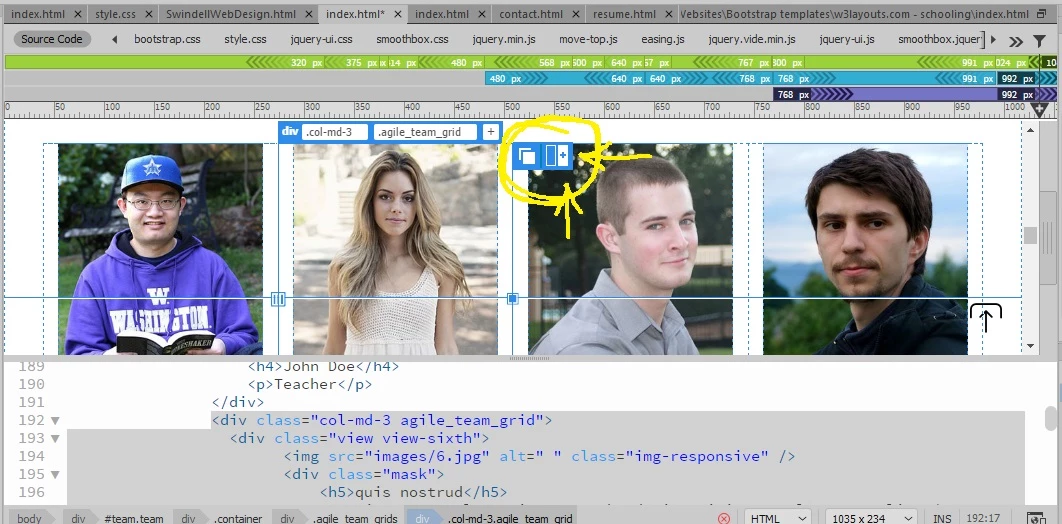
So if there are any ideas on how to make the adjustments without having to greatly disrupting much else I'd be very interested 🙂
 AdChoices