


Known Participant
June 4, 2017
Question

Some pbs whith my page

  • June 4, 2017
  • 1 reply
  • 1002 views

Hello
I created this page and I would like to add a block to the right of my page as in the image. I looked for solutions on google but I can not find anything that works. In this block I would like to be able to place texts and images. Can you tell me what are the possibilities to do this?
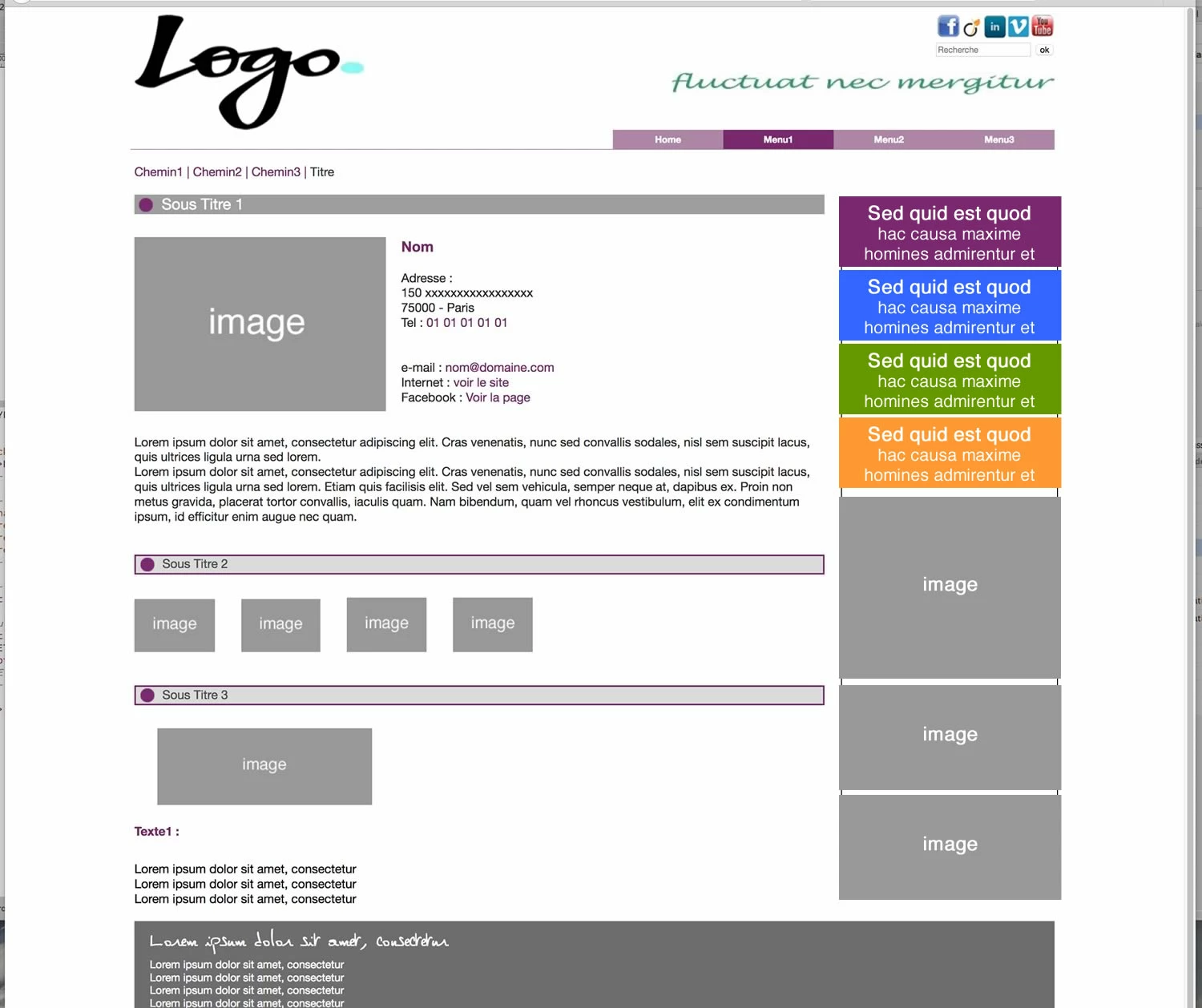
here is my work and the code

Document test

Thank's for your help

    This topic has been closed for replies.

    1 reply

    Nancy OShea
    Community Expert
    Community Expert
    June 4, 2017

    How do you envision this to work for tablets and mobile devices where space is limited?

    Nancy O'Shea— Product User & Community Expert
    Known Participant
    June 4, 2017

    For tablets and mobile device this block disappears

    Known Participant
    June 5, 2017

    First you will have to go through your css file/s and delete all the 'margin-right: 300px;' declarations from the below css selectors, as marked in red below:

    .affichage {

        font-size: 20px;

        color: #FFFFFF;

        background-color: #9F9F9F;

        margin-top: 20px;

        /*margin-right: 300px;*/

        padding-left: 0px;

        margin-bottom: 10px; /*degage de 10px l'image et le texte sous la banniere*/

        text-align: left;

    }

    .affichage2 {

        font-size: 16px;

        color: #4C4C4C;

        background-color: #DBDBDB;

        border: 2px #7A2870 solid; /* bordure du bloque texte couleur bordeaux taille 2 px solide*/

        margin-top: 40px;

        /*margin-right: 300px;*/

        padding-left: 0px;

        margin-bottom: 30px; /*degage de 10px l'image et le texte sous la banniere*/

        text-align: left;

    }

    .texte-illustration p {

        color: #2C2C2C;

        margin-top: 0px;

        /* margin-right: 300px;*/

        overflow: hidden; /* Contexte de formatage. Force le paragraphe à adapter sa largeur aux flottants adjacents. */

    }

    .texte-illustration p a {

        text-decoration: none;

        color: #7A2870;

        margin-top: 0px;

        /* margin-right: 300px;*/

        overflow: hidden; /* Contexte de formatage. Force le paragraphe à adapter sa largeur aux flottants adjacents. */

    }

    Once you have done that then add a <main> tag with the class name of 'main-content' right above your first opening 'header' <div> tag as below:

    <main class="main-content">

    <div class="header">

    Then close the 'main' tag directly after your 'photo-logo' closing </div> tag and add an <aside> tag with the class name of 'sidebar' after the closing </main> tag, as below:

    <p>Lorem ipsum dolor sit amet, consectetur</p>

    <p>Lorem ipsum dolor sit amet, consectetur</p>

    <p>Lorem ipsum dolor sit amet, consectetur</p>

    </div>

    </main>

    <!-- end main-content -->

    <aside class="sidebar">

    Sidebar content goes here.

    </aside>

    <!-- end sidebar -->

    Then add the below css selectors to your css stylesheet to position the 2 containers side-by-side and to push the 'footer' below them.

    .main-content {

    float: left;

    width: 800px;

    }

    .sidebar {

    float: left;

    width: 400px;

    background-color: yellow;

    }

    .footer {

    clear: both;

    }


    I wish to have a space between 2 div my idea would be to create a 3rd div to put it in between 2. Is this a good solution or is there a better way to do it?
    I saw on google the possibility of using display: table