


Known Participant
November 1, 2021
Question

Uploading Through Dreamweaver - But Something Is Not Linking Correctly...?

  • November 1, 2021
  • 2 replies
  • 1046 views

Hello All, I upload with dreamweaver constantly and ever since last night I keep getting a "Waiting For Server" - "Operation Cancelled."? It does this in the middle of uploads and just stops - never really had that happen before so its confusing to me..I will say I noticed my macbook upgraded to the latest apple osx system randomly the other day after that everything seems to be not working like it was. So I wonder if that had something to do with it. I've uploaded the meesgae I get with uloading..

Any HELP or IDEAS are welcome as how to fix?
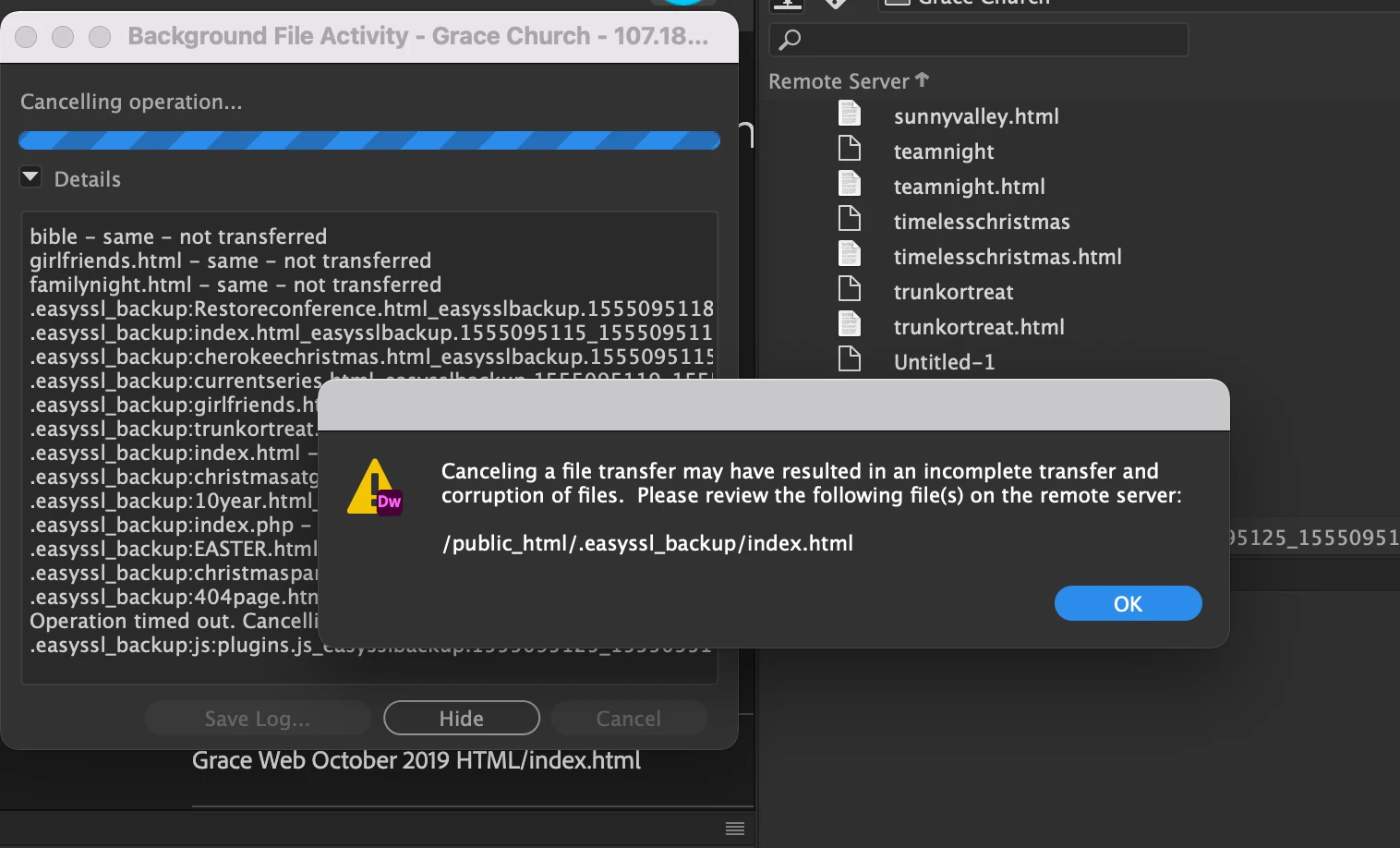
 

    This topic has been closed for replies.

    2 replies

    Participant
    November 17, 2021

    Hello, 

    Hey aaronp32977478 I have a quick question. I saw you have some files and directory name .easyssl_backup. I am looking for a program/plugin or software who create tha kind of file. How you create that?  Any clue is appreciated. 

    thanks,

    Nancy OShea
    Community Expert
    Community Expert
    November 18, 2021

    @Pedro21790582k4t4,

    Contact GoDaddy about managed SSL service.

    https://www.godaddy.com/web-security/easy-ssl-service


    Nancy O'Shea— Product User & Community Expert
    B i r n o u
    Community Expert
    Community Expert
    November 1, 2021

    are you in passive mode ?

    try  Site > Manage your site, and double click on your active website settings

    select servers and underselect your remote server settings by dooble cliking on it

    on the very first screen the basics one, on the bottom you have access to others options,

    the first option is use FTP passif... check it... if not

    and if it was unchecked, try again your upload

    Known Participant
    November 1, 2021

    Hey Birnou, I checked it and I am in FTP Passive

    Known Participant
    November 1, 2021

    Demand to speak with a GoDaddy supervisor. 


    When I go to any link on your site, I am seeing code.  That should NOT happen.

    https://gracechurch.tv/familynight


    On the other hand, if I go to this URL, it's OK.

    https://gracechurch.tv/familynight.html


    Are you rewriting URLs with .htaccess?  If so, the server is not configured correctly.  It should resolve to the correct address automatically, not display code.


    The S/FTP problem could be related to bad server configuration, also.  Or you may have a corrupted DW site definition.   If you continue to be locked out of server, try creating a new site definition and delete the old one.


    Hey Nancy thank you for the clarification. The majority of my code always has a non html code version - thats just how I was taught to build my site and I have done it this way for years with no issue. I'm not sure what you're refereing to with .htaccess?


    I've uploaded a picture for you see my file layout - also I have always referenced the non html version in the code ex: <a href="familynight" I've never had issues doing this so idk what the problem is.