Participant
May 13, 2021
Answered

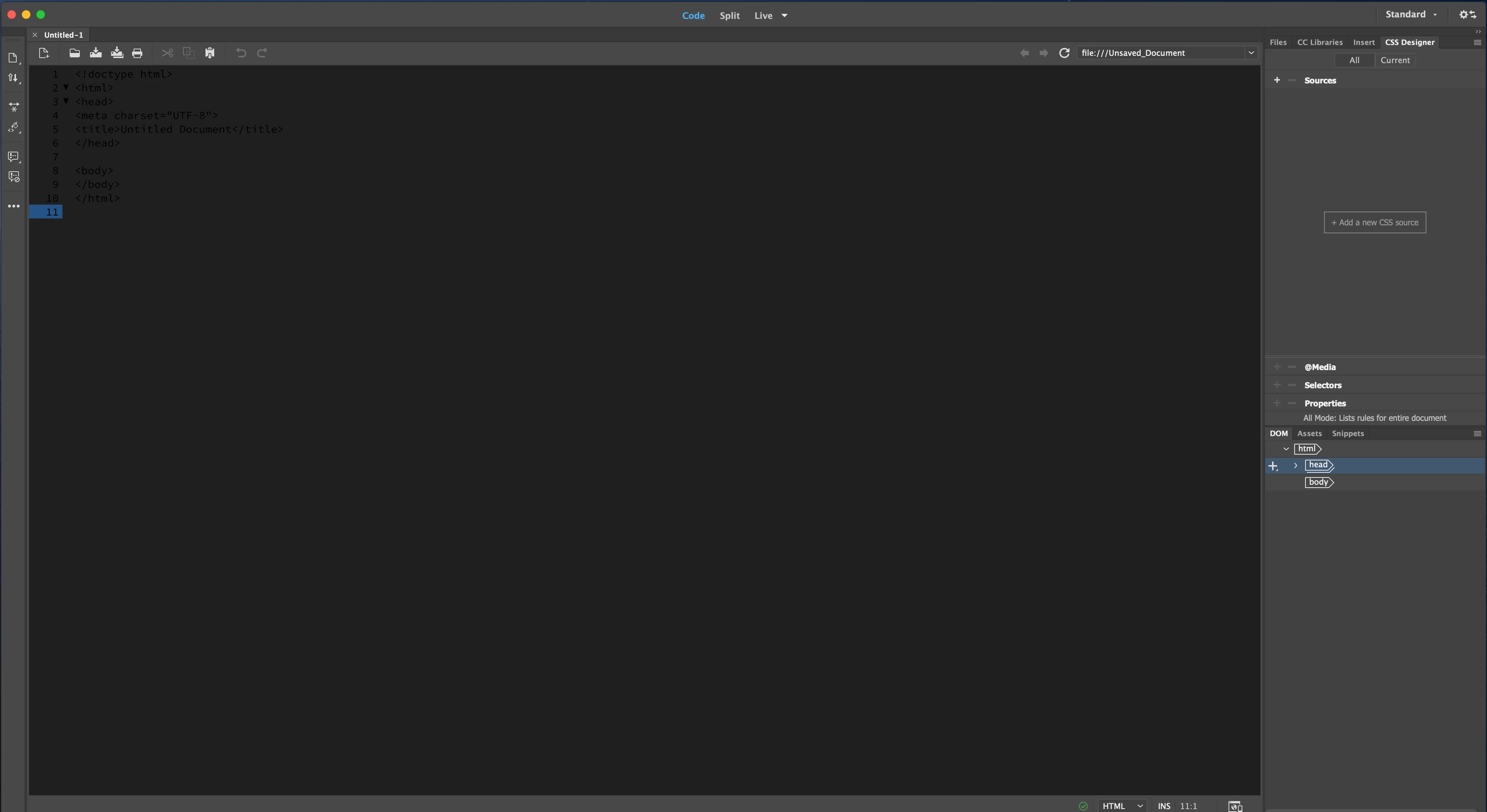
why v 21.1 in code view , all code no color? it's bugs? or can set with color? how to set
  • May 13, 2021
  • 2 replies
  • 291 views

    This topic has been closed for replies.
    Correct answer Nayan_Kankariya

    Hi @Sa0D45 ,


    Thanks for writing to us. Can you please confirm the code view font selected under Dw Preferences --> Fonts section and try performing below steps.


    1. Launch Dw and Invoke Preferences dialog under Dreamweaver menu
    2. Switch to Fonts section and kindly note the code view font name
    3. Change the code view font to something else (Times New Roman etc)

    4. Click on Apply button and close Preferences dialog


    Please let us know if the above resolves the issue else we will further debug the issue.


    Please refer to the attached screenshot for locating Code view font under Fonts section in Preferences dialog.


    Regards,
    Nayan
    Dreamweaver Team

    2 replies

    Nancy OShea
    Community Expert
    Community Expert
    May 13, 2021

    Are you using a Mac OS setting called Dark Mode?  If yes, try turning it off and restart DW.


    Nancy O'Shea— Product User & Community Expert
    Nayan_Kankariya
    Community Manager
    Nayan_KankariyaCommunity ManagerCorrect answer
    Community Manager
    May 13, 2021

    Hi @Sa0D45 ,


    Thanks for writing to us. Can you please confirm the code view font selected under Dw Preferences --> Fonts section and try performing below steps.


    1. Launch Dw and Invoke Preferences dialog under Dreamweaver menu
    2. Switch to Fonts section and kindly note the code view font name
    3. Change the code view font to something else (Times New Roman etc)

    4. Click on Apply button and close Preferences dialog


    Please let us know if the above resolves the issue else we will further debug the issue.


    Please refer to the attached screenshot for locating Code view font under Fonts section in Preferences dialog.


    Regards,
    Nayan
    Dreamweaver Team