


New Participant
November 27, 2018
Answered

Setting a Max Height for Added Images

  • November 27, 2018
  • 2 replies
  • 1723 views

0down votefavorite

I am making an artist website and want to add a few photos of my work. I want the images to be responsive to the page, which I can do by making max-width 100%, however the image grows too long in height and requires the viewer to scroll to see the entire image. See attached images, one where the image fits on the screen and one where extending the page has made it not fit.
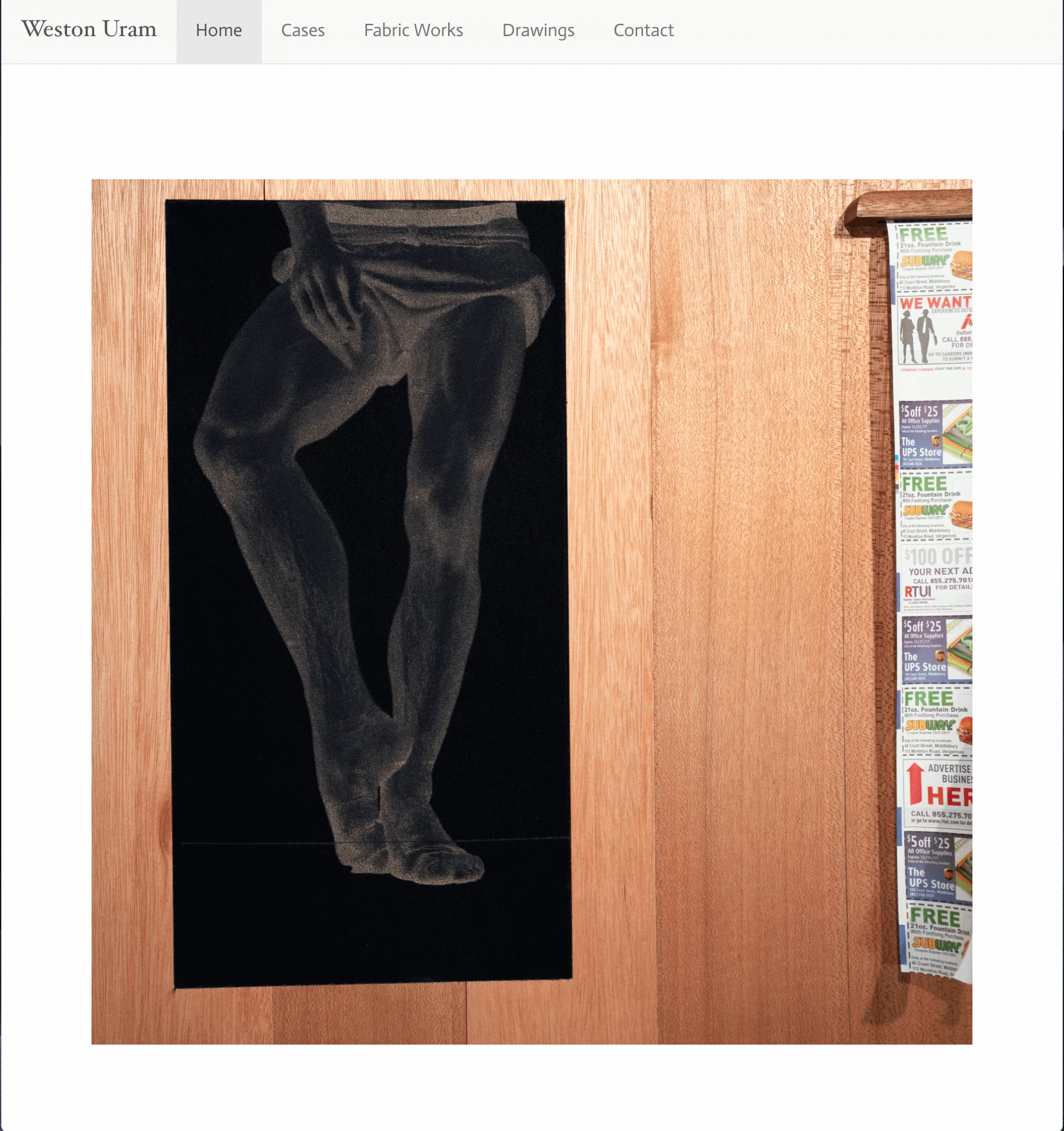
How do I set the image to not grow beyond the height of the current window? I have tried working with max-height, to no avail. Any advice is greatly appreciated!

Best, Weston Uram

This topic has been closed for replies.
Correct answer Nancy OShea

Use a responsive Lightbox viewer.  The image should scale to available viewport and maintain proper aspect ratio.

2 replies

Nancy OShea
Nancy OSheaCorrect answer
Adobe Expert
November 27, 2018

Use a responsive Lightbox viewer.  The image should scale to available viewport and maintain proper aspect ratio.

Nancy O'Shea— Product User, Community Expert & Moderator
B i r n o u
Adobe Expert
November 27, 2018

did you tried max-height:100vh

New Participant
November 27, 2018

hmm, max-heigh:100vh fixes the height, but makes the image disproportioned. How can I make sure the scale remains the same?

B i r n o u
Adobe Expert
November 27, 2018

In practice, this is probably the better approach if you want to support the fact that some versions of Dreamweaver, in some cases, will automatically insert a height and width attribute on the image tag:

    body {

        height:100vh;

    }

    img {

        height: auto: !important;

        width: auto !important;

        max-width: 100%;

        max-height: 100vh;

        vertical-align: bottom;

       }

Vertical align fixes image positioning inside a box without converting it to a block level element. If you want an image centered, then display block and auto margins should be used (as you did), making vertical-align bottom dispensable.


now it is you that surprise me... the CSS tree is build after the DOM tree... so CSS override the HTML attribute... as you can see on this grab

11.27.2018-18.02.32

any how.. before uploading production files, I always run a npm script that clean up my entire files... and unnecessary attributes are always removed. width and height images file information are included in binary data and browser are able to read them if needed