I believe i have finally had full success in getting our Acrobat DC Standard w/CCE serial in a 'thick' Windows 10 image and will details several GOTCHAs or problems i had initially. (IE the problems i had was related to adobe's lack of details in their enterprise deployment guide/licensing guide; mainly not showing a proper example of the command line commands and using of [] in commands when they should never be in the command!!!!
Some back story:
Prior to baking in Acrobat DC Standard in my Windows 10 image; i had deployed the Acrobat DC installer via my unattend file and post deployment but didn't like that option and prefer to have our core applications in the image itself so that we could set proper image default settings for each new user profile that's created after deploying. Microsoft and other companies want you to believe that users can customize all apps themselves but let's be real; in corp and enterprise enviroments user defaults are STILL A MAJOR THING! sorry, got off track there.
TLDR:
my initial attempts at creating a prov.xml and then calling it in my VM image would semi work but still would keep asking me to signin with an adobe id. the reason was.... leaving the brackets around the provisioning command to create the prov.xml and then the calling of the prov.xml.
what i used to create the prov.xml (this is created in same folder that the adobe_prtk.exe is called from, we are using the Acrobat DC Classic track vs Continous):
"C:\Program Files (x86)\Adobe\Acrobat Customization Wizard DC\adobe_prtk.exe" --tool=VolumeSerialize --generate --serial=xxxx-xxxx-xxx-xxxx-xxxx-xxxx --leid=V7{}AcrobatESR-12-Win-GM --regsuppress=ss --eulasuppress --locales=ALL
adobe's documentation has brackets around the regsupress and the eulasuppress; remove those and the sign in prompt will be gone!! also the --provfilepath= parameter never worked for me so i exclude it and again the prov.xml is created in same folder as where the adobe_prtk.exe is called from.
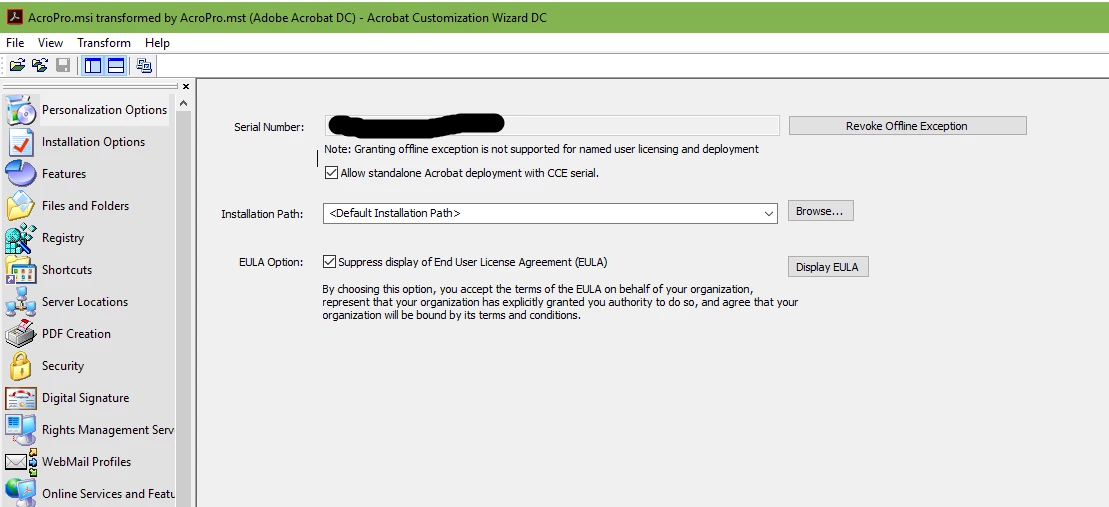
Then on my image, i enable internet access and then install acrobat dc via setup.exe (i did use the customization wizard to set proper app defaults however i DID NOT enter in my CCE serial and also DID NOT grant offline exception and also checked the "Allow Standalone Acrobat deployment with CCE Serial). Finally after the install i run this command to then import the prov.xml/licensing information. (I have a folder called tools in my acrobat installer folders that i put the adobe_prtk.exe files and the prov.xml.) This is my command:
"C:\program files\install files\Adobe Acrobat DC Standard\tools\adobe_prtk" --tool=VolumeSerialize --stream
(notice how i left out the --provfile= flag!).
Previously after i ran the adobe_prtk.exe commands to import license i would still get the signin prompt however after redoing everything without any brackets or the provfile flags; things seem to be working fine. i am in the process of sysprepping my vm image and then test deploying. i will update after i get a chance to test the deployment.
Ravi, thanks again for helping to point me in right direction; can adobe update their documentation with more details and mainly removing all of the brackets from their commandline examples or at least making anote that YOU HAVE TO REMOVE THEM to get this to work? or atleast include a proper example of say Acrobat DC Standard with a fake serial number?

 AdChoices