Participant
August 15, 2022
Answered

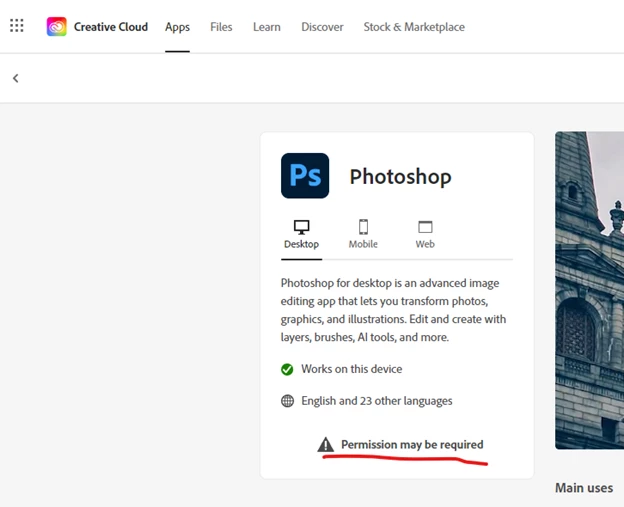
Adobe app Permission may be required

  • August 15, 2022
  • 2 replies
  • 1169 views

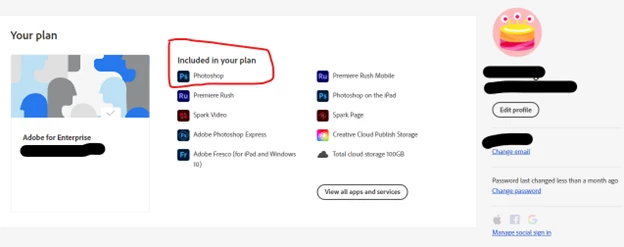
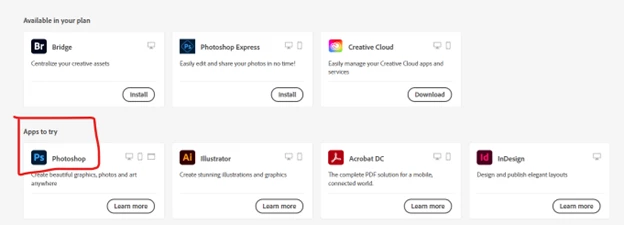
Hi, I'm having issue where I can't seem to use Photoshop on Windows 10 Pro build 19044. I have the Photoshop license already assigned in the Adobe Admin console by admin.

I have try change AppsPanel to true in ServiceConfig.xml file, logout login the Create Cloud Desktop multiple times, restart machine too.


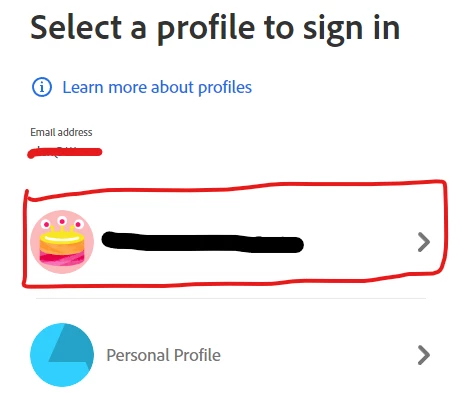
I attached some image for more information (I signed in with Organization profile)
This topic has been closed for replies.
Correct answer Kevin Stohlmeyer

If you are using the Enterprise Admin console you need to contact your IT Admin for support. They can intiate a ticket with Adobe Support if they cannot resolve the issue.


Adjusting the ServiceConfig file only works if your profile has propegated from the Admin panel with the right permissions. It does take time (sometimes up to 24 hours) depending.

2 replies

Participant
October 5, 2024

YES.THIS THE PROBLEM


Bani Verma
Community Manager
Community Manager
October 7, 2024

Hi there, 


This could be a connectivity issue. Please try the troubleshooting steps shared in the following help document to resolve this issue: https://adobe.ly/3ZVuQzC;


Let us know if this helps. 


^BS

Kevin Stohlmeyer
Community Expert
Kevin StohlmeyerCommunity ExpertCorrect answer
Community Expert
August 15, 2022

If you are using the Enterprise Admin console you need to contact your IT Admin for support. They can intiate a ticket with Adobe Support if they cannot resolve the issue.


Adjusting the ServiceConfig file only works if your profile has propegated from the Admin panel with the right permissions. It does take time (sometimes up to 24 hours) depending.

Participant
August 15, 2022

The Enterprise Admin console does show that the user have Photoshop assigned.

Kevin Stohlmeyer
Community Expert
Community Expert
August 16, 2022

Thats correct, but did they give the user permissions to install manually? Normally in an Enterprise scenario the Admin will deploy the products through an install package created by the Portal. If you expect users to manually manage their own apps, that is an option in the Admin panel.