Participant
February 21, 2023
Question

Adobe Enterprise Licenses not working.

  • February 21, 2023
  • 5 replies
  • 1371 views

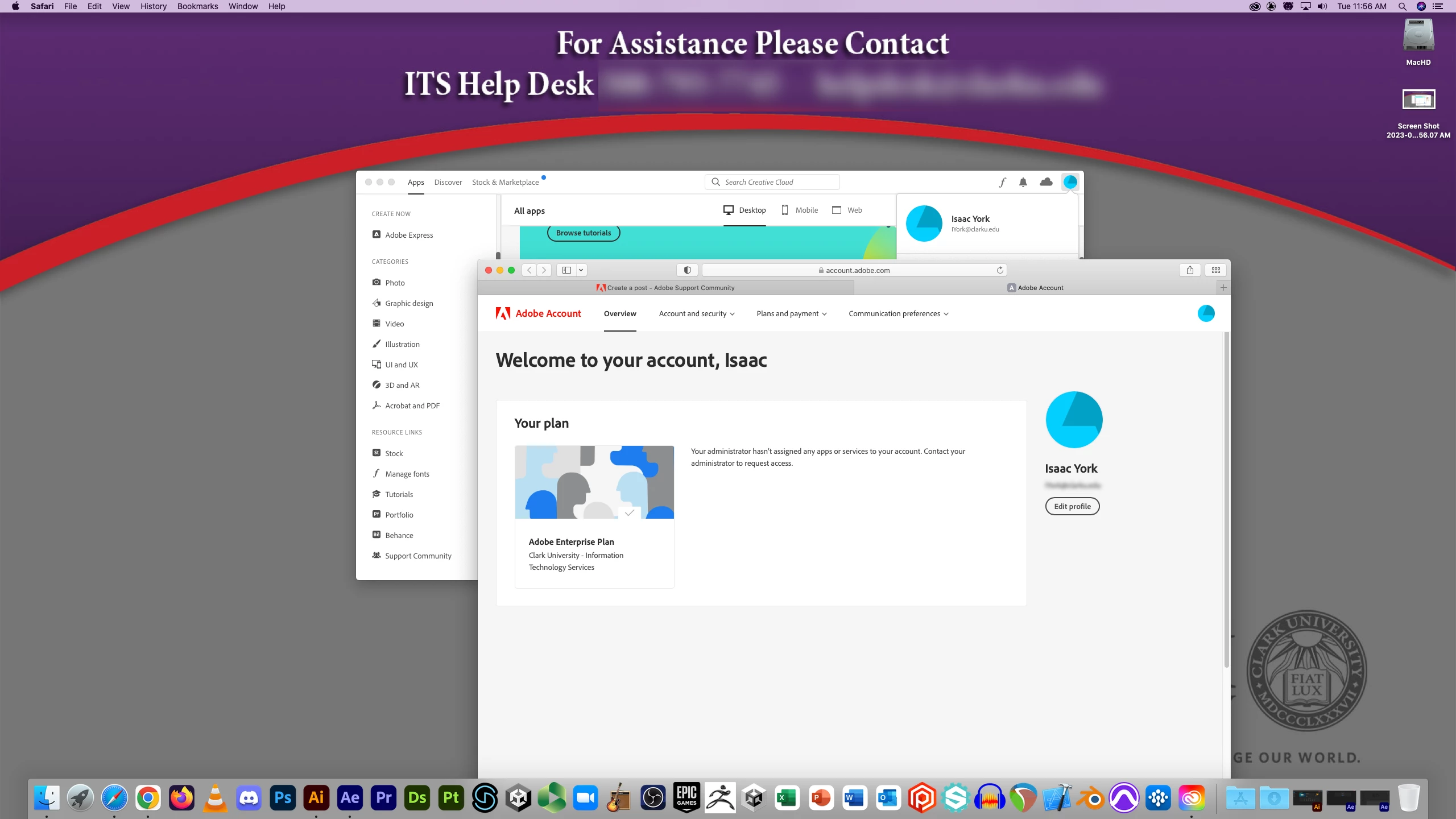
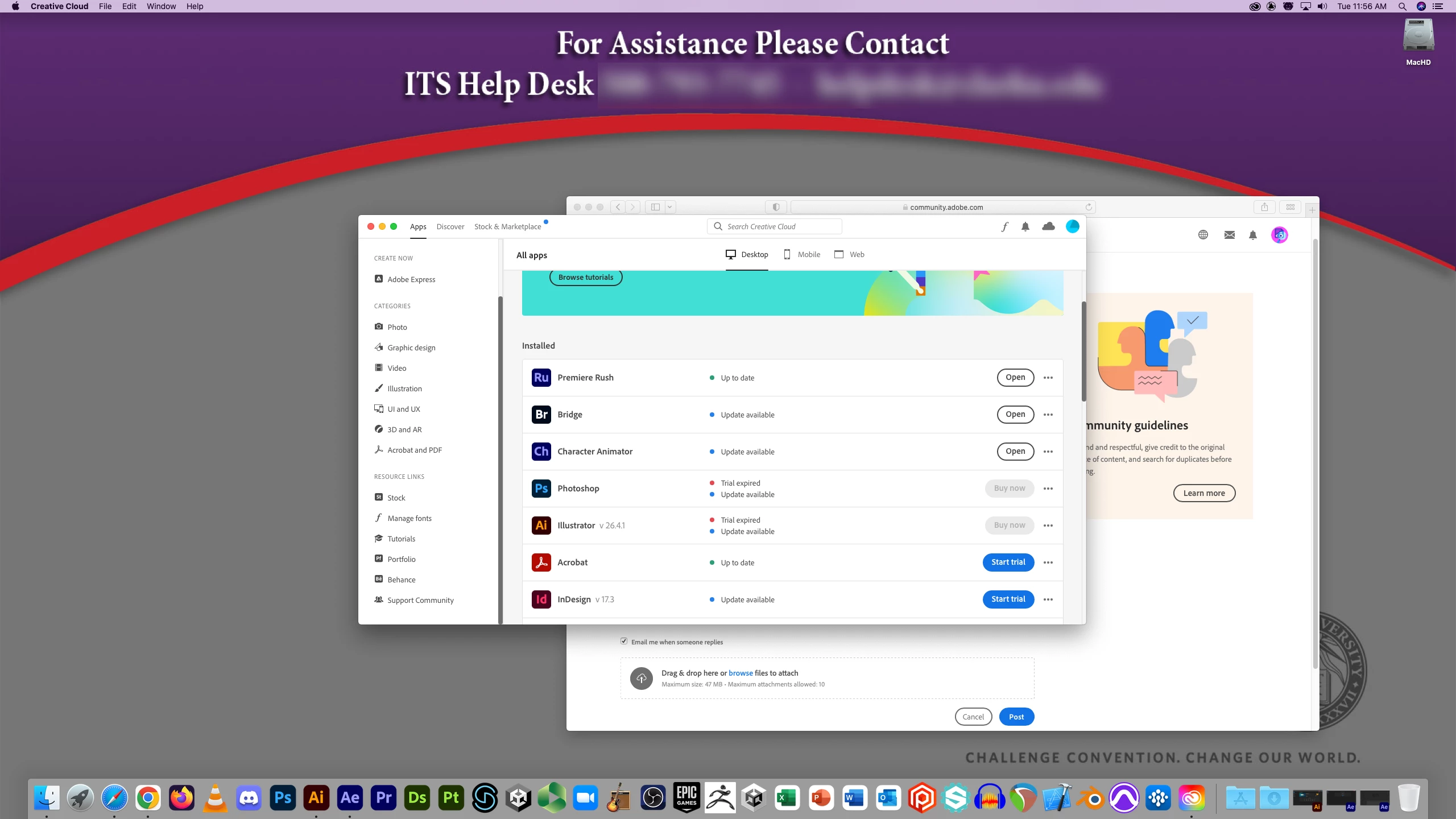
I am supposed to have access to the adobe enterprise plan for one of my classes at Clark University. I am supposed to be able to use Illustrator and After Effects, but both say trial expired. Is there a way for the support team to manually fix this? Why might this issue be occurring? I went to the IT center at my school and when I tried to show them the issue, I could download both apps as intended and use them with no issues, then when I returned to my classroom it stopped working again. Please let me know if there is a solution to this.


Images are provided displaying my issue.


[Moderator deleted private information. Please do not post private information like e-mails and phone numbers]

[Moderator moved the thread to the correct forum]

This topic has been closed for replies.

5 replies

Community Manager
February 23, 2023

@free_lunch I checked your account and there is no active licenses under your account. You need to contact your internal IT team as the enterprise licenses are managed by the organization. Unfortunately, the Adobe Support team would not be able to assit you in this issue.

Legend
February 22, 2023

Hi @free_lunch ,


I will help you figure this out, Follow the steps mentioned in this helpx document. If the steps do not work, then contact your plan administrator. 


Hope this helps!
Charles

Abambo
Community Expert
Community Expert
February 21, 2023

This is, when the administrator of your plan (someone at your school) did not invite you to their pool. Do what the message does and ask their helpdesk for support. They are responsible for the first level support. If they don't know the solution, they need to ask Adobe customer care.

ABAMBO | Hard- and Software Engineer | Photographer
kglad
Community Expert
Community Expert
February 21, 2023

contact your plan administrator.

Peru Bob
Community Expert
Community Expert
February 21, 2023

You will need to contact the help desk listed in your screenshot.