
Participant
November 23, 2022
Answered

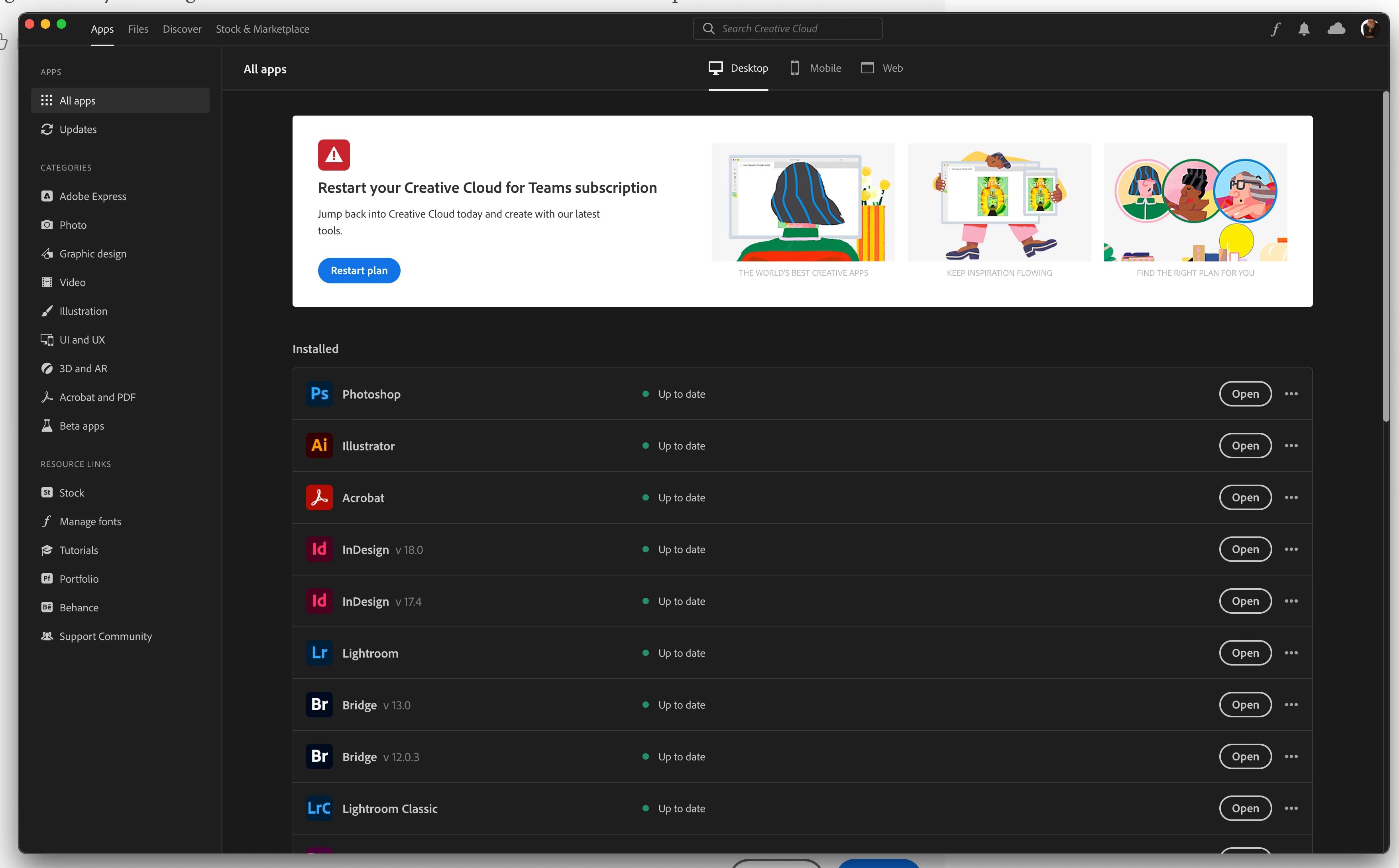
CC desktop app acting like I don't have a subscription.

  • November 23, 2022
  • 2 replies
  • 817 views

My CC desktop app has a messasge at the top of the screen that says "Restart Creative Cloud for Teams subscription" even though I'm a member and administrator of a CC For Teams with an active subscription. 

All the apps work but CC thinks I'm not legit. 
This topic has been closed for replies.
Correct answer kglad

Yes it's a small team (six licenses) and they are all the "pro" licenses. It was all working normally until a few days ago. I have no idea what changed. 


if you're the admin, open the support tab on your admin console > start chat or start case or request expert session.


https://helpx.adobe.com/enterprise/using/support-and-expert-services.html


if you're not the admin, contact the admin and have them contact adobe supply.

2 replies

kglad
Community Expert
Community Expert
November 23, 2022

if the above fails, start here - https://helpx.adobe.com/manage-account/kb/stop-creative-cloud-trial-mode-after-purchase.html


if that fails, proceed to these steps - https://helpx.adobe.com/enterprise/kb/resolve-trial-and-license-expired-errors.html


if that fails, https://helpx.adobe.com/download-install/kb/adobe-license-issues-keychain-credential-mgr.html


if those all fail, change your cc language.  eg, try international english


if that fails, change the install location


Participant
November 23, 2022

I tried all of the above suggestions (except changing the language or install location) and none of them worked.

I guess I'll try to change the install location next but not until tomorrow. I'll post here if that works.  

kglad
Community Expert
kgladCommunity ExpertCorrect answer
Community Expert
November 23, 2022

Yes it's a small team (six licenses) and they are all the "pro" licenses. It was all working normally until a few days ago. I have no idea what changed. 


if you're the admin, open the support tab on your admin console > start chat or start case or request expert session.


https://helpx.adobe.com/enterprise/using/support-and-expert-services.html


if you're not the admin, contact the admin and have them contact adobe supply.

Nancy OShea
Community Expert
Community Expert
November 23, 2022

[Moderator moved from Using the Community forums to Enterprise & Teams.]

1. Open CC Desktop App.
2. Click your Avatar (top right image) > Preferences > General tab > Settings. Select "Always keep Creative Cloud up to date."
3. Click on your Avatar again.
4. Sign-out of Creative Cloud.
5. Close all apps.
6. Restart your computer.
7. Open CC Desktop app.
8. Click your Avatar.
9. Sign-in with your paid Adobe Teams ID and password.


Hope that helps.


Nancy O'Shea— Product User & Community Expert
Participant
November 23, 2022

Thanks but preferences is grayed out. 


kglad
Community Expert
Community Expert
November 23, 2022

reset the cc desktop app: make sure it's in the foreground, then press:

Win: Ctrl + Alt + R
Mac: Cmd + Opt + R