

Configuration Error 16 - Adobe CC 2018 with CC for Teams membership
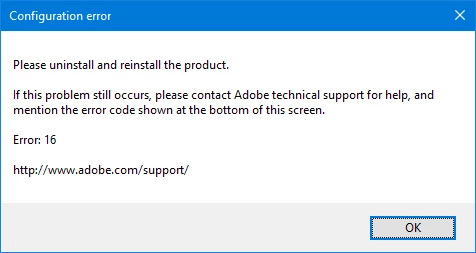
I'm having trouble running Adobe CC Applications due to the below error. Unsure what changed besides an update to CC 4.5.0.331 & possibly me uninstalling & reinstalling the software. This is happening with at least Photoshop, InDesign & Illustrator (though I've got a different problem with that one, where no error message is shown at all..):
Interestingly I also get the below at the same time, I presume this is the error logger trying to do it's thing? Strange as I'm on an account with Local Administrator privileges (corporate environment):

I've tried:
- Setting the permissions / folder attributes (grant Full Control to Everyone, Users & Local Administrators, along with unsetting Read-Only & Apply to all Subfolders) on both SLStore and Adobe PCD folders).
- Uninstalling & Reinstalling the apps through the Adobe CC Panel, & running as Administrator.
- Uninstalling all apps, then uninstalling the Adobe CC Panel, using the Adobe Creative Cloud Cleaner Tool to scrub it clean, deleting all Adobe folders in Program Files, Program Files (x86), ProgramData, ProgramFiles/CommonFiles, ProgramFiles (X86)/Common Files, C:\Users\[Me]\AppData\ directories, and [NetworkDrive]\[Me]\Settings\AppData (Where %AppData% points to, on our corporate machines), then reinstalling.
- Signing out of Creative Cloud & Exiting, Removing C:\ProgramData\Adobe\SLStore, creating an empty SLStore folder, & signing back in.
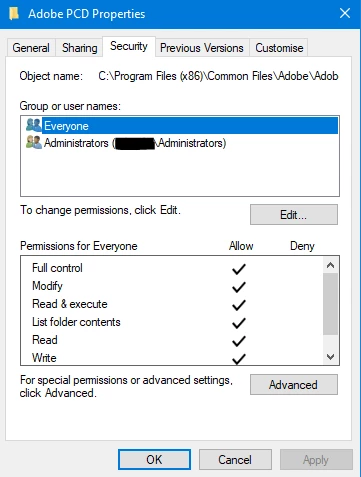
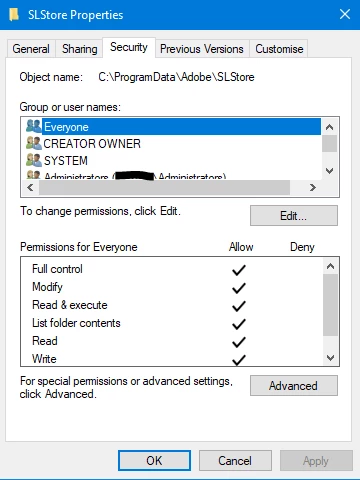
Still no joy. It used to work alright, but has since just stopped.
I'm using Windows 10 x64 v1703, Adobe CC 4.5.0.331, Sophos Endpoint Security & Control v10.8 (I can't configure this, locked by corporate).
 AdChoices