
Participant
September 26, 2022
Answered

Creative cloud admin install for users on vmware

  • September 26, 2022
  • 1 reply
  • 681 views

Hi there, i have 2 users who are using Adobe Acrobat DC Pro on an Horizon view  from vmWare environement. I am the admin on the Adobe Creative Cloud account and im trying to install the Acrobat DC Pro on a VM that we use for our pool of machine in vmWare. But since i have no licence under my name in Adobe, i cant seem to install the Acrobat DC Pro app in Creative cloud. The user have to install it each time i recompose the pool of VMs (in instant clone Horizon View 8).


there must be a way for me, the admin of the acocunt, to just install the app, wich i dont need to use. so that each time i recompose my pool the 2 users dont have to re-install it.


Any idea?


Thanks


Mike P.
This topic has been closed for replies.
Correct answer Abambo

Your question is clear, @kglad has just moved your request to the correct forum.


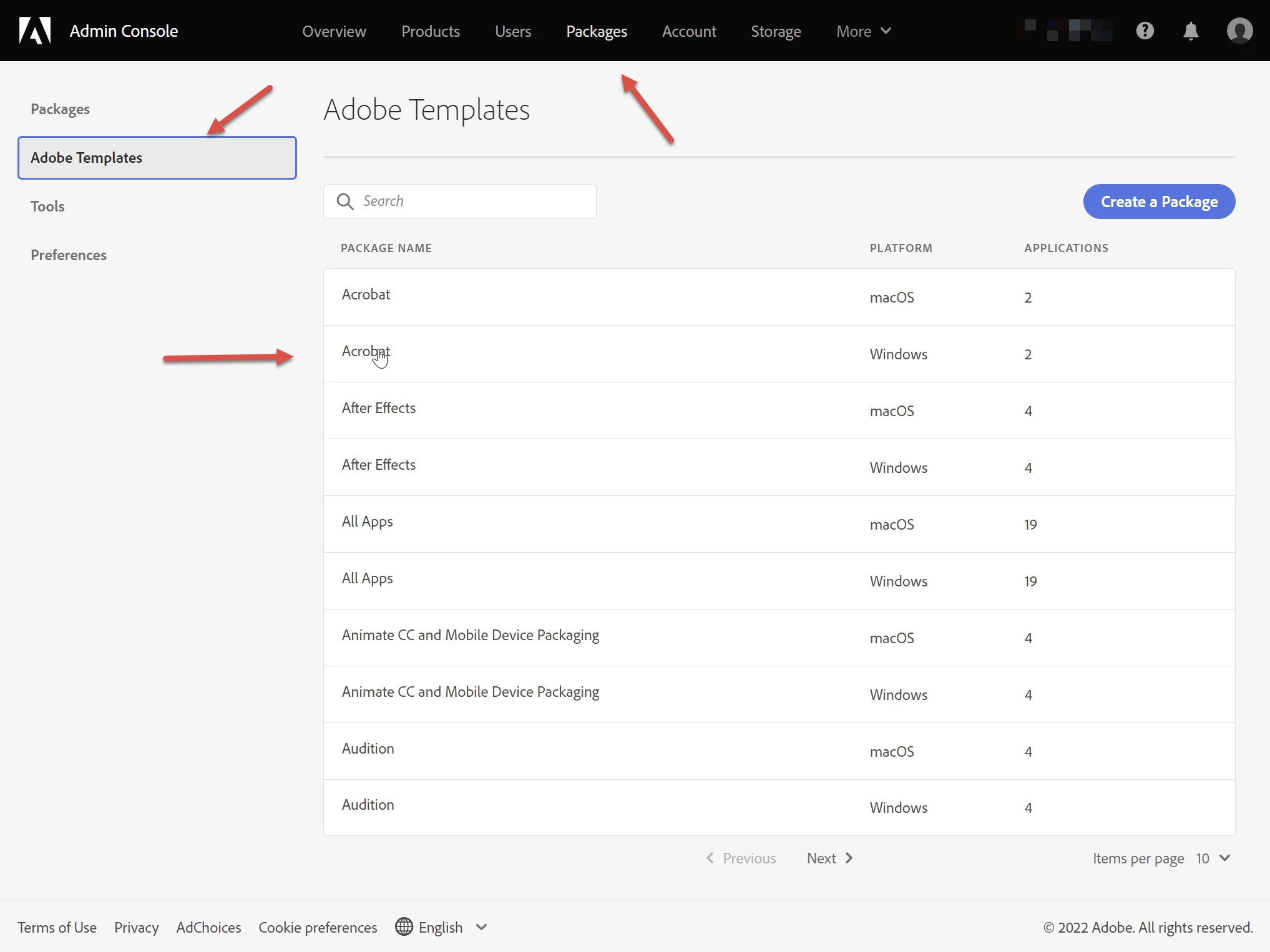
You can create via the adminconsole (https://adminconsole.adobe.com) an installation package, that allows you to install Acrobat on the respective machines. You do not need an Acrobat or Creative Cloud licence to do that. You may use one of Adobe's templates:


1 reply

kglad
Community Expert
Community Expert
September 26, 2022

<moved from download&install>

MikePilonAuthor
Participant
October 4, 2022

Is my question unclear or is it something else?

kglad
Community Expert
Community Expert
October 4, 2022

i moved your post to a better forum for getting an answer relevant to a team/enterprise user.