
Exit
  • Global community
    • Language:
      • Deutsch
      • English
      • Español
      • Français
      • Português
  • 日本語コミュニティ
  • 한국 커뮤니티
1

Creative Cloud app error after last update

Explorer ,
Sep 28, 2020 Sep 28, 2020

Hello

After last update Creative Cloud (with Marketplace feature) my Creative Cloud App went crazy. I can't activate any fonts, lost fonts activated already and installed apps are not visible in CC. Additionaly CC app fron time to time shoving information that something went wrong and it needs to be repared by doloading and reinstaling it. Unfortunatelly it still does nothing.

Is there any fix for these problems.


Best Regards
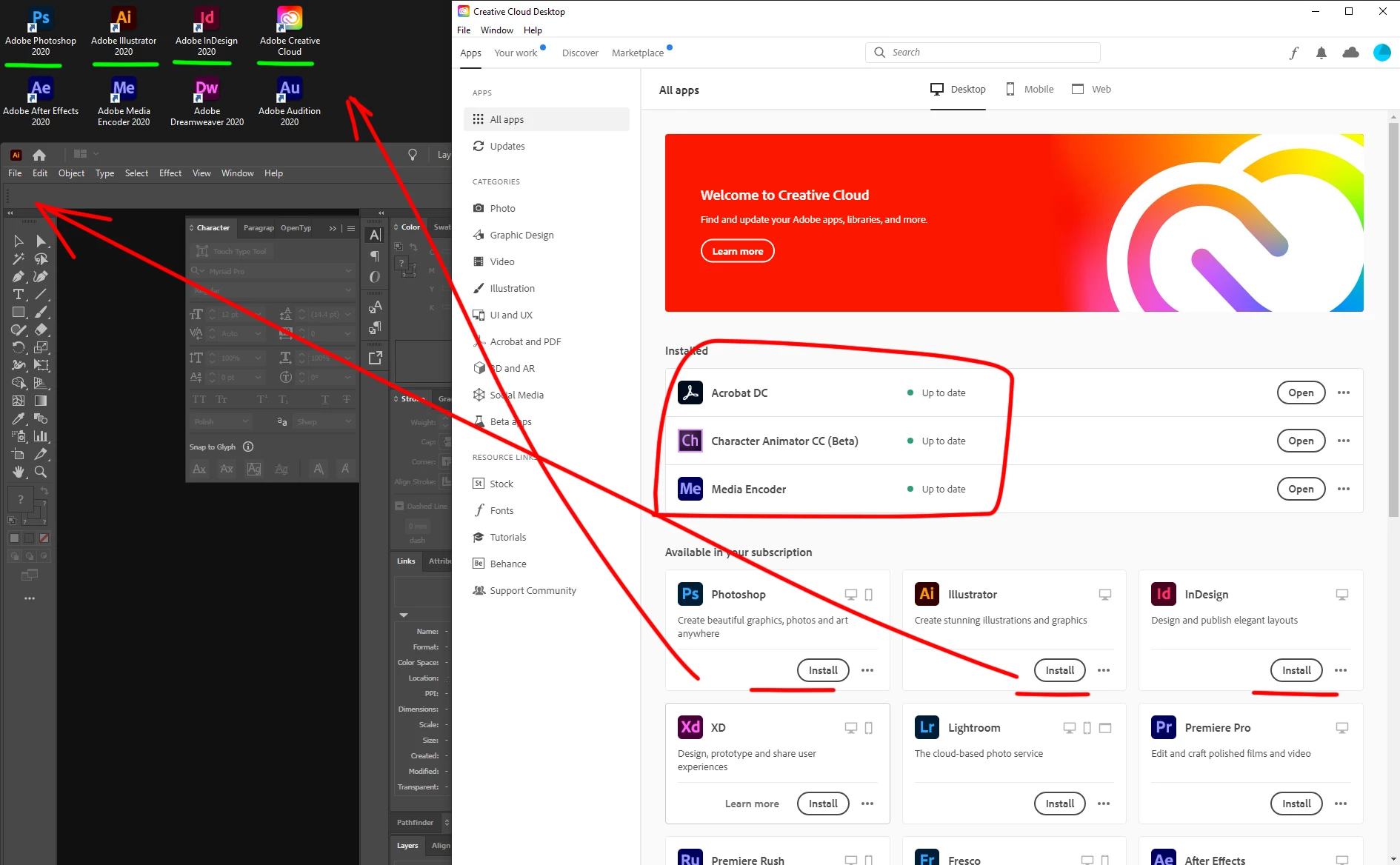
2020-09-28_12h14_48.png


455
Translate
Report
Community guidelines
Be kind and respectful, give credit to the original source of content, and search for duplicates before posting. Learn more
community guidelines

correct answers 1 Correct answer

Adobe Employee , Sep 29, 2020 Sep 29, 2020

Hi,

Kindly confirm the version of the creative cloud app you are using. Also, sign out from the creative cloud desktop app and login again to check if you are still getting the "Install" option.

Translate
Explorer ,
Sep 28, 2020 Sep 28, 2020

2020-09-28_12h32_58.png

I received this information several times today. I tried Cleaner tool but no efects.

Translate
Report
Community guidelines
Be kind and respectful, give credit to the original source of content, and search for duplicates before posting. Learn more
community guidelines
Community Expert ,
Sep 28, 2020 Sep 28, 2020
Translate
Report
Community guidelines
Be kind and respectful, give credit to the original source of content, and search for duplicates before posting. Learn more
community guidelines
New Here ,
Sep 28, 2020 Sep 28, 2020

I'm having this problem too. I had found this link of things to try, as well, John, but it has not helped. I've repaired, uninstalled and reinstalled, and used the clean-up tool, following all the steps that comes with each method. Creative cloud freezes and then eventually the error window that the OT posted continues to show up. I cannot open up Indesign, either, which also just had an update. 

Translate
Report
Community guidelines
Be kind and respectful, give credit to the original source of content, and search for duplicates before posting. Learn more
community guidelines
New Here ,
Sep 28, 2020 Sep 28, 2020

*OP

Translate
Report
Community guidelines
Be kind and respectful, give credit to the original source of content, and search for duplicates before posting. Learn more
community guidelines
Adobe Employee ,
Sep 29, 2020 Sep 29, 2020
LATEST

Hi,

Kindly confirm the version of the creative cloud app you are using. Also, sign out from the creative cloud desktop app and login again to check if you are still getting the "Install" option.

Translate
Report
Community guidelines
Be kind and respectful, give credit to the original source of content, and search for duplicates before posting. Learn more
community guidelines