
Participant
August 16, 2020
Answered

Creative Cloud Installer not responding

  • August 16, 2020
  • 2 replies
  • 644 views

Hi, 

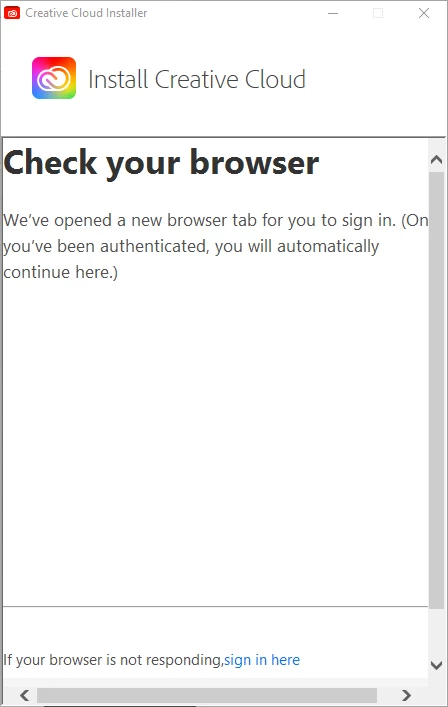
I just downloaded Creative Cloud installer (Windows 10), followed the first step to authenticate (opens Browser tab), authenticates successfully, but the installer does not progress. The installer says "you will automatically continue here", but it is not continuing. Also, there seems to be an issue with the installer window, not all of it is visible, and I can not resize the window.


*Also just noticed a Log file with Error:


0817/084809.800:ERROR:crash_report_database_win.cc(469)] failed to stat report


Screenshot attached of the installer window I see. 


This topic has been closed for replies.
Correct answer Nikhil R Gupta

Hello,

I believe the browser-based authentication is enabled on your machine by your organization. There could be some policies applied to the machine which may be causing this issue. Could you try installing the Creative Cloud desktop application using direct download and check and check if that works.

https://helpx.adobe.com/in/download-install/kb/creative-cloud-desktop-app-download.html

You can also try to download the package using below link and try to install and check if this works.

CCDA_WIN 


Thanks,

Nikhil Gupta

2 replies

Nikhil R Gupta
Community Manager
Nikhil R GuptaCommunity ManagerCorrect answer
Community Manager
August 25, 2020

Hello,

I believe the browser-based authentication is enabled on your machine by your organization. There could be some policies applied to the machine which may be causing this issue. Could you try installing the Creative Cloud desktop application using direct download and check and check if that works.

https://helpx.adobe.com/in/download-install/kb/creative-cloud-desktop-app-download.html

You can also try to download the package using below link and try to install and check if this works.

CCDA_WIN 


Thanks,

Nikhil Gupta

Peru Bob
Community Expert
Community Expert
August 16, 2020

Which browser?

Is Windows up to date?

What version number of Windows 10?

Participant
August 17, 2020

Browser is Google Chrome, PC is managed by the company I work for, windows version installed is 10.0.18363. 


Please let me know if you need more info. I tried installing on my home PC (Windows 10, similar build, but lower spec) and it worked fine. Not sure why not on my Laptop.

Jeffrey_A_Wright
Community Manager
Community Manager
August 24, 2020

Default63, if the PC is managed by your company then you will need to contact your company for assistance.